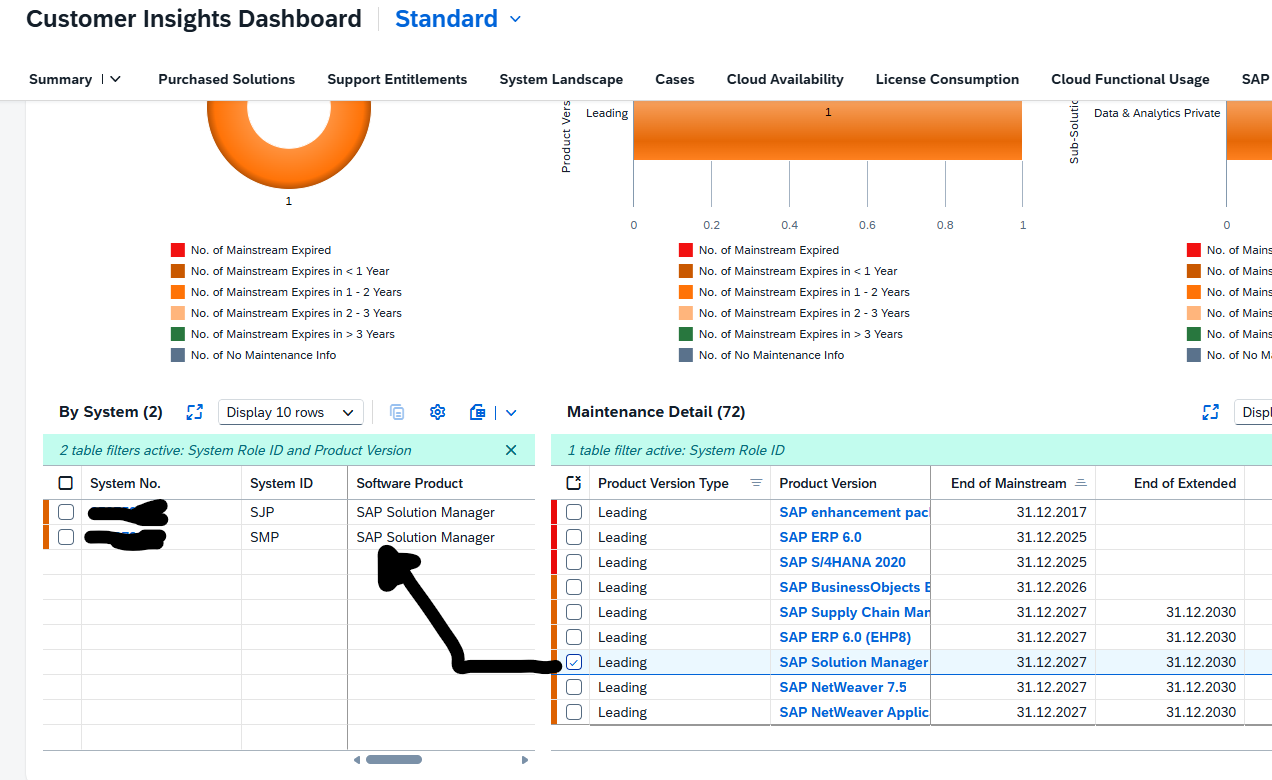
On me.sap.com there is a support maintenance overview page. You can reach this page via this direct URL: Reporting – SAP for Me. A full explanation of all functions can be found on this blog. The below is the quick manual.
Support maintenance overview
When you start the page you get the total overview:
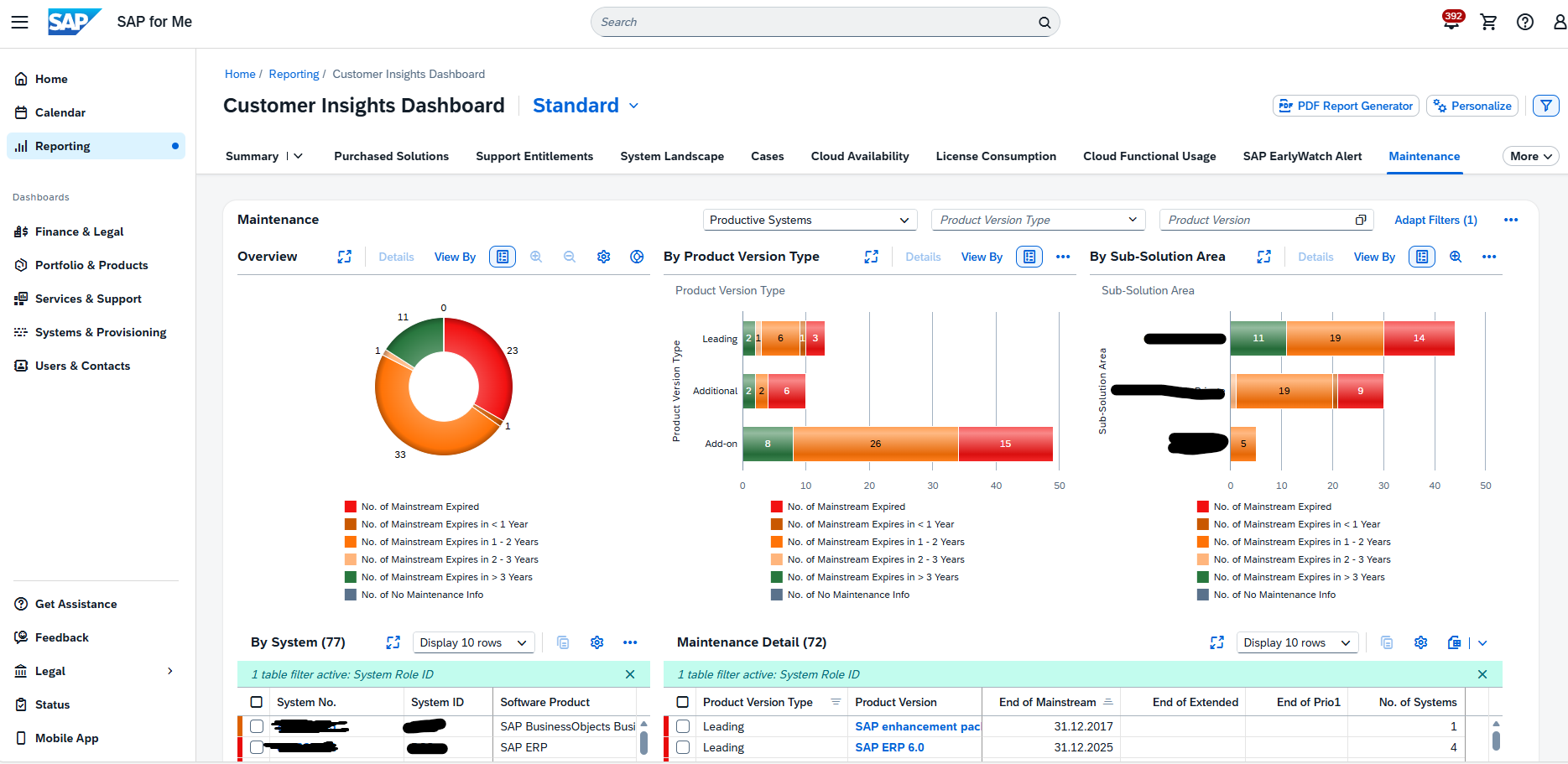
By clicking on a segment, you can zoom in:
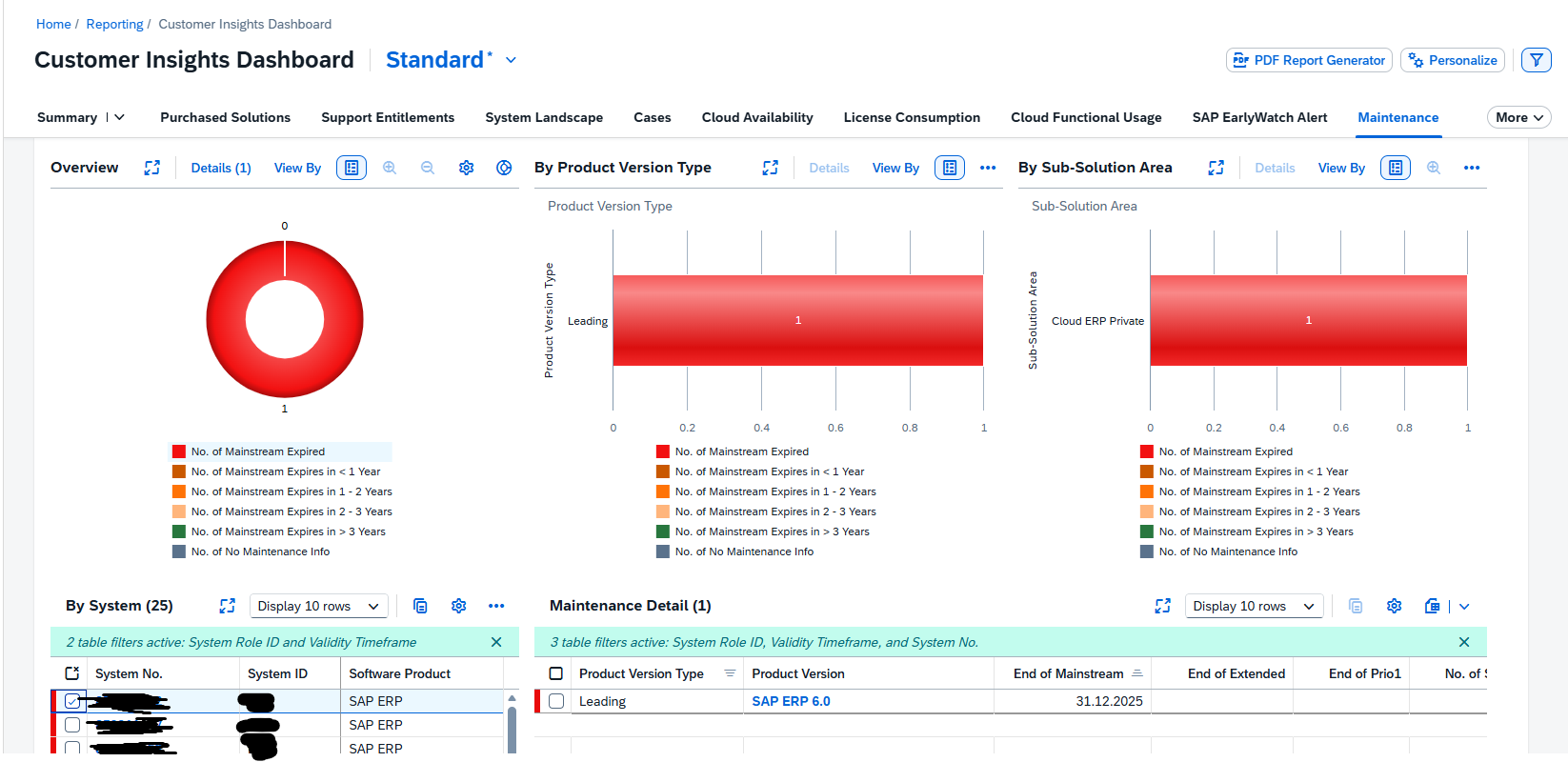
By clicking on the system number you can go to the system administration details:
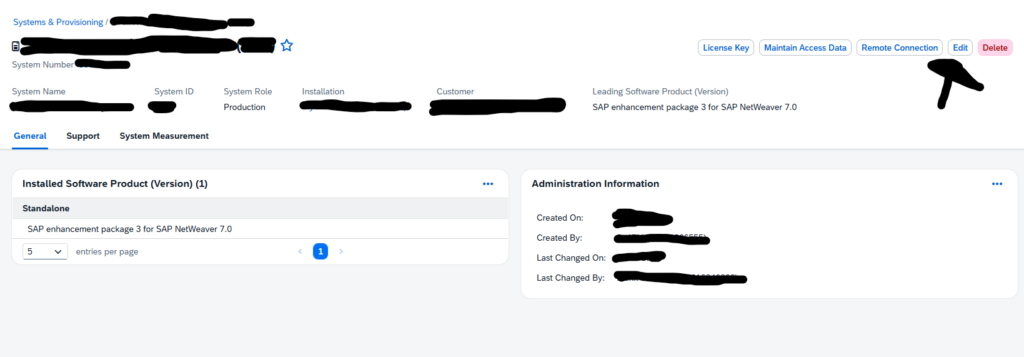
This can be used to update wrong old information, or to delete systems which have been decommissioned, but are still present in the SAP administration.
Navigation options
You can navigate from the System to the products and addons. Do this by selecting the system in the left part:
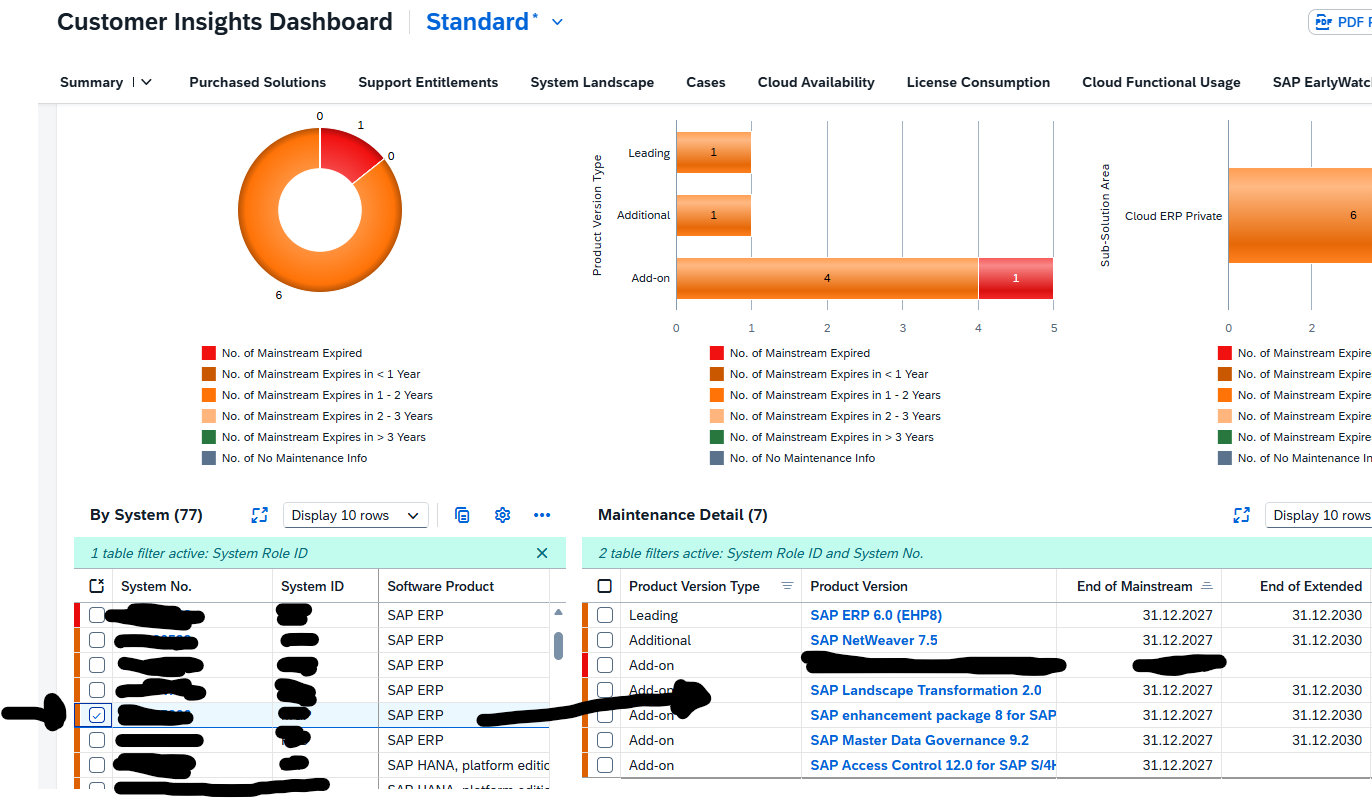
Another option is to start with the leading product or addon to see on the left side, which systems have this component installed: