
In S4HANA you have a choice to activate the embedded livecache for SCM functionality. Or to keep your current SCM livecache in a separate system.
This blog will describe the steps to activate the SCM livecache embedded in S4HANA.
Questions that will be answered in this blog are:
- How to activate the embedded S4HANA livecache technically?
- How to monitor the embedded S4HANA livecache?
- How to activate the embedded S4HANA livecache functionally?
Installation
First read the embedded livecache OSS note: 2593571 – FAQ: SAP HANA Integrated liveCache.
Then determine via OSS note 2074843 – Version Matrix for HANA integrated liveCaches, which exact version to download and install.
Then follow all the manual installation steps described in OSS note 2407589 – Manual installation of liveCache for S/4HANA.
Installation will take few hours, up to a few days (depends on your experience).
Technical checks
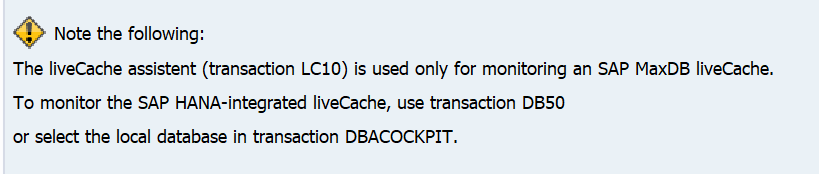
When you start LC10 transaction, like you are used to on an SCM server, you will be re-directed to DB50 or DBACOCKPIT transaction:
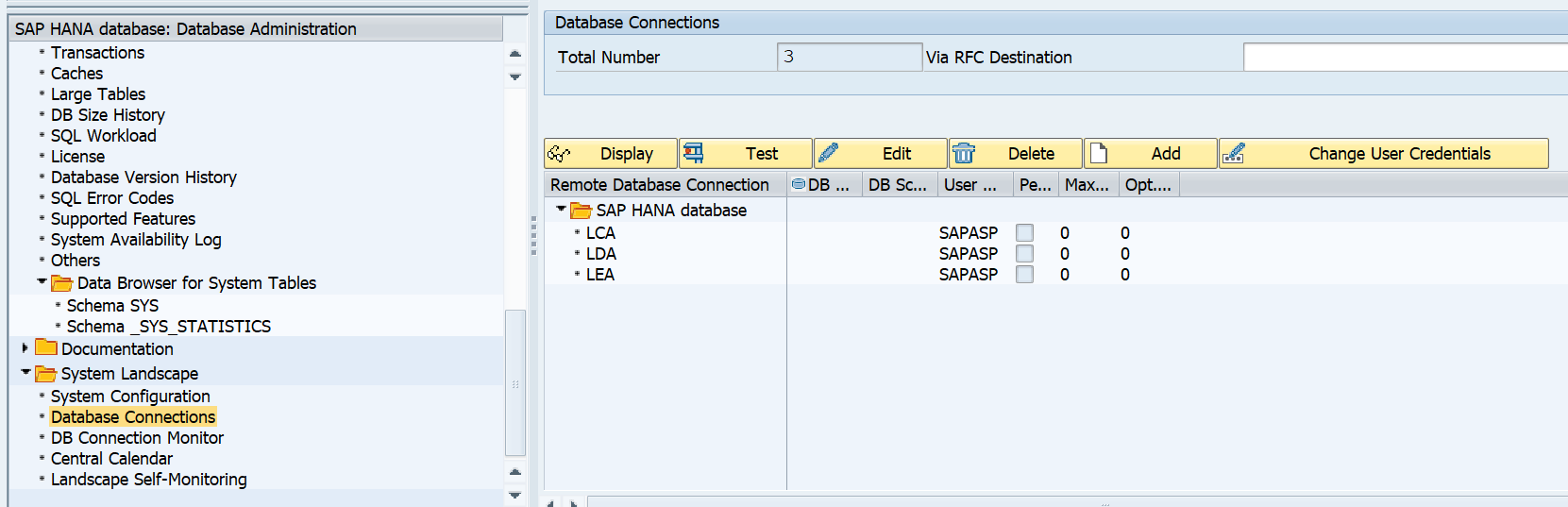
In DBACOCKPIT you can see the 3 schemas for Livecache:
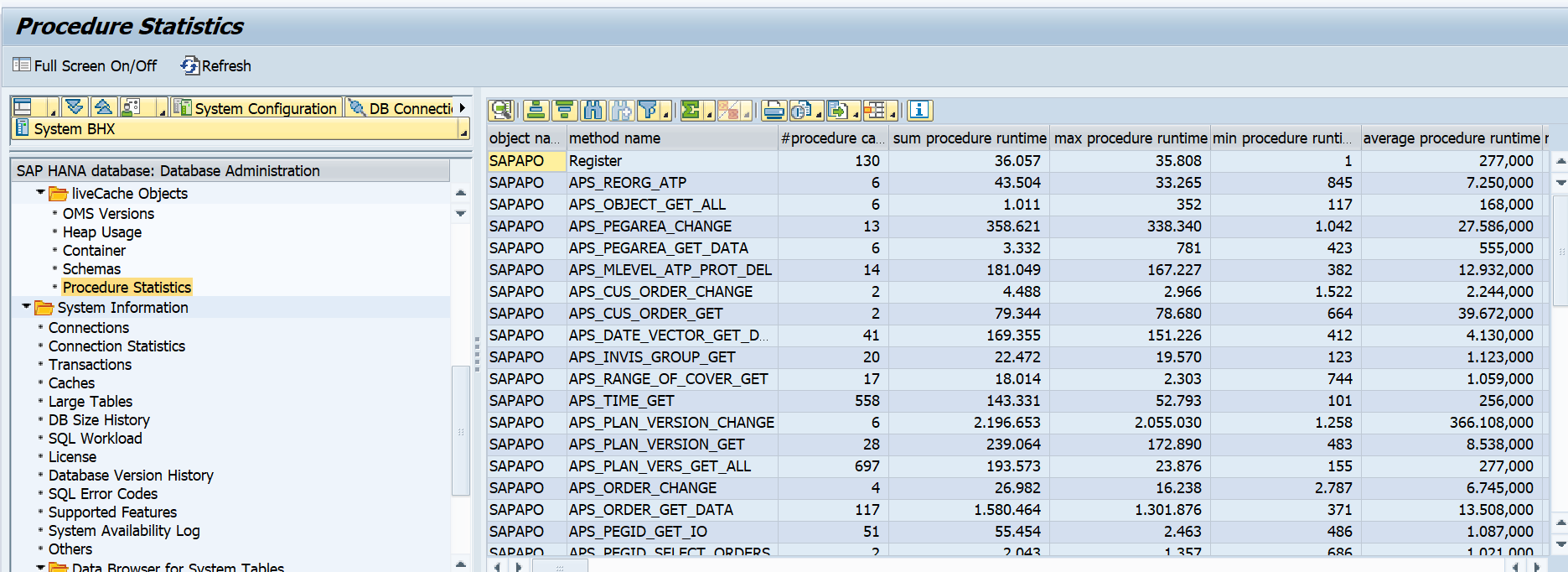
And you can see all livecache related technical parts:
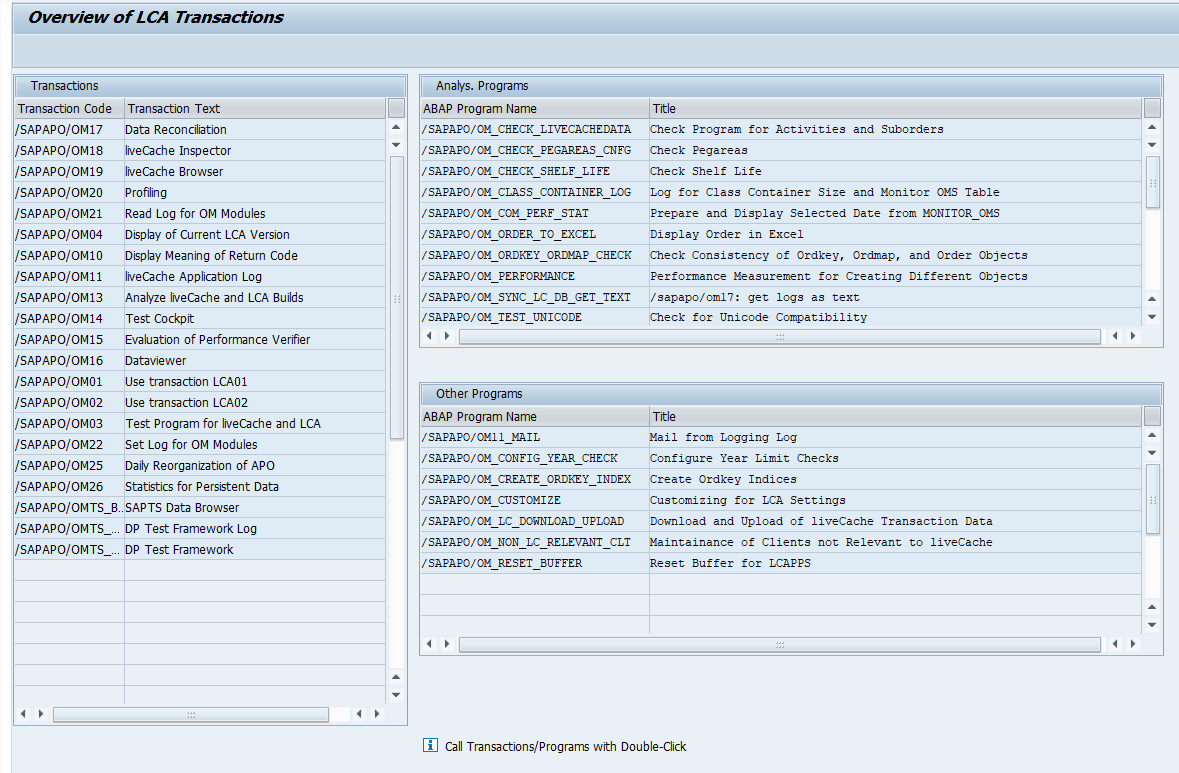
Overview of LCA transactions
Start transaction /SAPAPO/OM00 to get an overview of all LiveCache LCA transactions:
Transaction LCA04 can be used to show livecache version information:
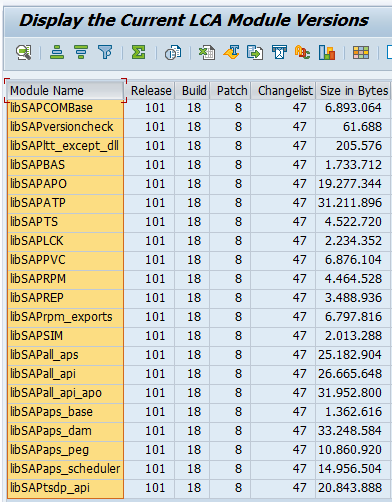
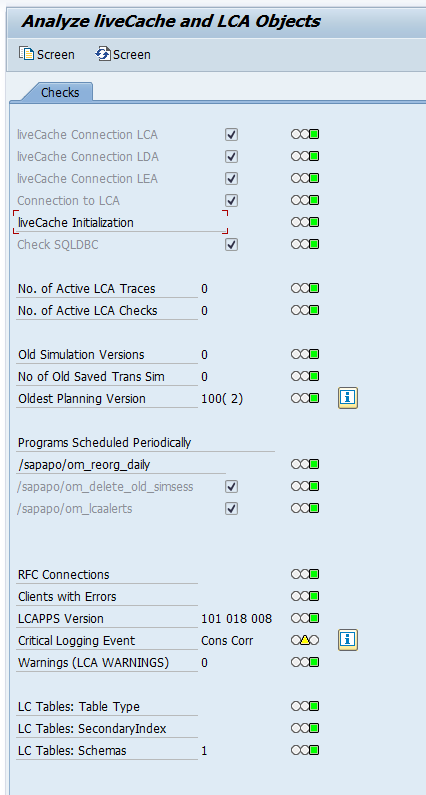
Transaction LCA03 can be used for generic health checks. Launch this transaction, wait, and ignore the error message at the bottom if needed by clicking the back button, to reach this screen:
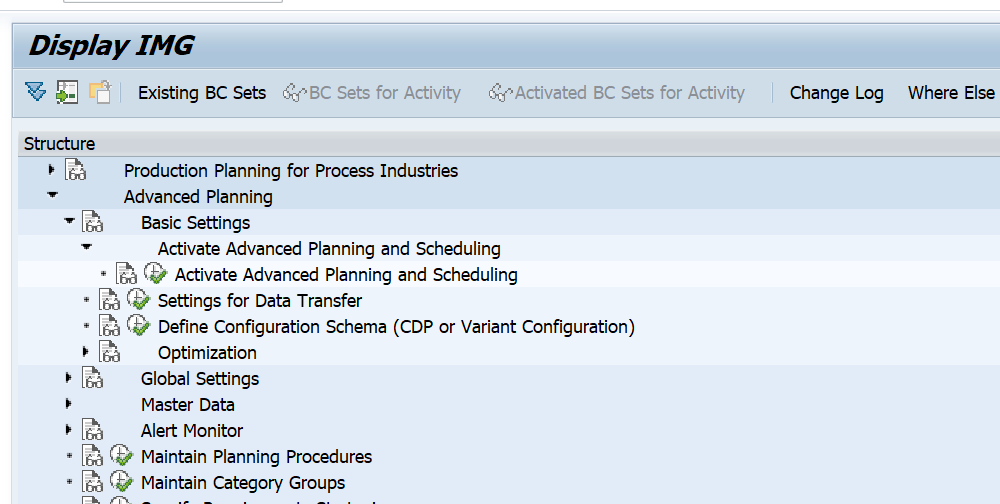
Functional activation
After the technical activation the functional activation has to be done in customizing for advanced planning and scheduling:
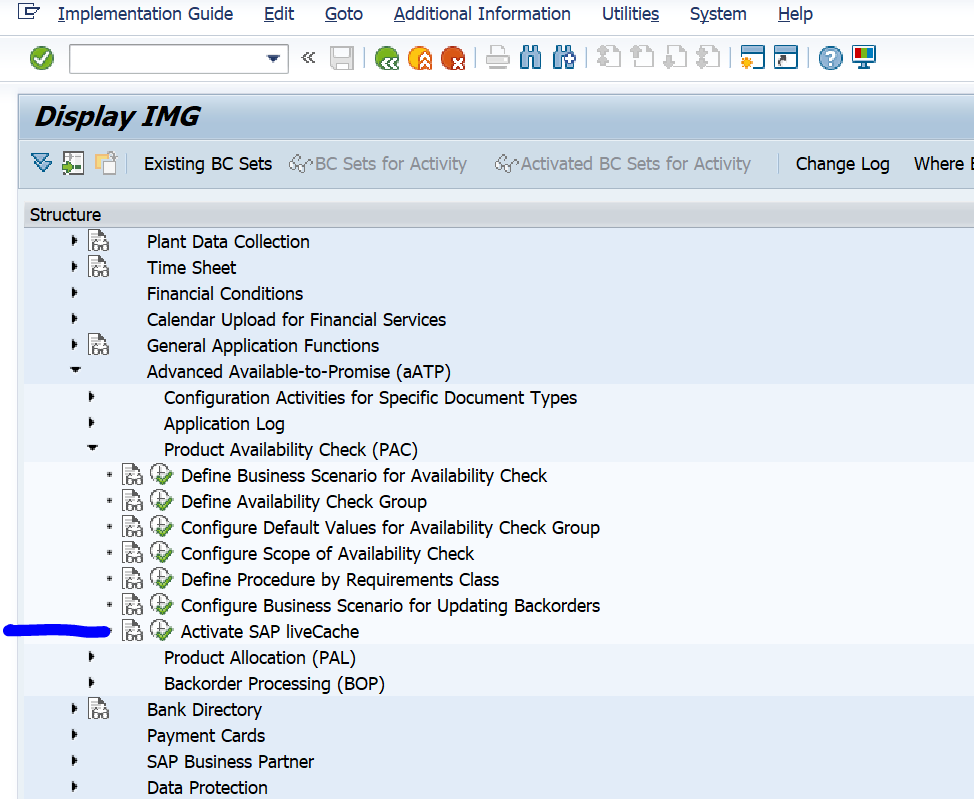
And separately for global ATP:
Functional testing
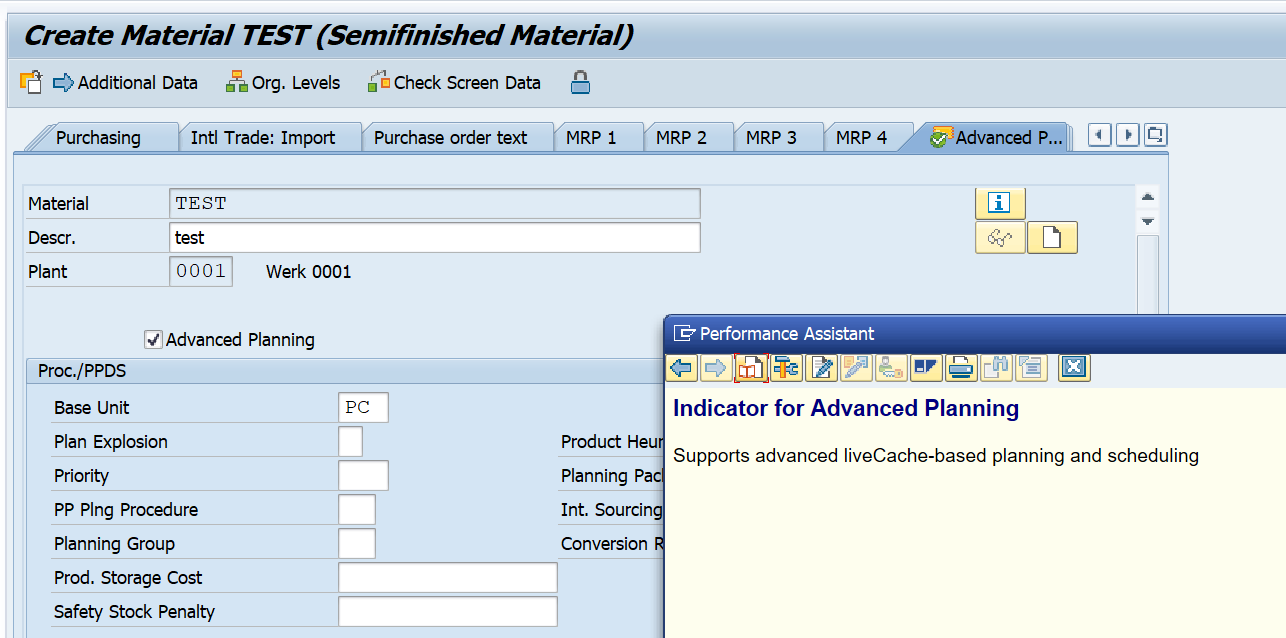
After the activation you can check to see all works by creation of new material in transaction MM01. The new tab Advanced Planning should be available now:
PP/DS optimizer
The PP/DS optimizer still needs separate server and installation.
See this blog and OSS note 1686826 – Installation help for installing SCM Optimizers.
Reference OSS notes
Migration options: