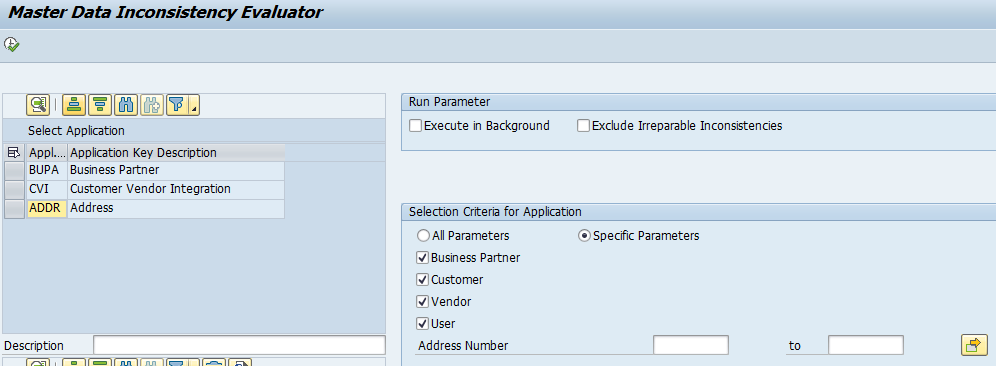
The master data consistency analyzer tool is a tool to analyze the consistency of business partners and addresses, including business address services).
The complete functional description is explained in OSS note 3353957 – MDCA ( Master Data Consistency Analyzer ) :- Functional Details. If not yet installed by a support package OSS note 3358866 – MDCA ( Master Data Consistency Analyzer ) – Implementation Details contains the installation instructions. It might also be that the transaction MICE exists, but bug fix notes are present, or new functions like business address services are added (via OSS note 3272563 – MDCA ( Master Data Consistency Analyzer ) – Business Address Services Note 2). Therefore always make sure all the notes listed in 3358866 are applied.
Running the tool
Start transaction MICE.
You get a warning popup that you should run this tool based on guidance of SAP.
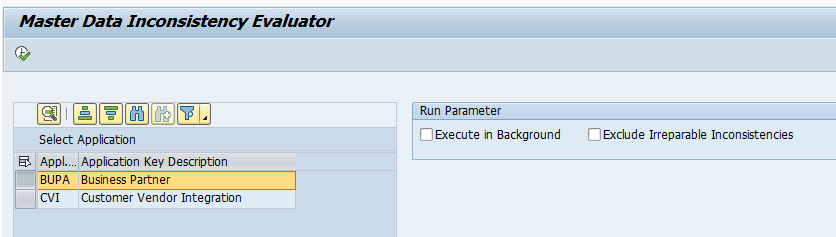
On the selection screen double click on the tool you want to run:
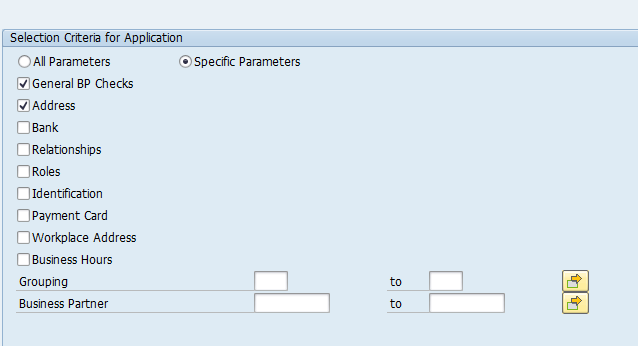
Now select which criteria you want to validate:
Execute. Depending on how much data is in your system, this can run online, or should be put to background mode.
Results will only be the erorrs:
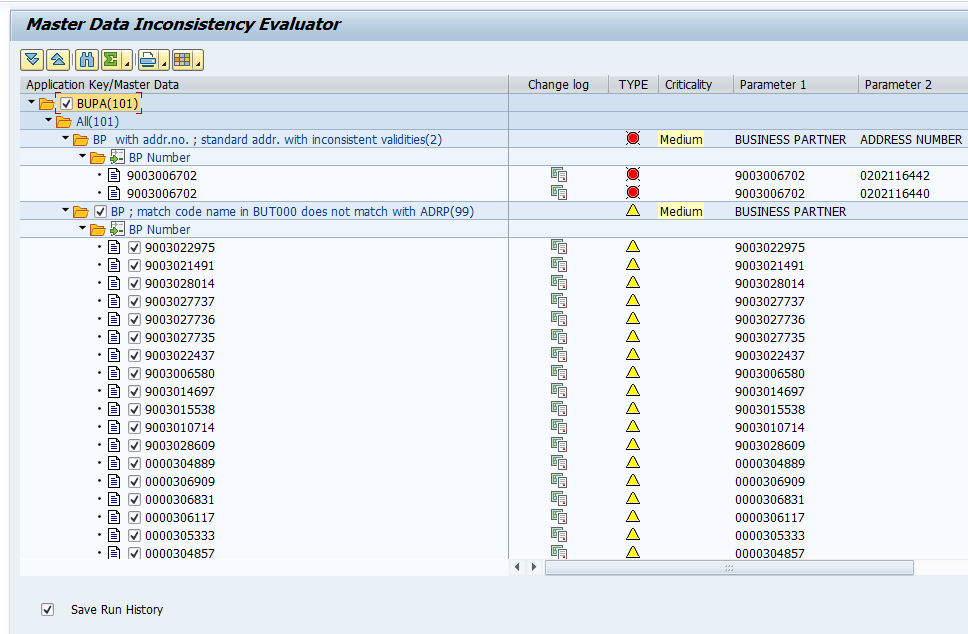
Red light not repairable (contact SAP on what to do). Yellow means repairable.
Business Address Data check
After applying OSS note 3272563 – MDCA ( Master Data Consistency Analyzer ) – Business Address Services Note 2 you can now also perform a check on address data consitency: