This blog will explain how to archive idocs via object IDOC. Generic technical setup must have been executed already, and is explained in this blog.
Object IDOC
Go to transaction SARA and select object IDOC.
Dependency schedule:
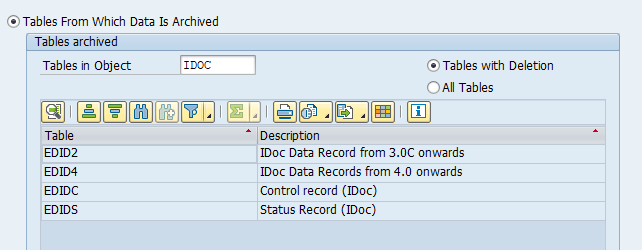
Main tables that are archived:
- EDIDC (idoc control record)
- EDIDS (idoc status record)
- EDID4 (idoc content)
Technical programs and OSS notes
Write program: RSEXARCA
Delete program: RSEXARCD
Read program: RSEXARCR
Reload program: RSEXARCL
Relevant OSS notes:
- 2534069 – ALE – Archiving table EDI40
- 3226440 – RSEXARCA does not archive IDocs
- 3262627 – Reloading archived IDoc data with RSEXARCL
- 3391936 – Archiving Object IDOC – tables with deletion
- 3437459 – Control of determination of EDIDS for archiving
- 3490659 – Unable to read archived IDoc in Transaction WE09
Application specific customizing
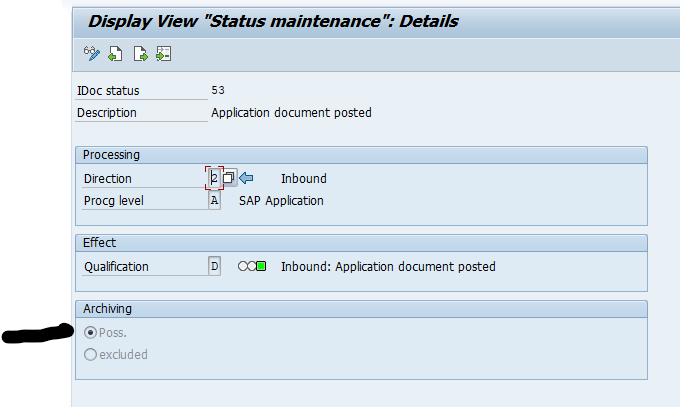
In transaction WE47 the idoc status must be set to archive-able:
Executing the write run and delete run
In transaction SARA, IDOC select the write run:
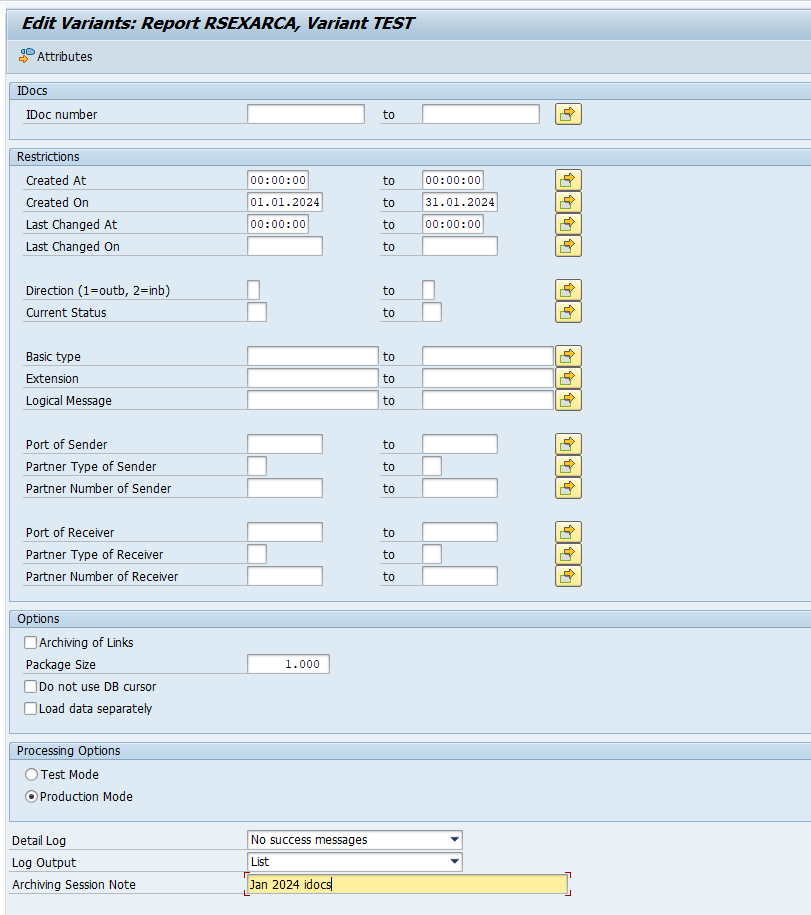
Select your data, save the variant and start the archiving write run.
Give the archive session a good name that describes idoc type and year. This is needed for data retrieval later on.
After the write run is done, check the logs. IDOC archiving has average speed, and high percentage of archiving (up to 100%). Mostly errors are not archived due to status (transaction WE47).
Deletion run is standard by selecting the archive file and starting the deletion run.
Data retrieval
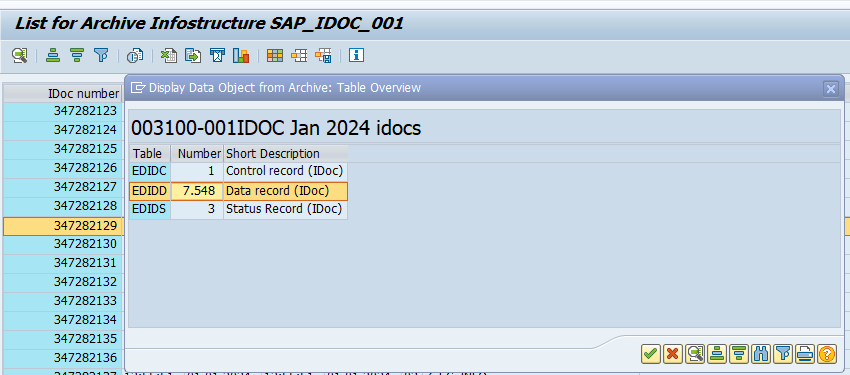
Data retrieval is via program RSEXARCR is extremely poor. Setup archive infostructure SAP_IDOC_001, and use transaction SARI (with IDOC and SAP_IDOC_001) to search and retrieve the idocs:
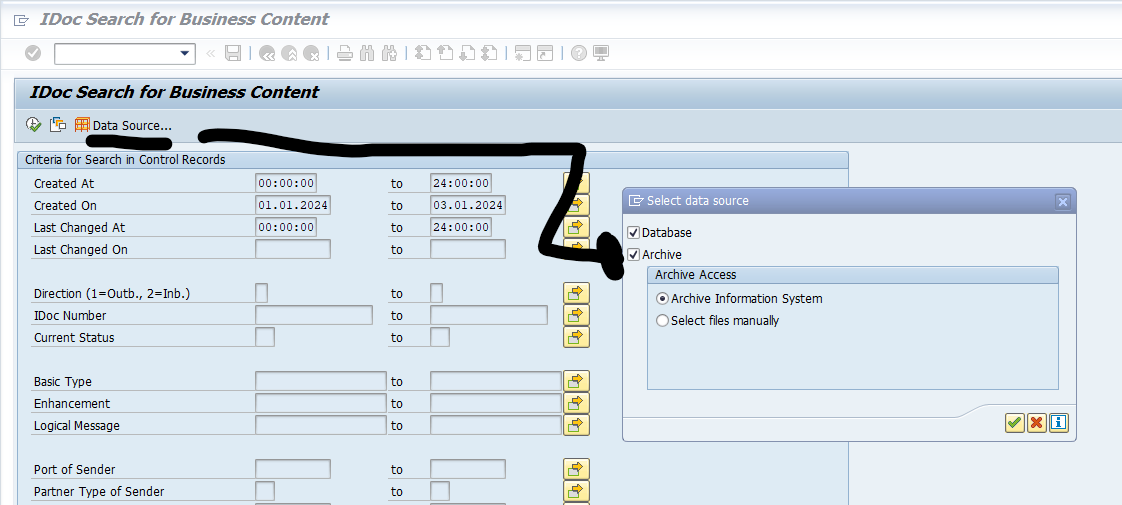
Or use WE09 transaction and include the selection for Archive: