SAP interfacing: exposing web services

In the previous blog we have created a test RFC module. We now will expose this test RFC module as web service. This blog assumes the basic SOAP web service runtime has been done according to the manual in this blog.

If you are looking for information on how to consume a web service in the ABAP stack: read this blog.

Questions that will be answered are:

  • How can I generate a web service design time based on an RFC module?
  • How do I activate the web service runtime via SOAMANAGER?
  • How do I test my web service?

Creating the web service based on RFC module

Goto transaction SE80 and search for the test BAPI:
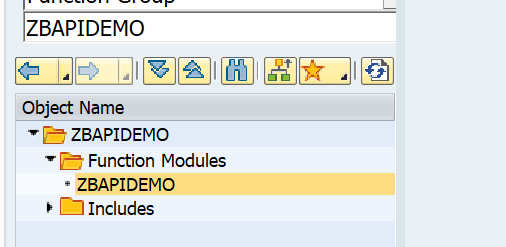
Now right click on the name ZBAPIDEMO function module and select the option Create / Enterprise Service:
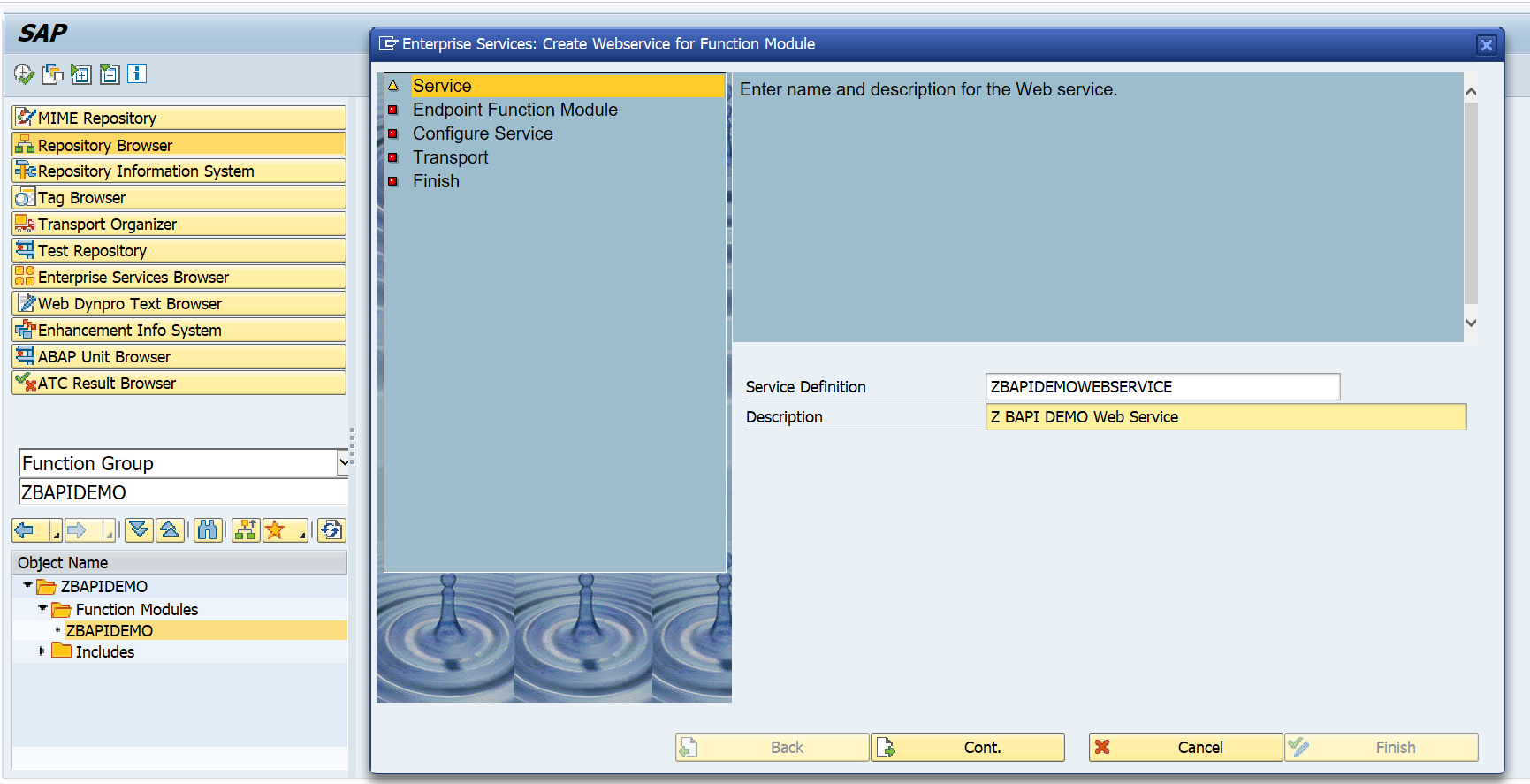
Fill out the name for the service definition and the description. Press Cont. to continue to the next screen:
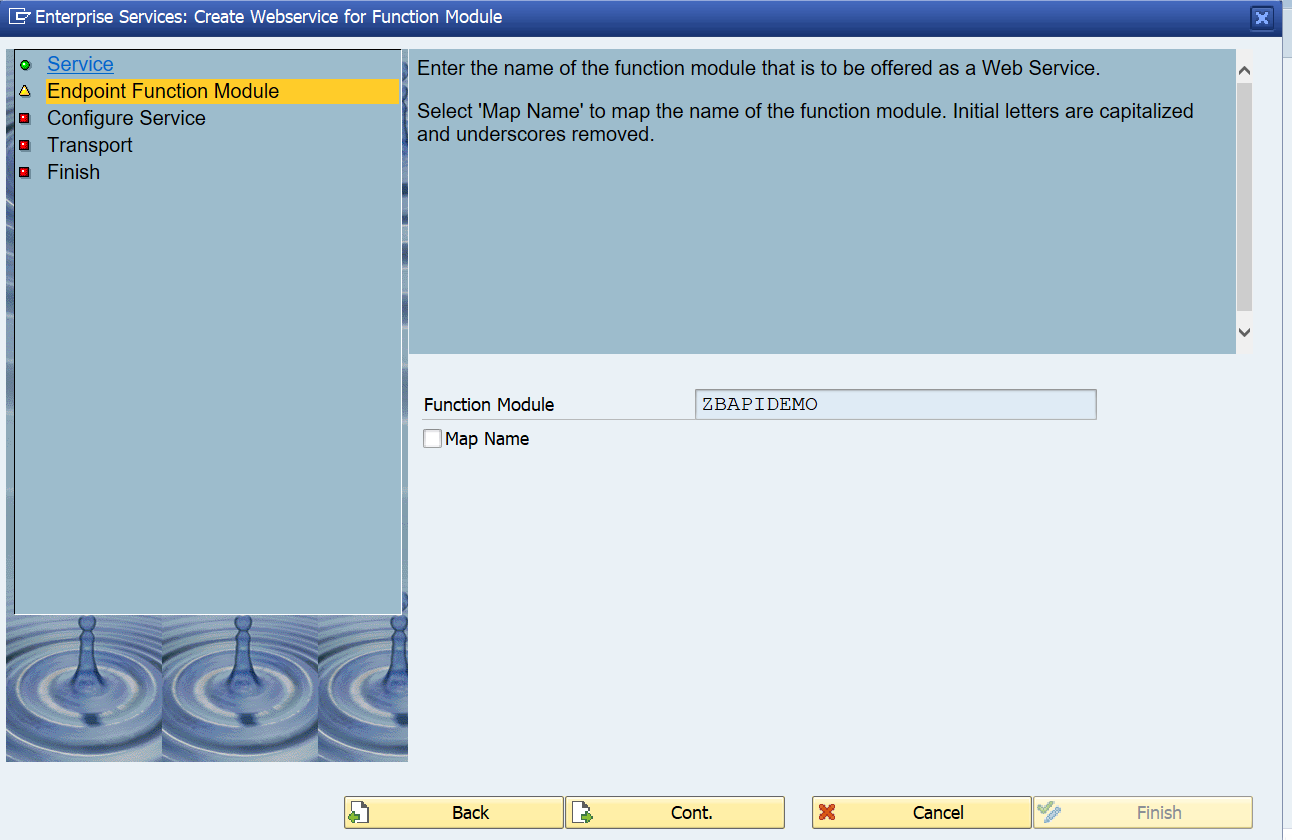
Press Cont to go to the next step:
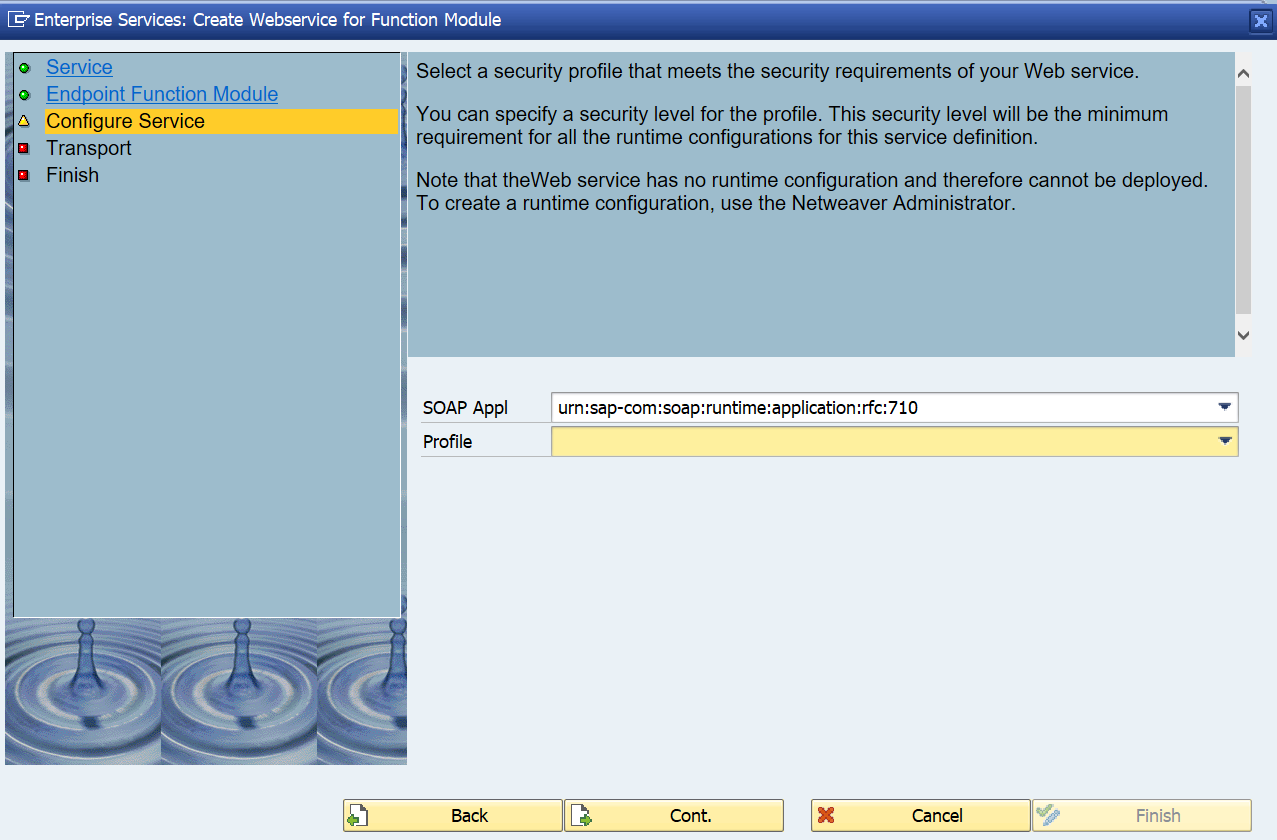
Press Cont. to go to the next screen:
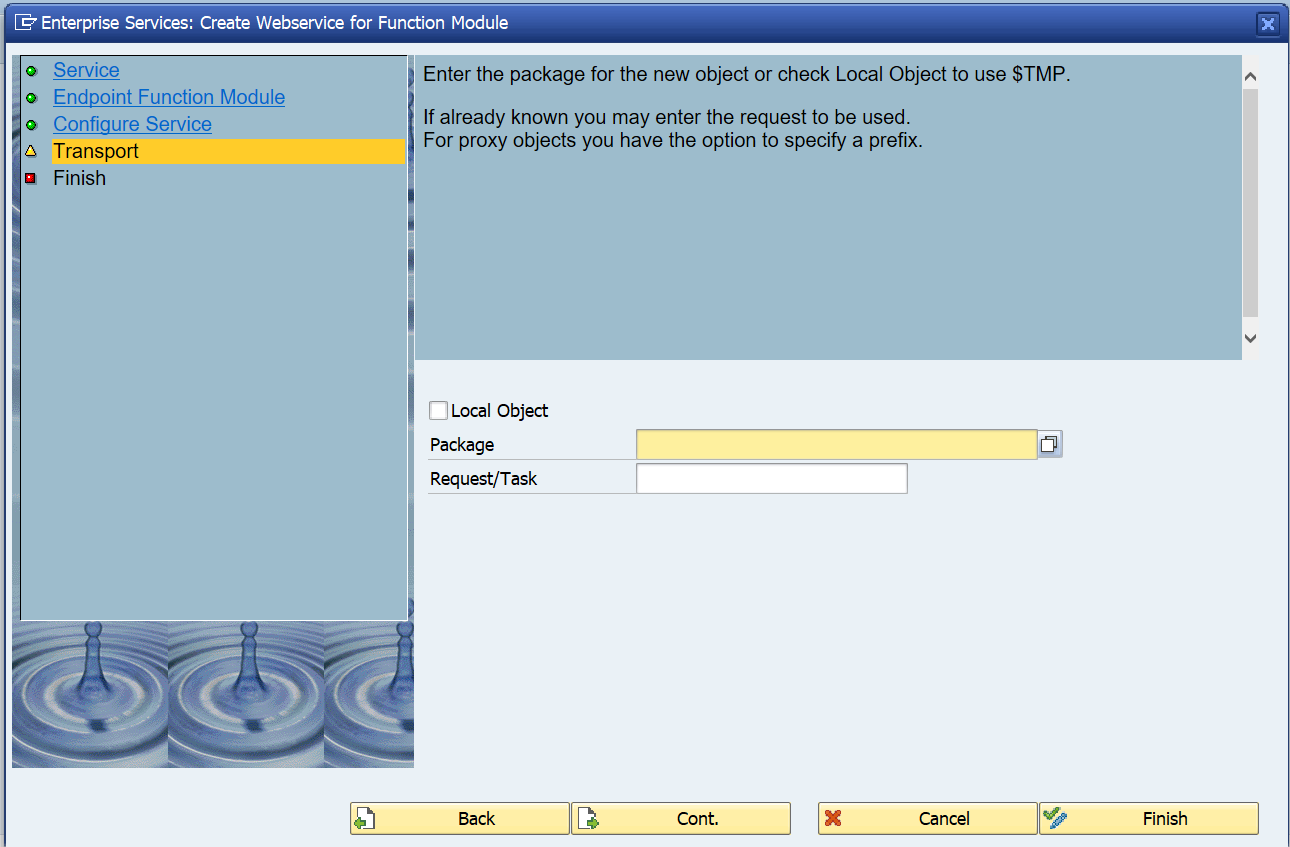
Fill out your package and transport request.

Important here: on a sandbox you might want to use a local object ($TMP). In a development system, NEVER use the local option. A lot of data structures and coding will be generated. If you later try to move the objects from $TMP to a real package, you will be faced with a lot of issues. See note  886682 - Proxy inconsistencies on the use of repair programs SXIVERI_PROXY_HASHID_CHECK and SXIVERI_PROXY_HASHID_CHECK_70. After the cumbersome and painfull repair you will not make the mistake again... 

Press Cont. to goto the last screen:
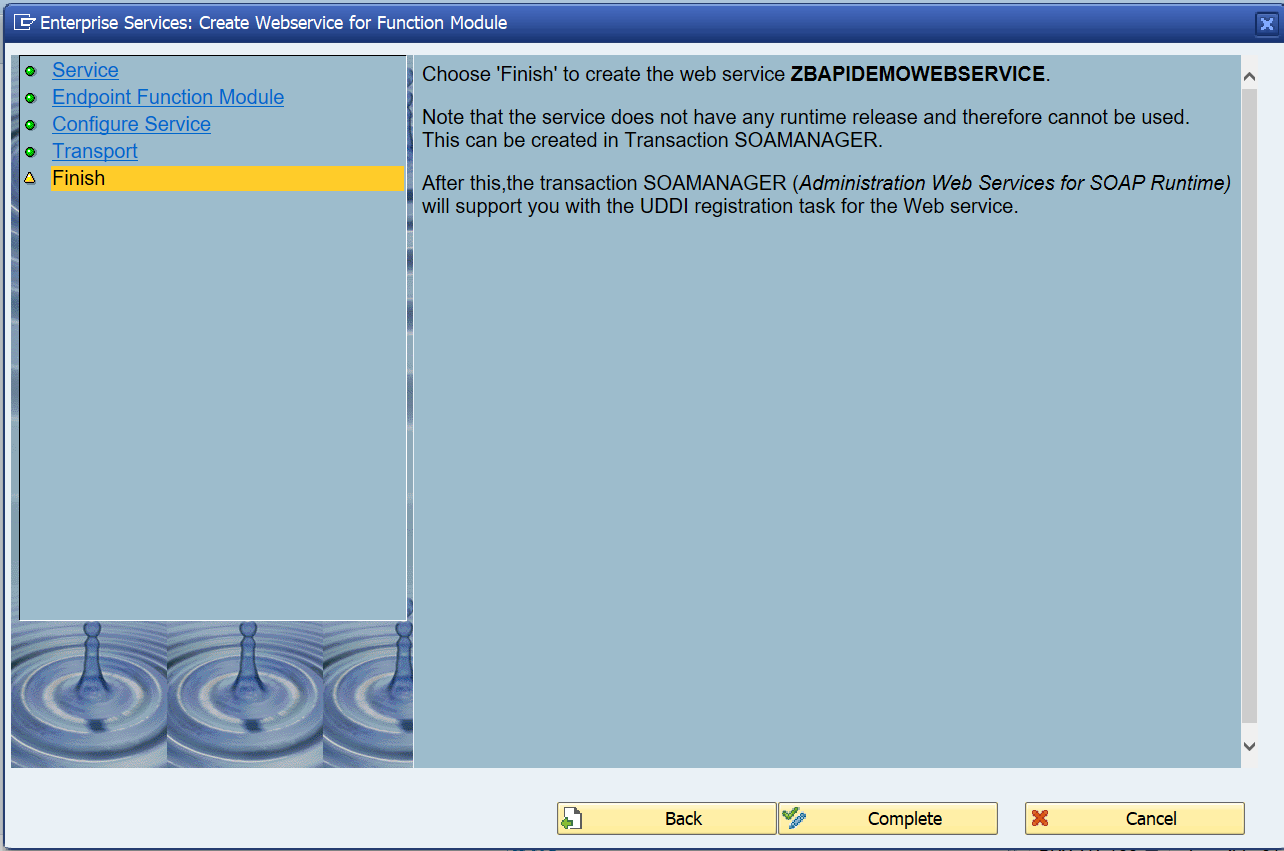
On the screen you can already see the next action after completion: SOAMANAGER. But first press Complete to start the generation of the objects.

After the generation, do not forget to Activate the objects!
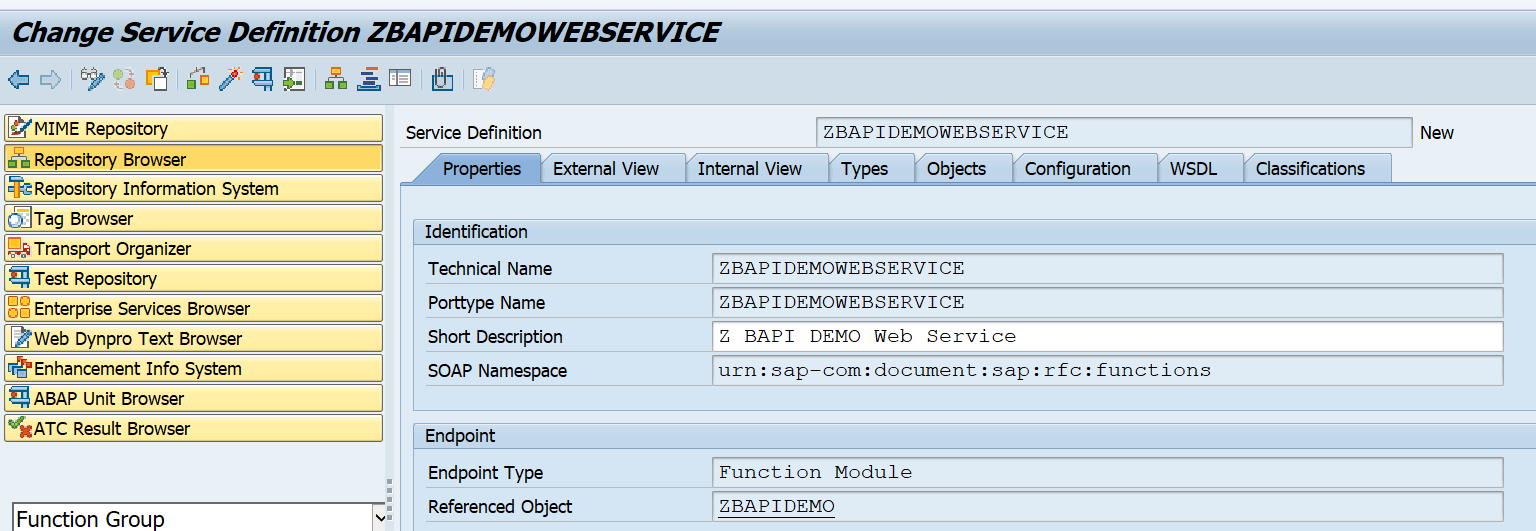
Activation success message:

Setting up the runtime with SOAMANAGER

To setup the runtime, start transaction SOAMANAGER. It is assumed that the basis team has performed the initial SOAP runtime setup. If not done, ask the basis team to follow the steps in this blog.

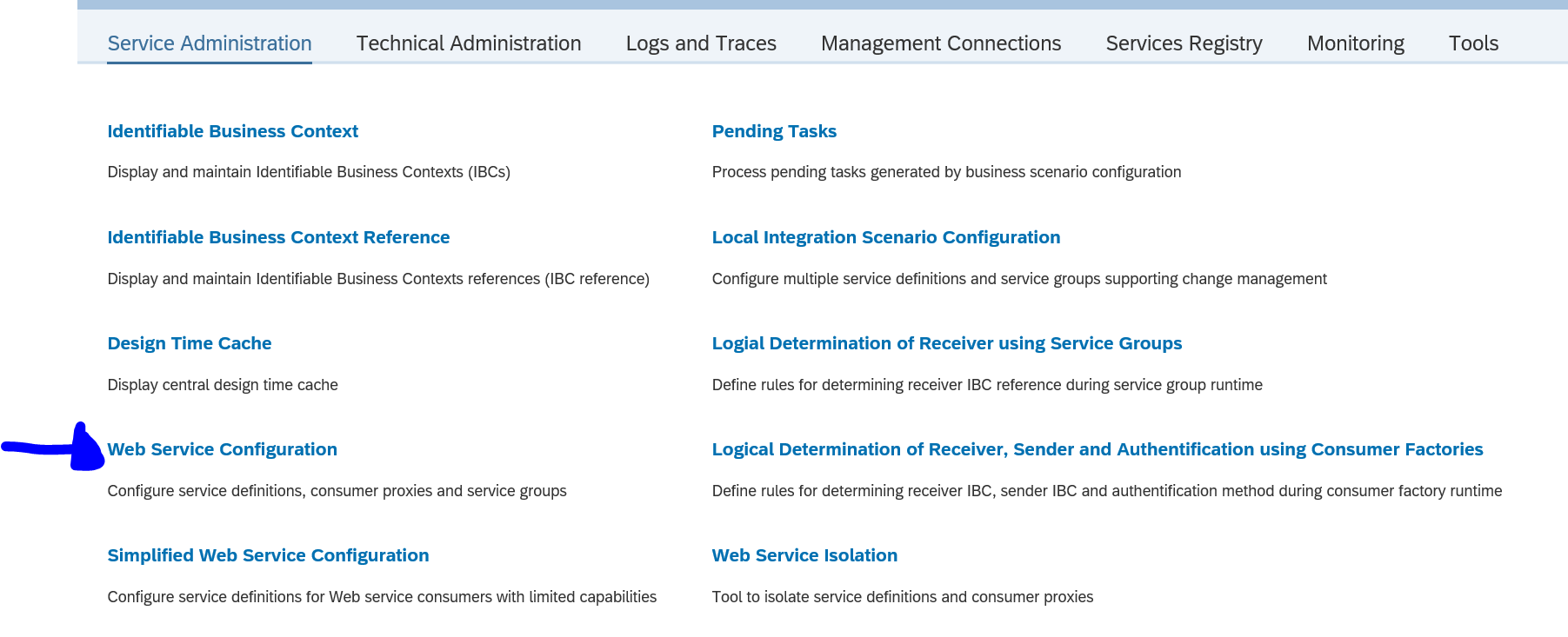
On the SOAMANAGER start screen choose the option Web Service Configuration:
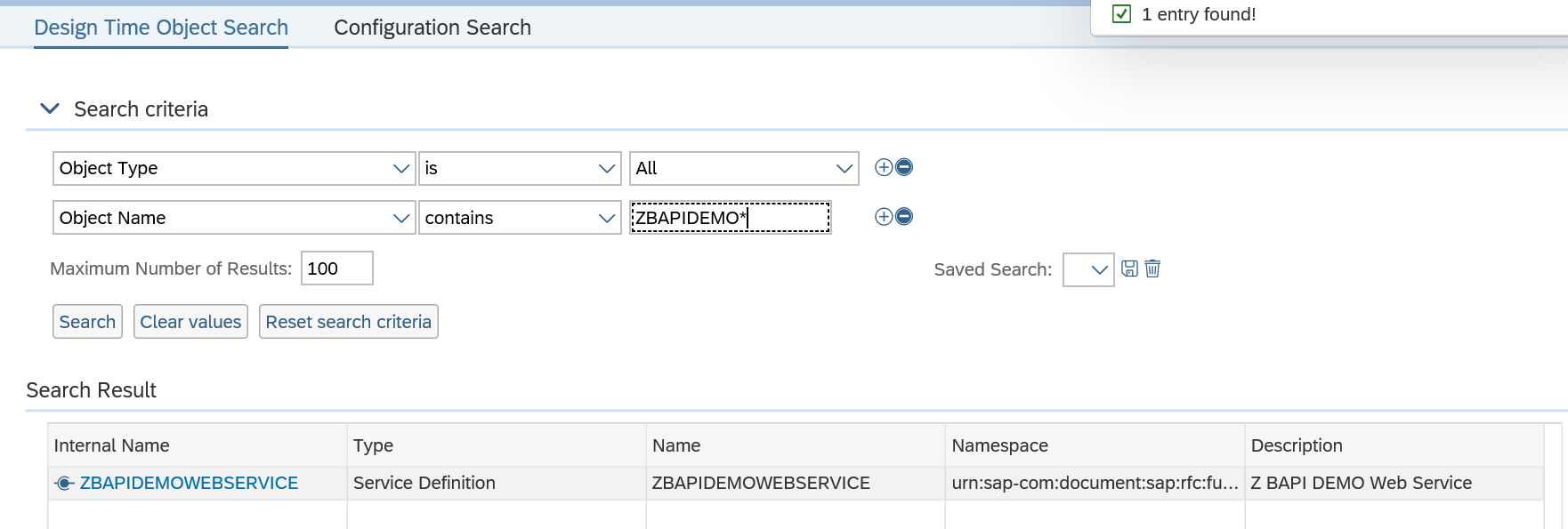
In the next screen search for the design time object we created and activated in the previous section (if you forgot the activate, you will not find it now…):
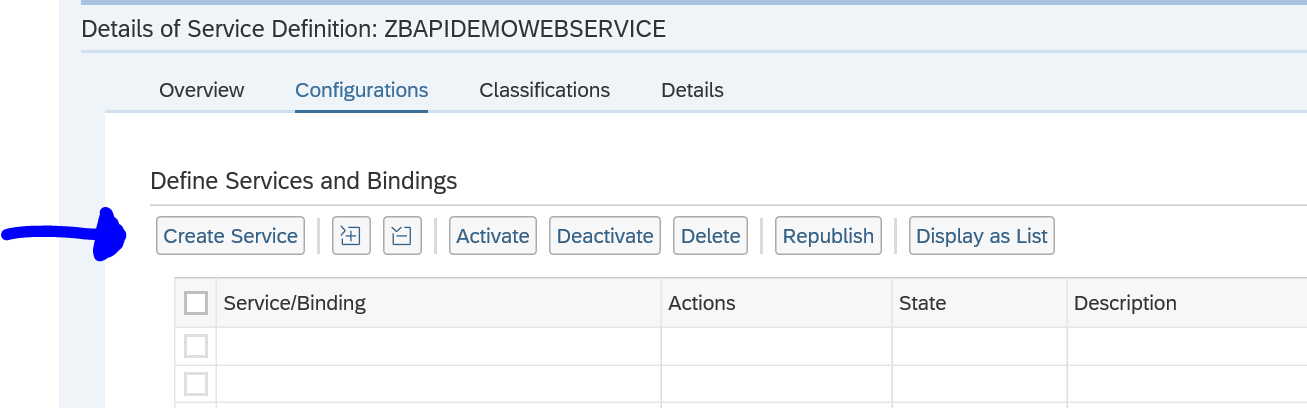
Select the service and on the next screen press the button Create Service:
Fill out the definition details:
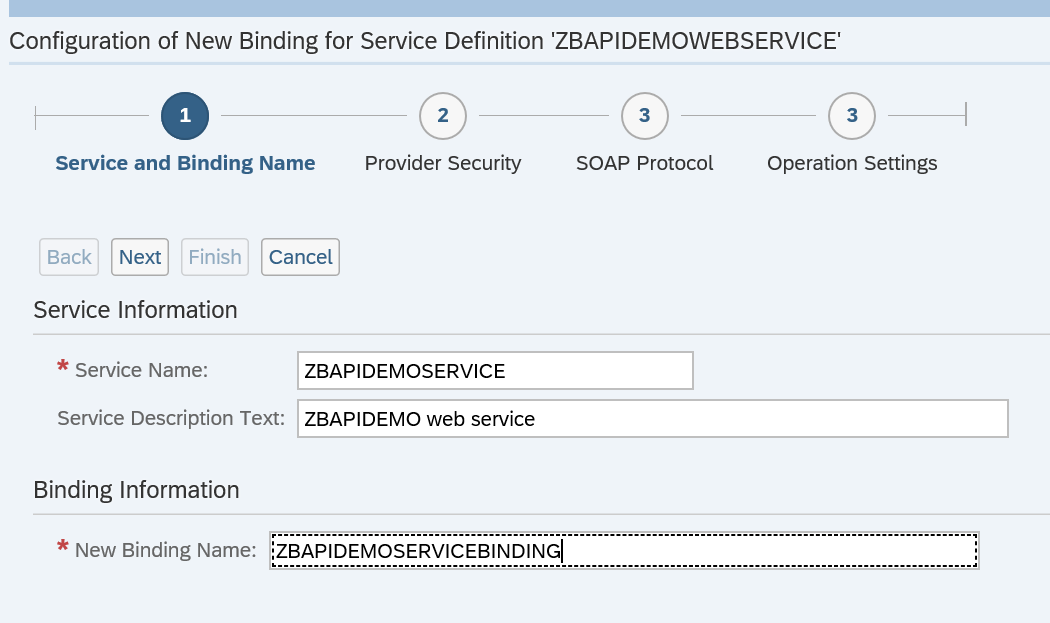
Press Next and define the security settings:
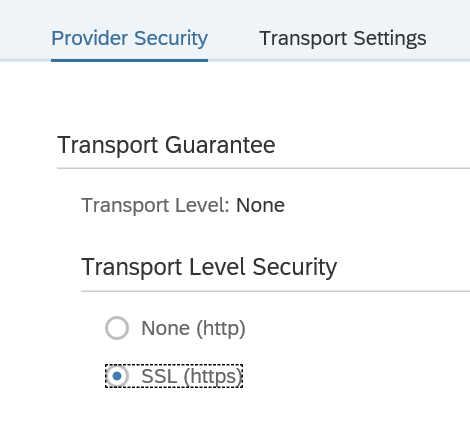
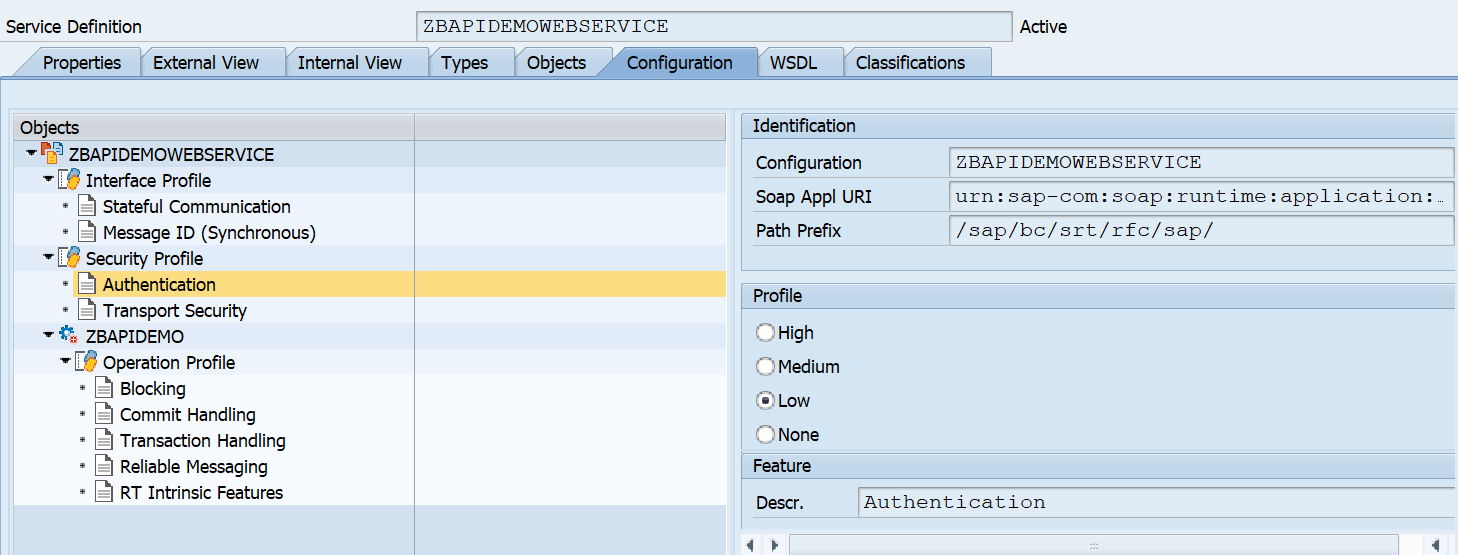
Remark: in the newer versions, the default security is set to high. If you need lower security, go back to SE80 definition in the tab configuration to change the security profile (save and regenerate!):
Press next and define the SOAP protocol settings:
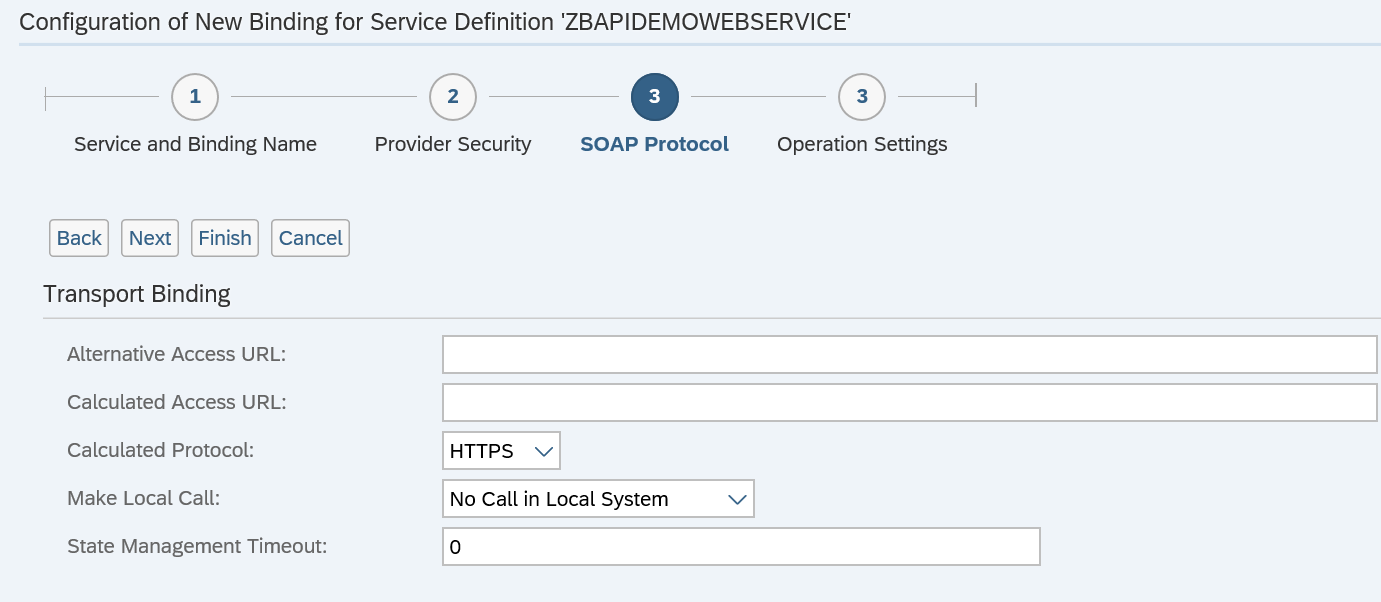
On the last screen of the wizard press finish:
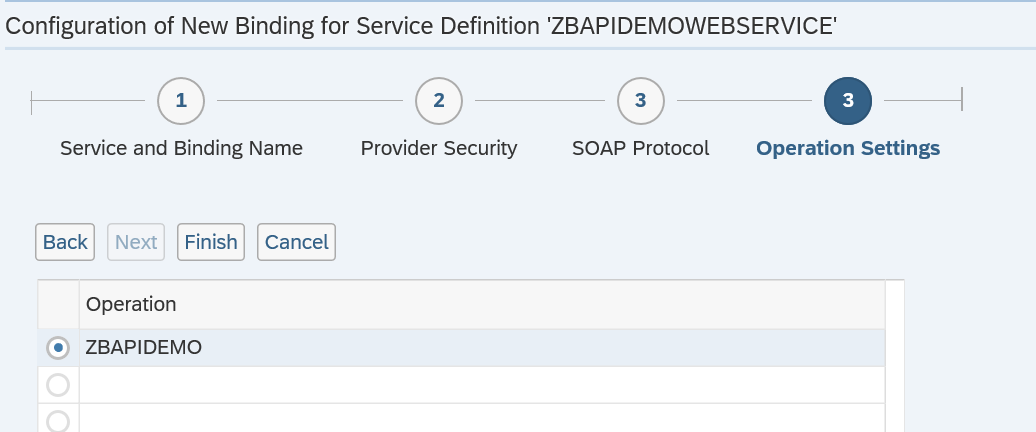
Wait for the runtime generation to finish.

The screen returns to the generated runtime artifacts:
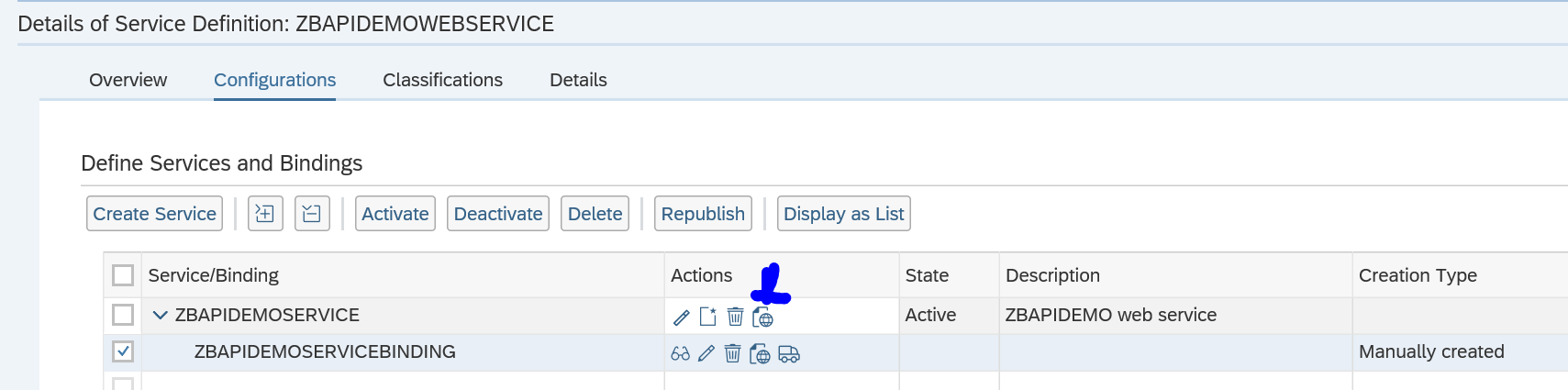
The most important artifact is WSDL file which you can open from here.

Testing the service

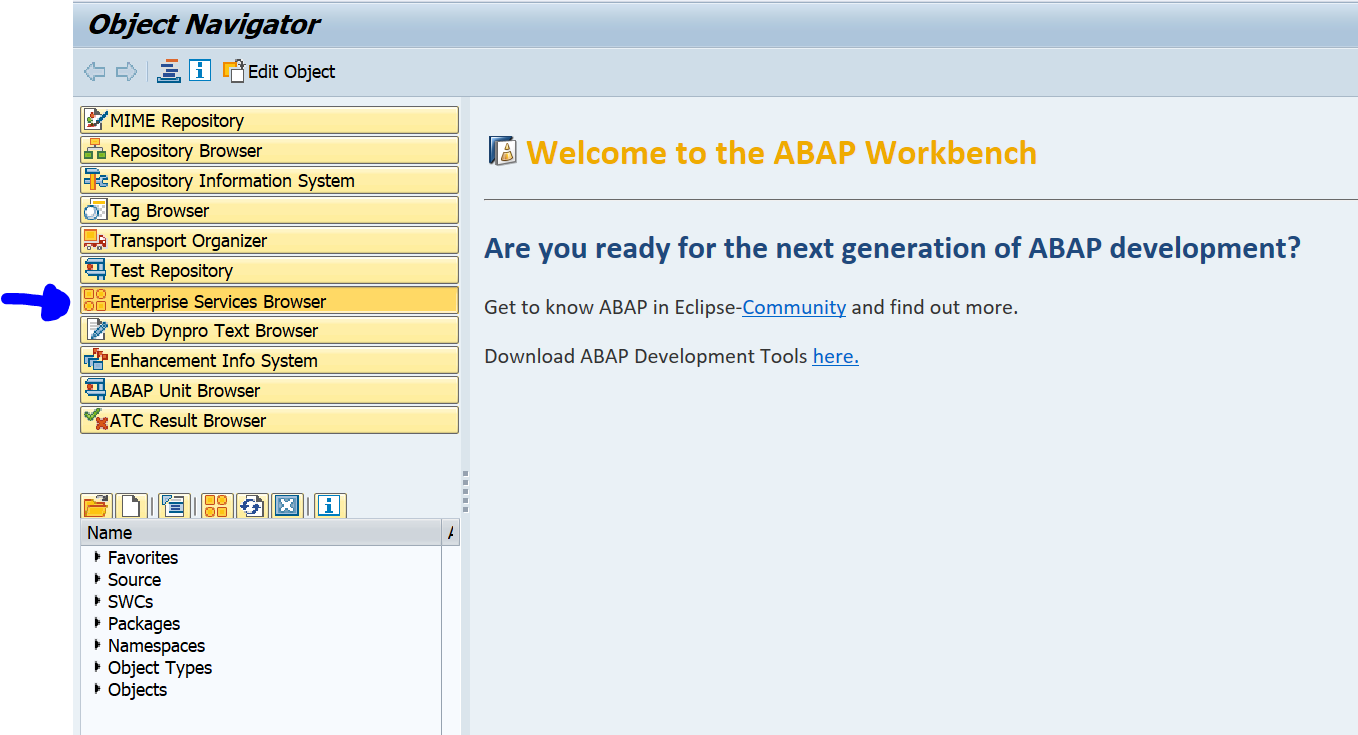
Go to transaction SE80 and select the Enterprise Services Browser (if not visible go to menu path Utilities/Settings and add the tool):
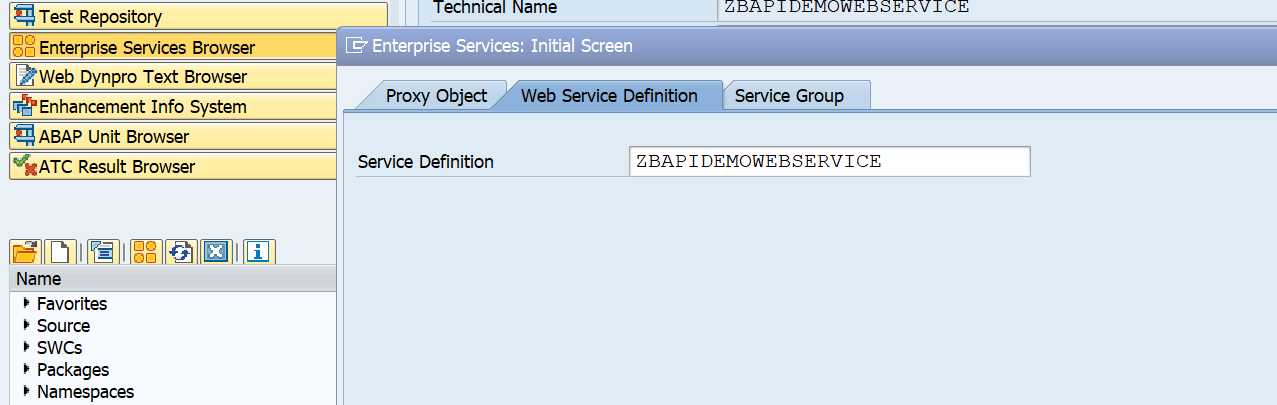
Now open your service by clicking the Open Object button and search for the service in the second tab:
Check that the WSDL file is properly showing:
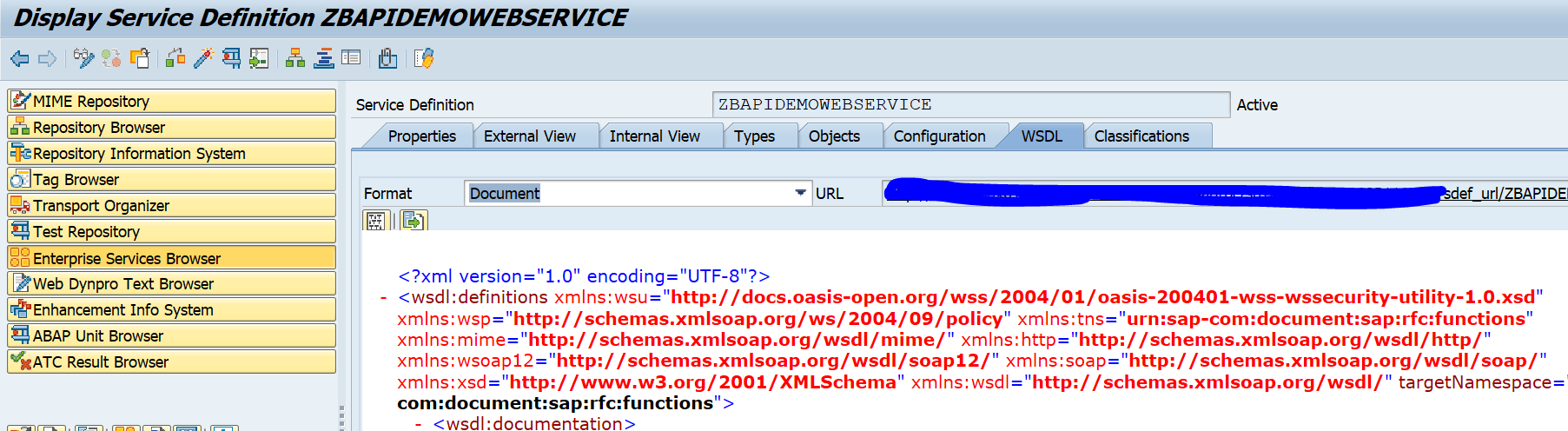
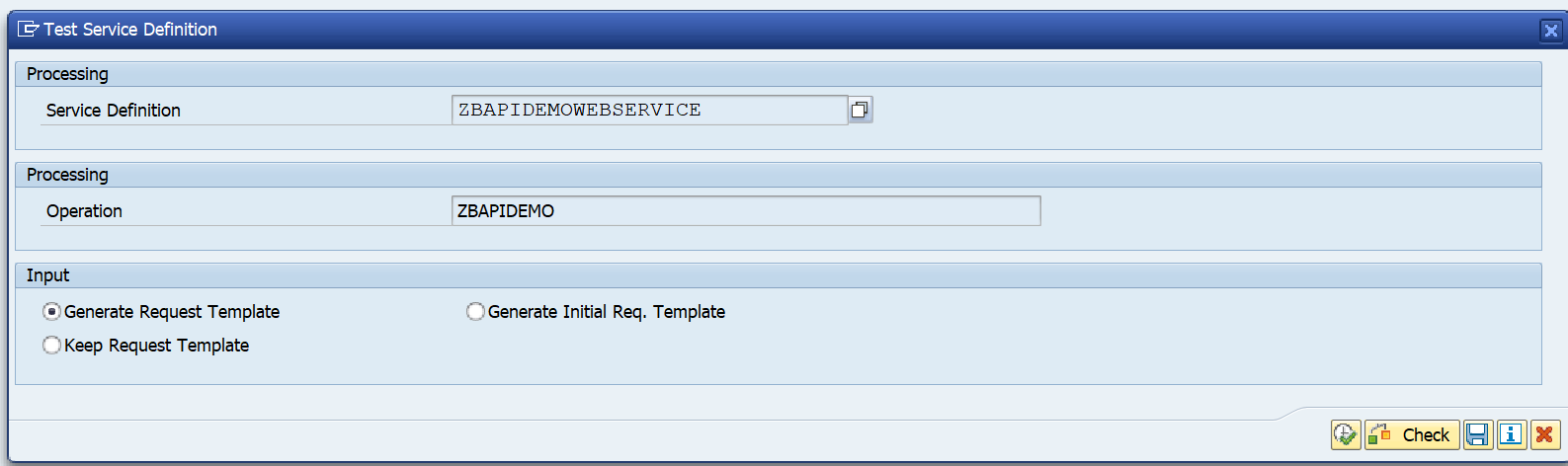
If ok, press the test button (F8) to start the test tool:
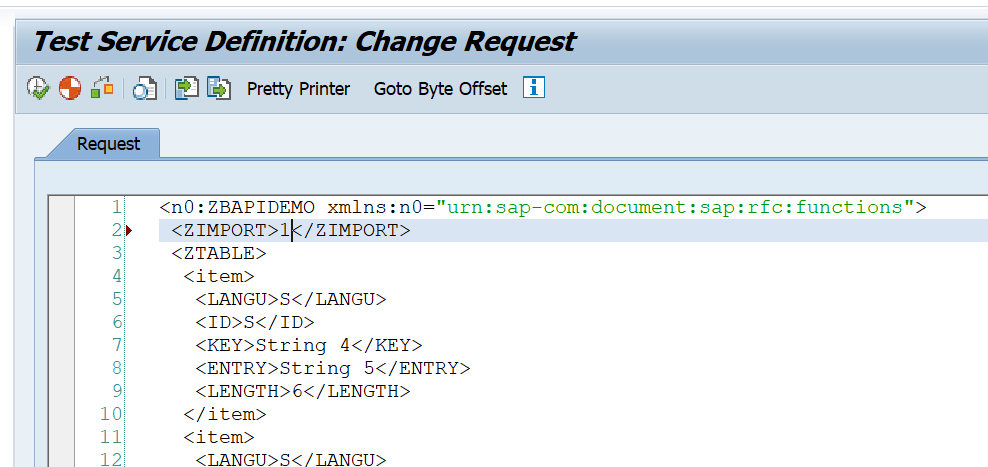
On the next screen first press the XML editor button to allow the content to be changed:
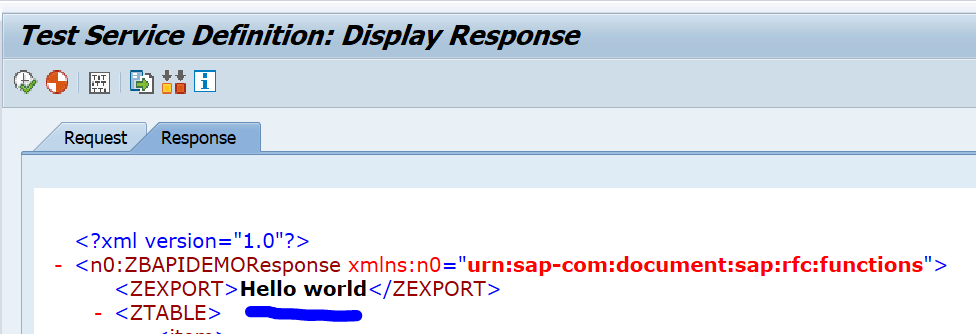
Now press execute to test. The result:
Web service security

The functionality security of the web service is the same as for the generic RFC handling (see blog on this).

The technical security of web services is mainly driven from the security settings in SOAMANAGER. There you can set the transport protocol security and you can indicate if you want simple user ID / password security or work with additional certificates for server to server authentication.

The user calling the SAP web service must have the authorization object S_SERVICE. In S_SERVICE you can define the specific web service it needs to be able to call.

Troubleshooting web services security issues

For troubleshooting web services note 2321968 – SOAP Web Service Security Troubleshooting refers to a very extensive SAP site for web service security issues troubleshooting.

Monitoring web services

For monitoring web services messages, read this dedicated blog.

To validate if the web services is correctly accessible, you need a small Z program as described in this blog.

SAP interfacing: RFC

SAP has many different ways to interface. The RFC (Remote Function Call) protocol is one of the most wide used.

This blog will explain best practices around secure and correct setup of custom built ABAP RFC function modules.

Questions that will be answered are:

  • How to setup RFC enabled function module?
  • How to setup proper RFC error handling?
  • How to setup security in RFC enabled function module?
  • How strict is the S_RFC authorization handling?
  • Why is SAP_ALL not sufficient for RFC handling?
  • How can I check RFC logon issues?

Creation of test RFC enabled function module

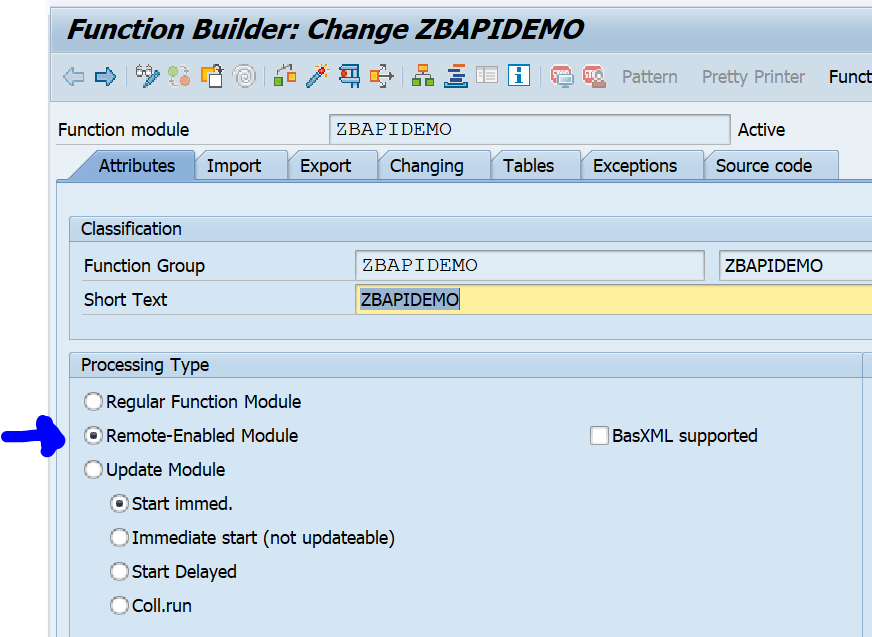
In SE37 you can setup an RFC enabled function module just like a normal function module. First create a function group. Activate that function group in SE80. Now you can create the function module. We will call our test module ZBAPIDEMO:

Important here in the first tab is to set the processing type to Remote-Enabled Module.

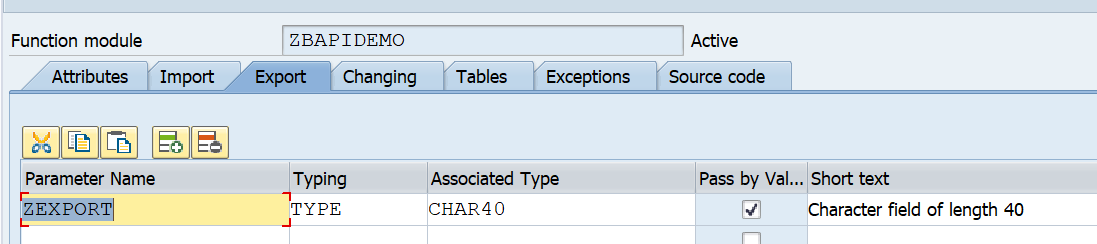
For testing we setup import and export tabs:

RFC export tab

Important here with RFC: set the Pass by value tickbox.

For tables use a suitable table type:

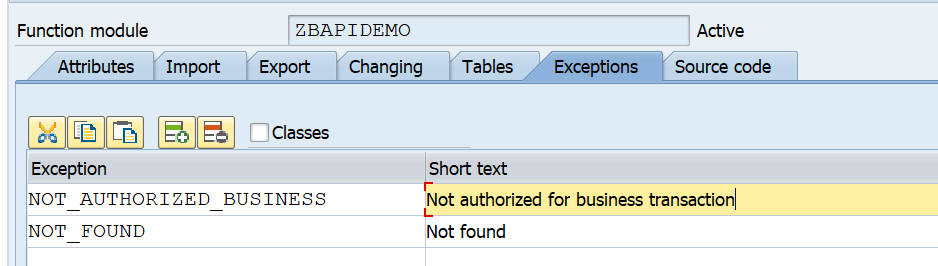
And setup the correct exceptions:

Here you can see 2 very important error messages that should always be implemented:

  1. An extra authorization check
  2. An error message when no data is found

Now we can implement the following simple source code:

   DATA: zls_coms_gen_textline TYPE coms_gen_textline.
 
   AUTHORITY-CHECK OBJECT 'S_CDMC'
   ID 'CDMC_AREA' FIELD 'A'
   ID 'CDMC_ROLE' FIELD 'U'.
   IF sy-subrc EQ 0.
 
     CASE zimport.
       WHEN 1.
         zexport = 'Hello world'.
       WHEN 2.
         zls_coms_gen_textline-entry = 'Hello world table 1'.
         APPEND zls_coms_gen_textline TO ztable.
         zls_coms_gen_textline-entry = 'Hello world table 2'.
         APPEND zls_coms_gen_textline TO ztable.
       WHEN OTHERS.
         RAISE not_found.
     ENDCASE.
 
   ELSE.
     RAISE not_authorized_business.
   ENDIF. 

What is important here in this source code:

  1. The authorization check is implemented and raises an error
  2. If no data is found the NOT_FOUND error is raised

With the SE37 test suite you can test diverse scenario’s now.

Calling RFC function module from another ABAP system

If you call this RFC function module form another ABAP sytem you have to make sure you have set and check the following exceptions:

  exceptions
      not_authorized_business = 1
      not_authorized          = 2
      system_failure          = 3
      communication_failure   = 4
      not_found               = 5
      OTHERS                  = 6.

There are 2 exceptions from the BAPI definition:

  1. NOT_FOUND (nothing found)
  2. NOT_AUTHORIZED_BUSINESS (our own implemented business authorization check)

4 exceptions should be implemented as part of the RFC framework:

  1. NOT_AUTHORIZED: this is the RFC authorization, which will be explained next chapter
  2. SYSTEM_FAILURE: the coding has caused a dump and the system returns and error message (see OSS note 2484377 – Error Message: “RFC Exception SYSTEM_FAILURE Raised; No More Memory Available to Extend an Internal Tab” Upon Executing a Data Extraction Run as an example)
  3. COMMUNICATION_FAILURE: the call to the other system fails. Most likely if you go to SM59 to the RFC destination and perform a connection test you will get a failure.
  4. OTHERS: something else went wrong

The developer should take proper care of these error situations.

Dear ABAP developers: the basis team member are also humans. They will make RFC configuration errors, they rely on the authorization team to assign the correct roles and they rely on infrastructure providers to make sure systems are up and running. Also the basis team will need to perform patching and upgrades to the system, which you as ABAP developer, are calling. So please don't blame the basis team for these exceptions, but please be a good developer and implement proper error handling. If you didn't implement proper error handling, and something went wrong on basis side, that caused your code to go wrong, think twice before putting blame on basis if your code is not handling the situation properly.

For reference: OSS note 1371131 – Correct error handling of RFC calls.

Security of RFC calls

Security of RFC calls is consisting of 2 layers:

  1. The RFC layer
  2. The business application code

You should always implement both layers!

The RFC layer is protected by authorization object S_RFC:

Here you can choose between a function group or even allowing per function module. Personally I would protect by function module. Background: create, change and display BAPI’s will normally be developed inside same function group.

There is a common misunderstanding that if you give SAP_ALL to a (background) user, this would solve the RFC authorization issues. This is not true. SAP_ALL does not contain the S_RFC rights. You have to hand them out separately.

Best practice 1: you might want to start with broad authorizations at the beginning of a development to rule out authorization issues. But you must definitely limit the rights before you make the development go productively live.

Best practice 2: as first statement inside each and every RFC function module, program a relevant business authorization check statement. This is an extra safety measure that is needed to protect important business data from authorization consultants that have handed out * authorizations in object S_RFC (* means all).

Best practice 3: check in transaction SM59 that the RFC callback protection is activated. Read this blog how a hacker can easily misuse if not properly setup.

Best practice 4: be careful on the RFC setup to avoid that hackers misuse the RFC jumping option. Read more in this blog.

More on checking the basis RFC security: read this blog.

Generic S_RFC check handling at basis level

The behavior of the S_RFC check is driven by the settings of RZ11 profile parameter auth/rfc_authorithy_check. Please make sure it has a setting of 6 or higher. Best is 9. A system with 5 or lower can be considered as insecure!

Background OSS note: 2216306 – S_RFC check and profile parameter auth/rfc_authority_check.

Setting up trusted RFC connections

Set up of trusted RFC connections are explained in this blog.

RFC performance

Check if you can use the RFC fast serialization option. This option is available for a lot of modern SAP systems. It is not activated by default. Read more on the fast serialization option in this blog.

Checking unencrypted RFC traffic

If you need to find out if any of the RFC traffic is unencrypted, follow the instructions in this blog.

RFC issue handling

OSS notes for RFC issues:

Logon issues: