To organize certificate profiles and control which SAP systems participate in the automation process, you need to create an Application Server Profile Group in the Secure Login Administration Console (SLAC).
This blog is a continuation of the generic setup explained in the blog on this page.
For ABAP certificate renewal OSS note 2452425 – Collective Note – SAP SSO Certificate Lifecycle Management for ABAP contains full list of bug fix notes to apply or to check in case of issues.
Reference to official help.sap.com for SLS for ABAP.
1. Create a New Profile Group
In SLAC, navigate to: Application Server Profile Groups → Create New Group
Give the group a name that clearly identifies its purpose.
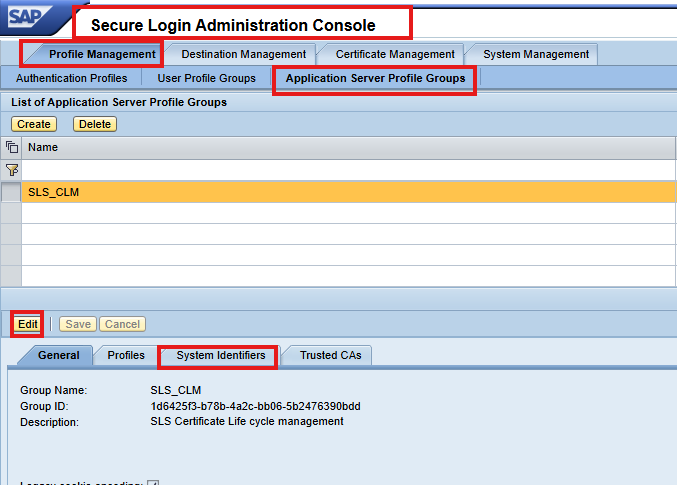
2. Assign System Identifiers
Under System Identifiers, add the SIDs of all SAP systems that will participate in certificate renewal. Important notes: SIDs can contain uppercase letters and digits.
3. Configuration on AS ABAP
Configuring ABAP for CLM automation involves running two key reports.
Most recent NetWeaver releases already include them, but to ensure you are using the latest versions, SAP recommends implementing the corrections from SAP Note 2452425 – Collective Note – SAP SSO Certificate Lifecycle Management for ABAP.
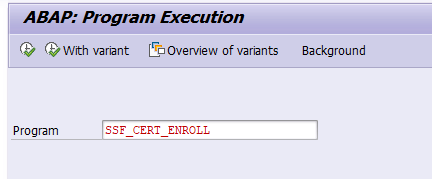
Run the SSF_CERT_ENROLL Report
This report performs the initial connection between the ABAP system and Secure Login Server (SLS).
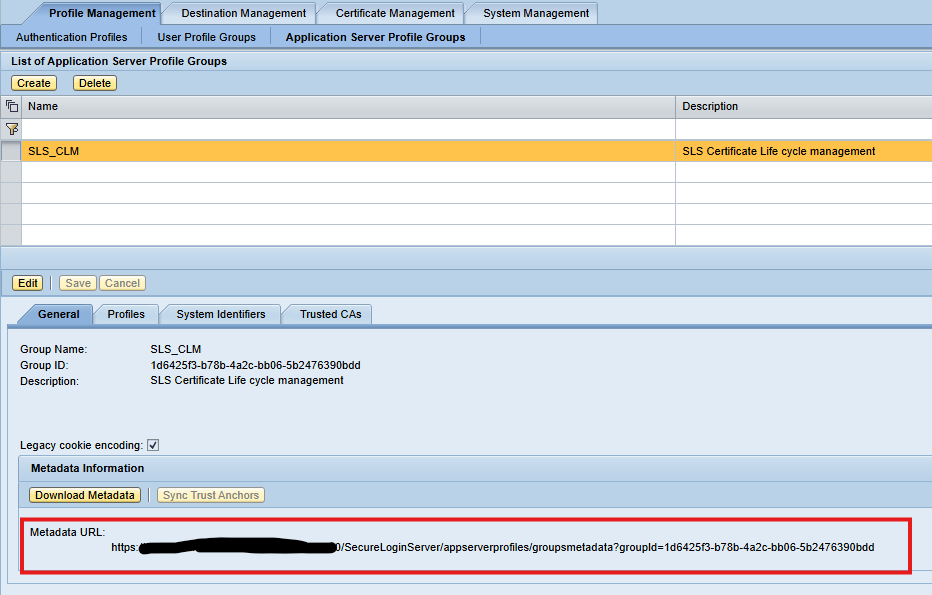
Metadata URL of the Application Server Profile Group in SLS
Technical user with password authentication that is authorized to perform the enrollment
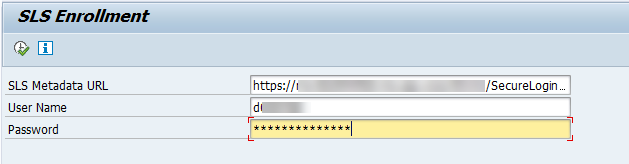
Running this report enrolls the system for the first time and retrieves the required certificate information.
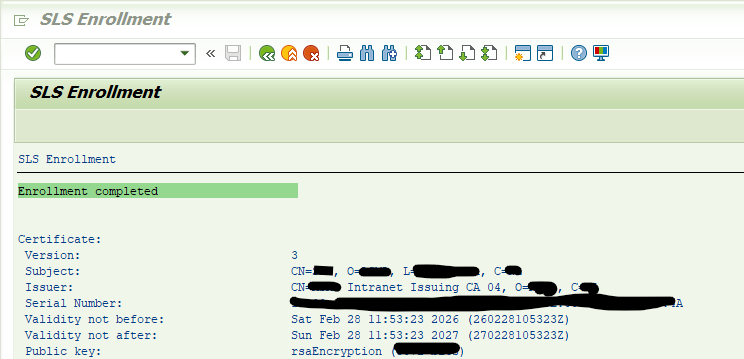
Once the enrollment report has been executed successfully, the system displays an overview of all certificate objects that are available for renewal. This screen also shows the certificate profiles assigned to the different PSEs.
Check OSS note 3115847 – CLM: SSF_CERT_RENEW cannot renew certificates where subject and SANs extend 255 characters for very long subjects.
Select Certificates for Renewal
You will see a list of certificate entries along with the available certificate profiles. For each entry:
- Choose the appropriate certificate profile
- Select the certificates you want to renew
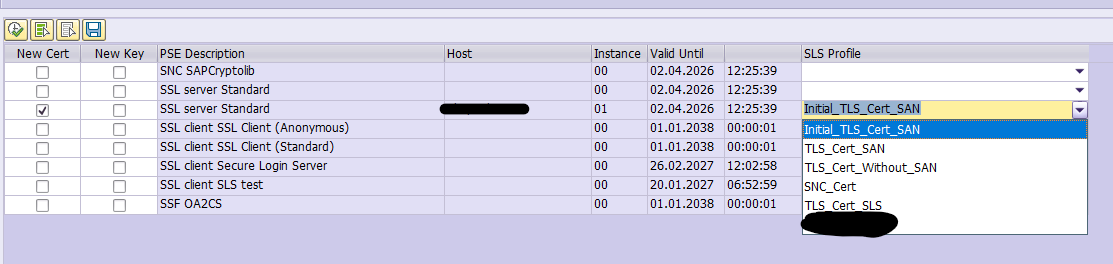
This allows you to control exactly which PSEs should be processed.
2. Execute the Renewal
After starting the renewal process, the system will update the selected certificates through the Secure Login Server. When the renewal completes successfully, you should receive a confirmation message for each certificate that was processed.
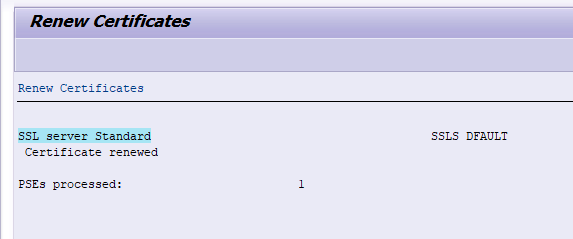
3. Schedule Automated Renewal
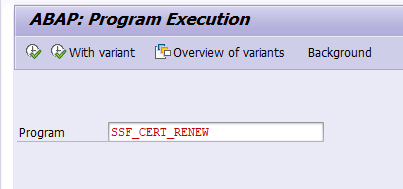
To avoid manual renewals in the future, you should save the selection in a variant and set up a scheduled job of program SSF_CERT_RENEW. You need a batch job per application server and per certificate type.
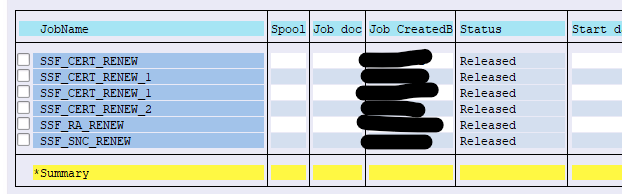
Conclusion
After this configuration, the certificates in AS ABAP should be renewed regularly before reaching the end of their lifetime.
Hey Gaurav,
The article is very interesting and you have provided detailed steps how to automate SSL certificate process. I would like to ask you if there is a way to automate same process for customers who does not have SSO(SLS) product license. Thank you.
Best regards
Sampath
Hello Sampath:
Thank you for the great question!
The short answer is:
Yes — SSL automation is possible even without the SAP Single Sign‑On (SLS) license, but the automation method is different because the SLS‑based Certificate Lifecycle Management (CLM) features are not available.
Below is the detailed explanation based on SAP documentation and industry‑accepted approaches.
❌ What you cannot do without SLS
SAP Secure Login Server provides built‑in certificate lifecycle management, including:
Automatic PSE renewal
Background jobs for ABAP (SSF_CERT_RENEW/SSF_CERT_ENROLL)
SLS enrollment & renewal profiles
Automatic certificate provisioning to ABAP/Java systems
These SLS‑based capabilities are confirmed in official SAP Help Portal documentation on CLM. Without SLS license, none of these automated CLM functions are available.
Thanks,GD
Nice article – unfortunately the SecureLoginServer will be EOL soon without any successor for CLM 🙁
Maybe worth to mention also the “sapslscli” for automating Non-ABAP certificates (like Webdispatcher, hostctrl, HANA,…).
Best regards,
Daniel
Please go through the Linux based cert using sapslscli
SAP Certificate Automation for Linux-Based Components
https://www.saptechnicalguru.com/sap-certificate-automation-for-linux-based-components/