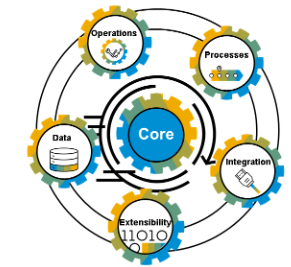
ABAP Clean Core is a development concept. It is not to be confused with ABAP clean code.
The ABAP Clean Core is fully explained in this very extensive SAP document: Extend SAP S/4HANA in the cloud and on premise with ABAP based extensions.
SAP has a positioning of development patterns and tools from the past. This is written in OSS note 3578329 – Frameworks, Technologies and Development Patterns in Context of Clean Core Extensibility.
This blog will focus on the initial phase to get insights into your existing code and to brief you on the main changes.
Prepare the ATC run for Clean Core
First step is to prepare the ATC runs by applying OSS note 3565942 – ATC Checks “Usage of APIs” and “Allowed Enhancement Technologies” (don’t forget this action After implementation, press ‘Import Parameters’ for the ATC check object SYCM_USAGE_OF_APIS (in ADT for Eclipse).).
Then use the Notes Analyzer to apply correction notes from OSS note 3627152 – SAP Note Analyzer Files for ATC Checks Related to Clean Core. And check OSS note 3605376 – ATC Findings for usage of not release APIs for key user items.
ABAP CVA security checks is part of this variant. If you run on SAP cloud this is part of license, on premise it is not (so you need separate license). If you don’t have the license use ABAP Eclipse ADT to remove the check from ATC variant ABAP_CLOUD_DEVELOPMENT_DEFAULT.
To make sure all new items are loaded, start transaction SCI and choose the option Utilities / Import Check Variants.
ATC runs for Clean Core
Run the ATC for variant ABAP_CLOUD_DEVELOPMENT_DEFAULT.
Remark: please read the document Extend SAP S/4HANA in the cloud and on premise with ABAP based extensions if there a newer version defined!
Now run this one (or older ABAP_CLOUD_READINESS) on this simple test program:
REPORT ztest.

DATA: zlt_mara TYPE TABLE OF mara.
DATA: zls_mara TYPE mara.

SELECT * FROM mara INTO zls_mara.
ENDSELECT.
Result:
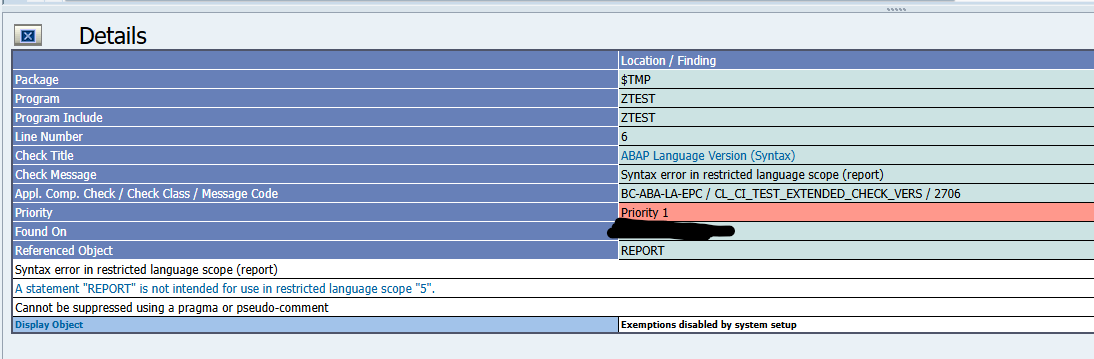
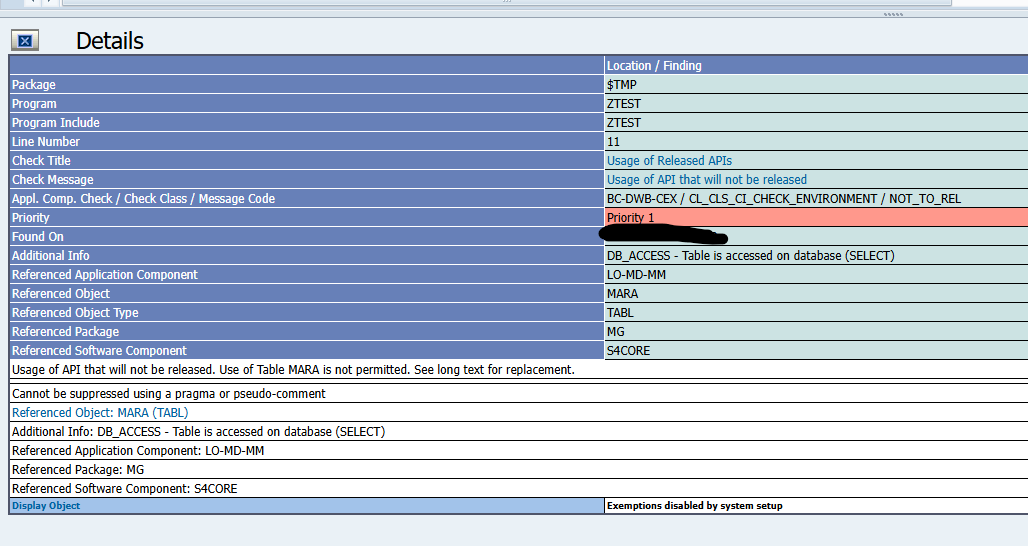
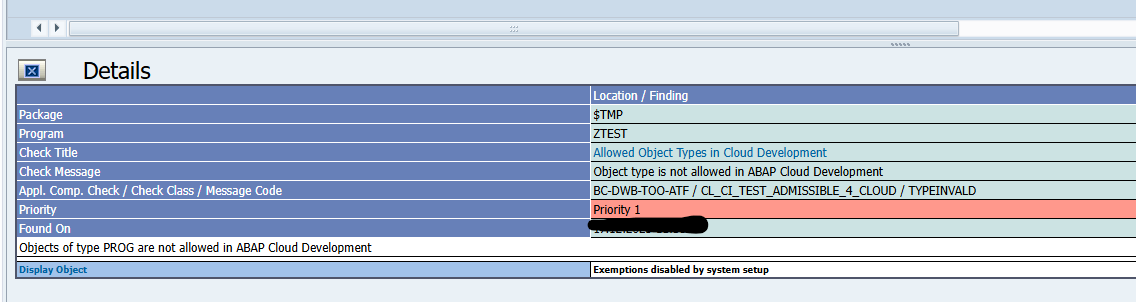
Already in this small piece of code 2 showstoppers:
- You cannot use SE38 programs any more with REPORT statement
- Direct table reads (in this case MARA) are forbidden in Clean Core
When you run on your existing code base, you will find many issues. On average a single old fashioned written ABAP code easily generates 100 clean core findings or more.
Forbidden to use in Clean Core
What else is not allowed?
Short list:
- ALV grid output
- Enjoy screens
- SAP script
- Smartforms
- Webdynpro
- Non released function modules
- Batch input
- Many more
New technology
So what do I need to use?
- Data selection: CDS views
- User interaction: FIORI (or FIORI elements) including FIORI key user extensibility
- Data and processing logic: RAP (restful application programming) framework
- Use released API’s (see the Cloudification Repository Viewer, link and explanation)
- SAP extension points
BTP side by side developments
BTP side by side developments are an option. These developments are meant for loosely coupled scenarios. Also check if the BTP platform availability restrictions meet your SLA requirements.
Summary
Starting with a Green Field new SAP implementation, there is a good chance you will succeed in applying the Clean Core principles.
With an existing implementation there are a couple of bottlenecks:
- Most likely skill set of you current ABAP developers is not up to par to meet the Clean Core development skill set
- Small changes to existing code you will keep doing old style, since the effort to convert is out of balance with the effort of doing old style
- The new style of coding is more structured and takes more initial effort (which will be regained at the end in the maintenance phase), but this can be a hard sell. Old fashioned ABAP with selection screen, direct SQL and ALV output is very effective and efficient to write in terms of man days work.
Tip: try the new development style for a completely new development. The chance of success will rise.