To enable certificate automation in an AS Java system, you must first deploy the Secure Login Library 3.0. (official help.sap.com link).
The operating‑system‑independent package is delivered as an SCA file, which can be installed on AS Java through the telnet deployment tool.
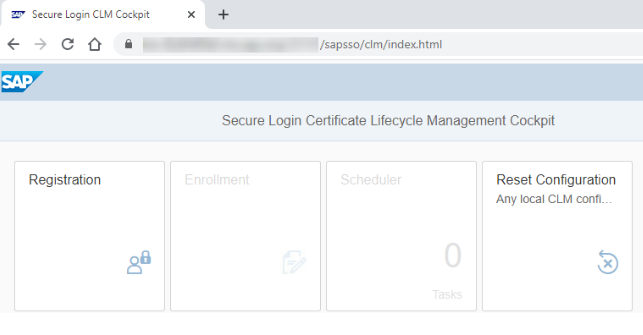
Once deployed, the system automatically provides access to the CLM application, available at: https:/<host>:<port>/sapsso/clm
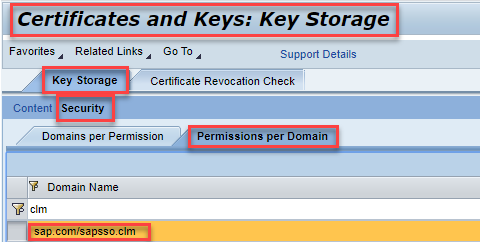
In the NWA, go to Configuration → Certificates and Keys.
Under Key Storage, open Security → Permissions by Domain, search for the CLM application, and grant it full access to the keystore views that should be renewed automatically.
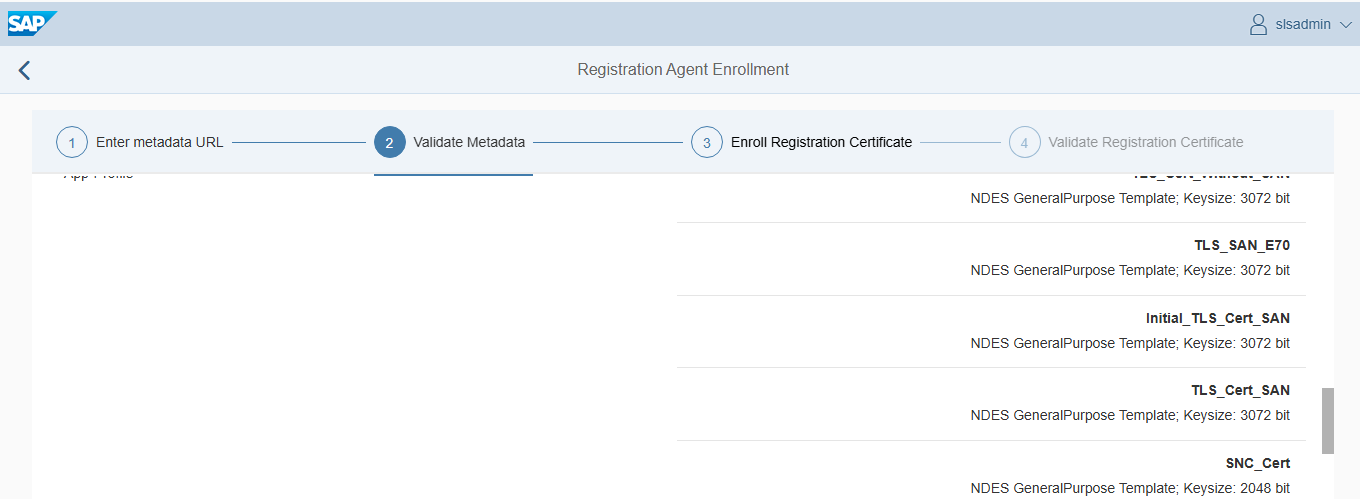
Open the CLM application in the browser. Start by registering the system (initial enrollment).
- Enter the metadata URL and click Fetch.
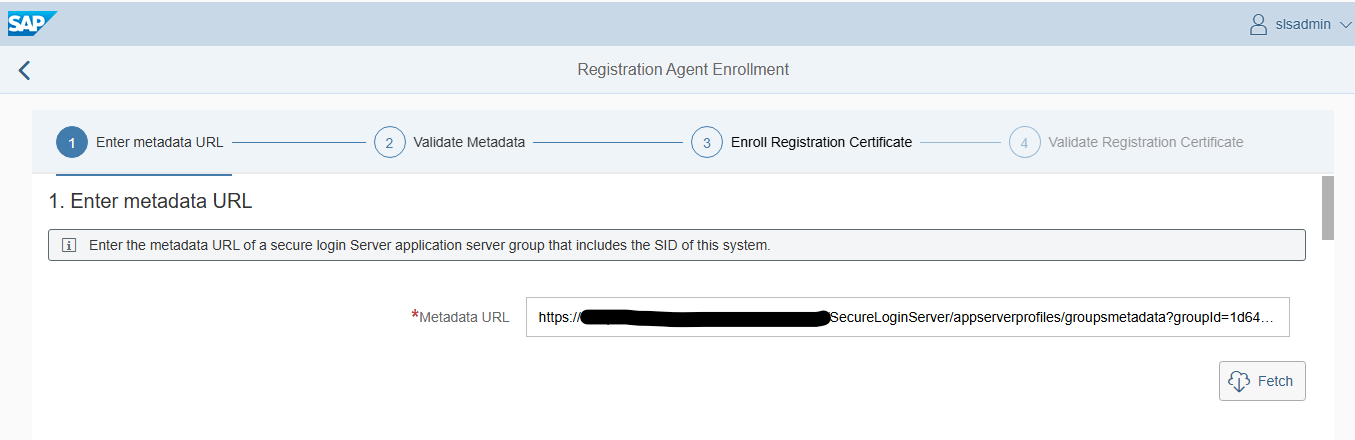
- When prompted, log in with a user allowed to perform CLM enrollment.
Click Register, then Save
To renew certificates, go to the Enrollment tile.
- The metadata URL is already stored, so select the keystore view and the certificate you want to renew.
- After choosing Enroll Certificates, the updated certificates appear.
- You can review them using Show Details.
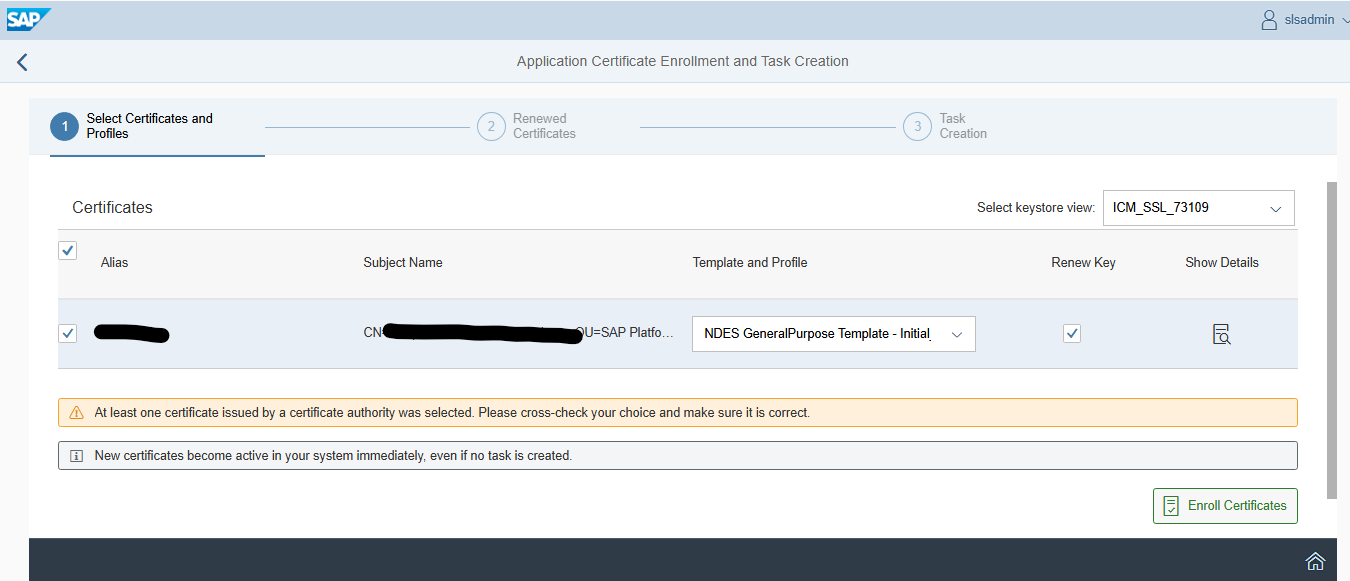
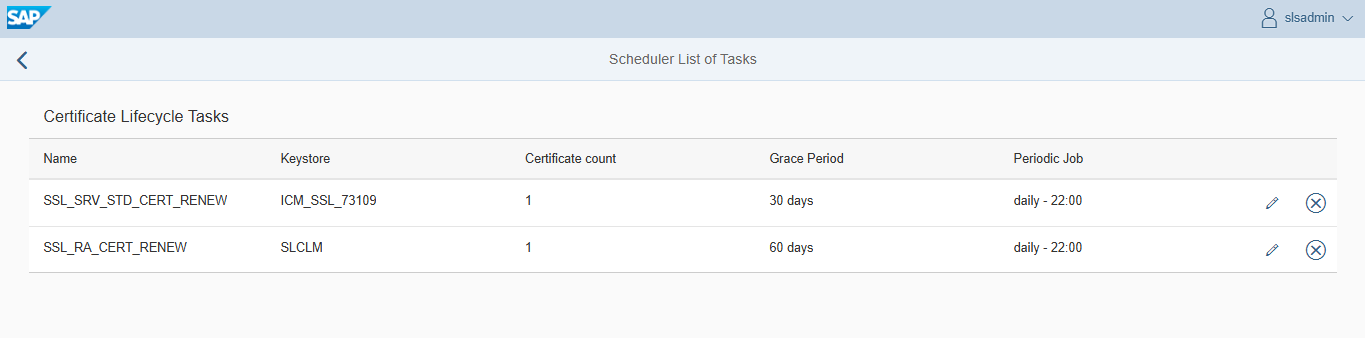
Finally, you may create a scheduled task so renewals run automatically.
- The task executes under the currently logged‑in user.
Conclusion
After this configuration, the certificates in AS Java should be renewed regularly before reaching the end of their lifetime.