
Idoc change pointers can be used to set up master data distribution. Most used objects are materials, customers, vendors, GL accounts. This setup is also known as the ALE (Application Link Enabling) setup.
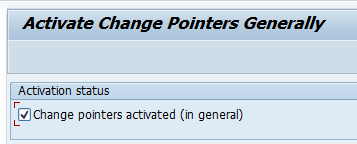
General activation of change pointers
Start transaction BD61 to activate change pointers in general (this is once off general activation):
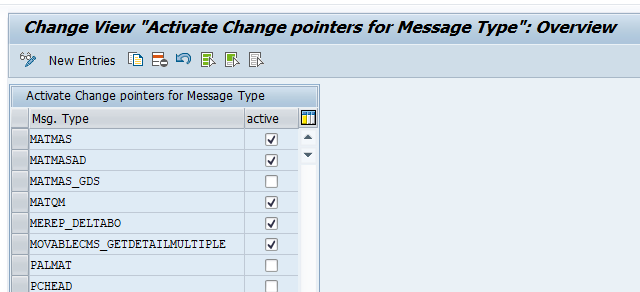
Per message type the change pointer activation is done in transaction BD51:
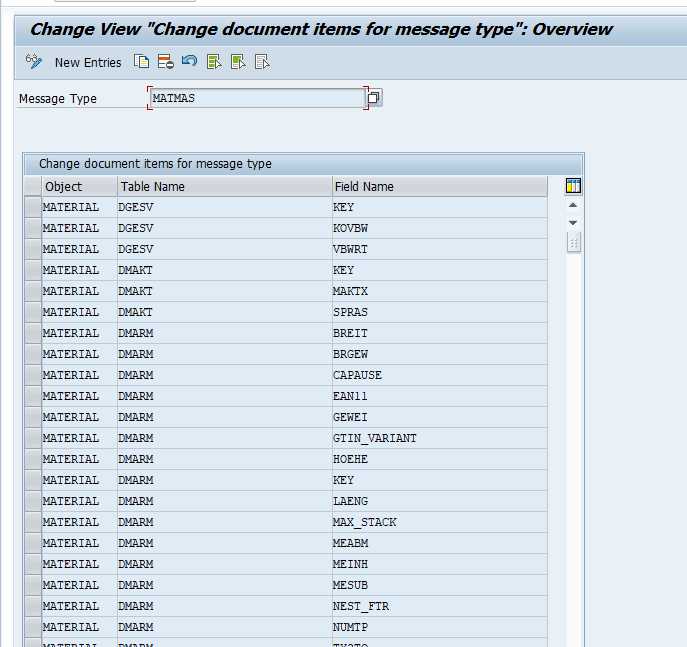
In transaction BD52 you can see which field trigger a change pointer for that specific message type:
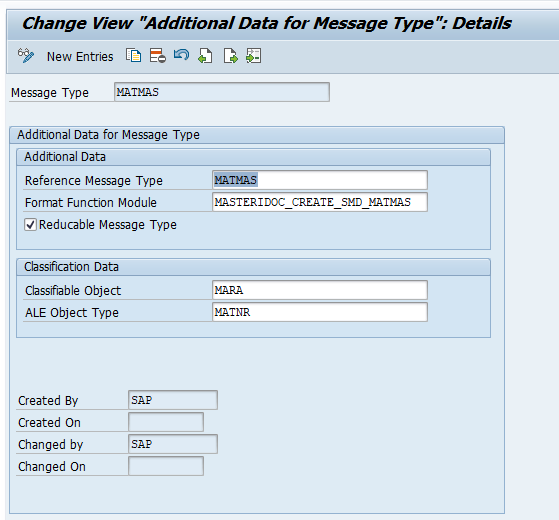
If you want to know (or steer) the processing function module behind, start transaction BD60 and check the details:
Distribution model and Idoc partner profile setup
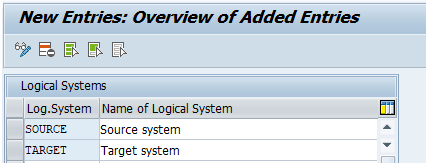
In transaction BD54 you define logical systems. In our example we will use the definition SOURCE and TARGET:
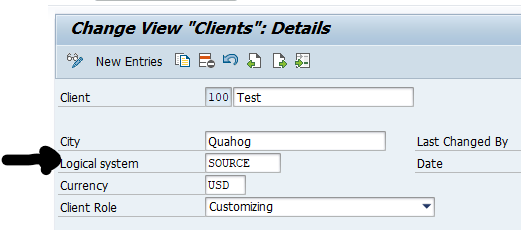
The SOURCE system definition is normally connected to the main client in the SCC4 transaction:
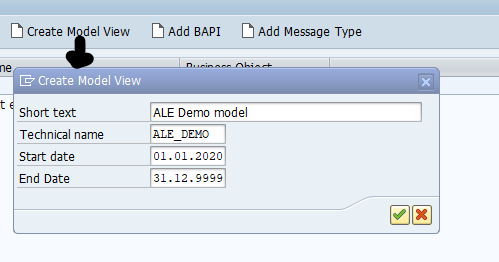
Now we can model the data flow in BD64 distribution model.
Create the Model View first:
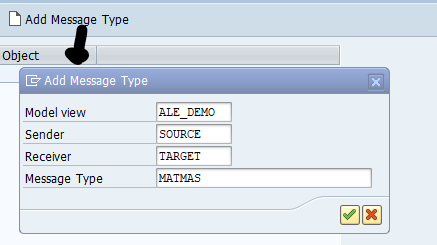
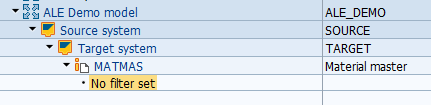
Then add the message type with sender, receiver and message type:
So the end result looks like this:
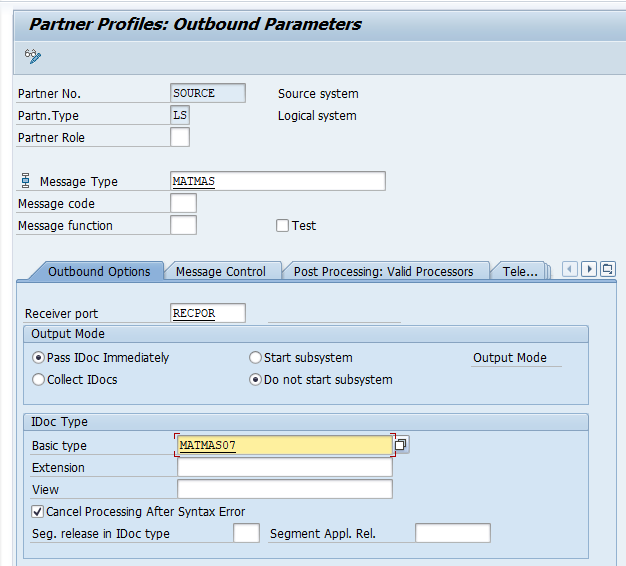
In WE20 in the source system, now we set up the partner profile:
The receiver port must be defined in WE21 (ports in idoc processing):
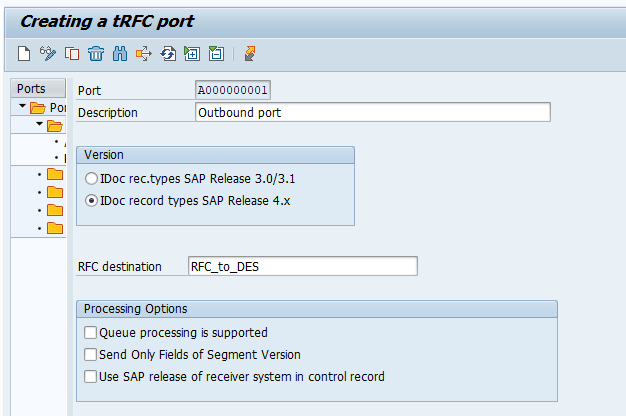
The RFC destination is maintained in SM59 as usual and contains the technical data of the target system.
In the target system the setup of the ALE model needs to be done as well, and the partner profile needs to be on the inbound side:
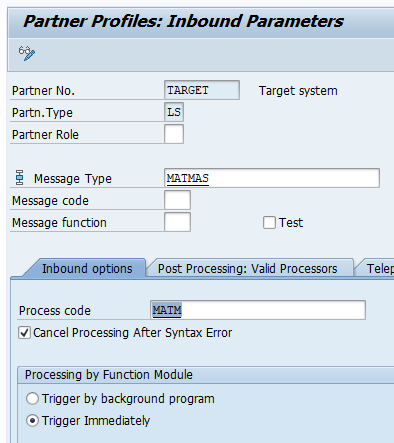
Testing the setup
To test the setup create a material or change one. This should trigger a change pointer.
Run program RBDMIDOC or start transaction BD21 to evaluate the change pointers:
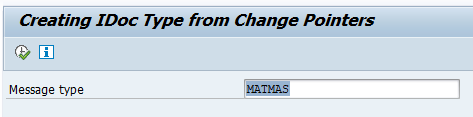
If you run first time, best to clear all the old items with program RBDCPCLR2.If the activation was done years ago, you otherwise end up with a lot of unwanted Idocs.
When running the program for each material master change (not only yours) an Idoc is created. You can check in WE02, WE05 or WLF_IDOC if the Idoc is created correctly.
OSS notes:
And look for application specific issues in ALE: (example note):
Generic clean up
With this setup there are two generic clean ups needed:
- Clean up old change pointers (program RBDCPCLR2)
- Clean up old Idocs (program RSETESTD)
See blog SAP database growth control: technical cleanup – Saptechnicalguru.com for reference.