Security Services Tools

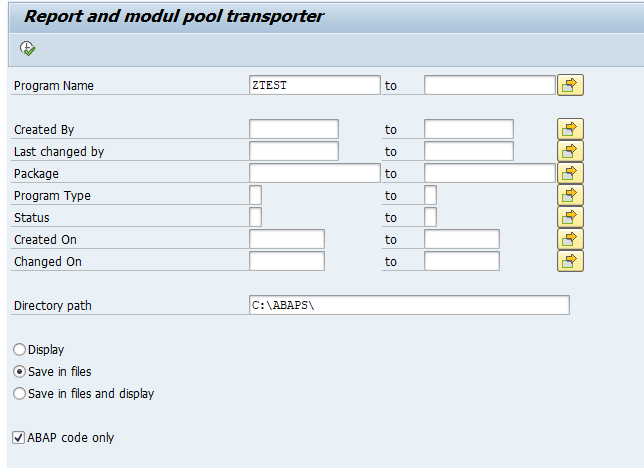
SAP offers on GitHub some extra Security Service Tools. These are custom Z ABAPs you can download and modify to your needs.

Link to GitHub:

GitHub – SAP-samples/security-services-tools: If you use security-related services and tools such as EWA, SOS, System Recommendations, Configuration Validation, or a security dashboard in SAP Solution Manager, the ABAP reports in this repository can help with further analysis and development.

Interesting programs from Security Service Tools

Some highlights from the Security Service Tools page:

  • Extensive cleanup program for weak hashes (including the password history data)
  • Workload statistics of RFC calls
  • Show SNC status of active users on application server
  • Show RFC gateway and logging settings
  • History of dynamic profile parameters
  • ….
  • Many more

SICF tips and trikcs

SICF is an abbreviation for SAP internet communication framework.

It is used to expose internet services like SAP ABAP webdynpro, ODATA etc.

Checking active services

As per SAP “Note 1555208 – ICF services become inactive after upgrade or SP update” you can find the list of active services with the report RS_ICF_SERV_ADMIN_TASKS (choose option Export of Active Services into CSV file).

On table level: Check the table ICFSERVLOC. All active services are marked with an “X” flag.

Checking SICF security settings

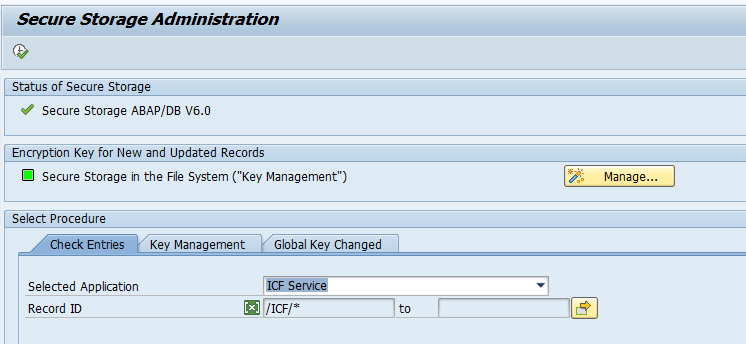
Don’t use the old program RSICFCHK (see OSS note 3300857 – Report RSICFCHK shows incomplete result). Use the new SECSTORE transaction. At the start of transaction SECSTORE choose in the check entries section “ICF Service”:
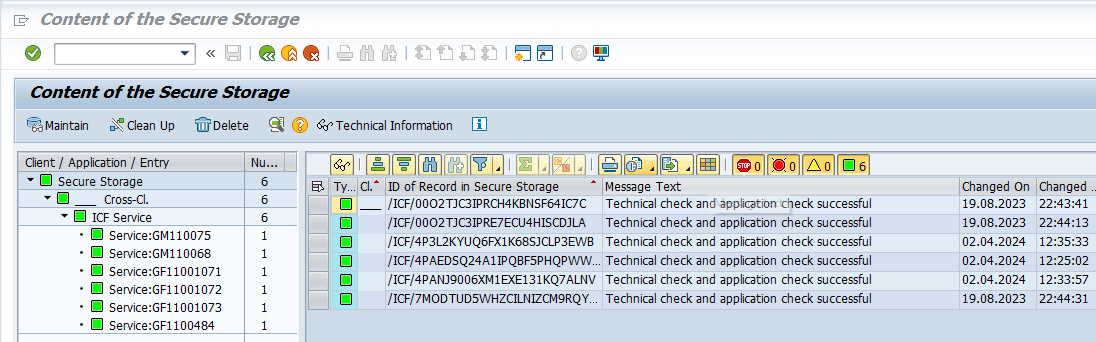
Now hit execute and check the results:

Mass processing

SICF mass processing is done via program RS_ICF_SERV_MASS_PROCESSING.

Logging of SICF changes

To enable logging of SICF changes: switch on table logging for table ICFSERVLOC.

HTTP whitelisting

Some issues with web applications are caused by (incorrect) whitelisting. HTTP whitelisting setup is explained in OSS note 2578665 – How to maintain the table HTTP_WHITELIST.

Various OSS notes around SICF

User based debugging

In some cases you need to debug the session of another user. This can be needed for example when you need to solve an issue in ABAP for a FIORI app. The end user is doing his work until the break point is reached. Then you take over the session using the normal debugging tools. The basic principle is explained in OSS note 1919888 – Debugging the applications of another user, and in this SAP help file.

Prerequisites:

Then let the user start the work. You will take over as soon as the break point is reached.

Checklist for issues can be found in OSS note 2462481 – External debug / breakpoint is not recognized.

Set the user ID to be debugged

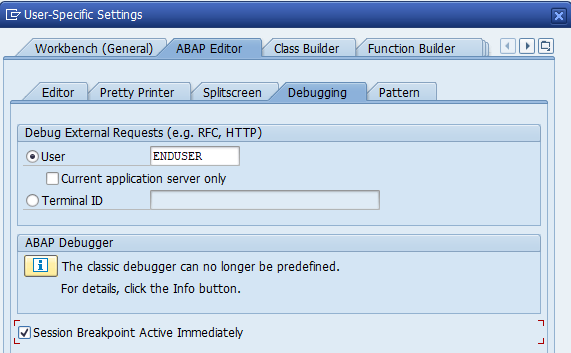
For your user ID choose the menu option Utilities/Settings. Then select main tab ABAP editor and subtab Debugging:

Now replace your user with the user name for which you want to take the session over using the external break point.

Custom SCI class for checking AUTHORITY-CHECK statement

Follow the steps explained in this blog to set up a new custom check. We will use these steps to set up an extra SCI class to check if the AUTHORITY-CHECK statement is added in ABAP code or not.

New SCI check coding

Step 1: create the ZCL_CI_SCAN_AUTH class

In SE24 copy class CL_CI_TEST_FREE_SEARCH to ZCL_CI_SCAN_AUTH. In the attributes of the copied class set C_MY_NAME as variable to ‘ZCL_CI_SCAN_AUTH’. Also set the error code MCODE_0001 to ‘Z001’.

Step 2: redo the CONSTRUCTOR

Goto the constructor of the new class and overwrite the existing code with this code snippit:

 super->constructor).
 
   description    'Search authority check statement'(001).  "required
   category       'ZCL_OWN_CHECKS'.         "required
   version        '000'.                      "required
   has_attributes c_false.                        "optional
   attributes_ok  c_false.                 "optional
   DEFINE fill_message.
     CLEAR smsg.
     smsg-test c_my_name.
     smsg-code &1.  "message code
     smsg-kind &2.  "message priority
     smsg-text &3.  "message text
     smsg-pcom &4.  "pseudocomment
     INSERT smsg INTO TABLE scimessages.
   END-OF-DEFINITION.
 
   fill_message 'Z001' 'E' 'Search authority check statement'(001' '.

Don’t forget to double click on the 001 to generate the text message.

Step 3: adapt the RUN code

Now the check itself has to be built in the RUN method:

DATA:
     l_include       TYPE sobj_name,
     l_row           TYPE token_row,
     l_column        TYPE token_col,
     l_tokennr       LIKE statement_wa-from,
     l_code          TYPE sci_errc,
     l_search_string LIKE LINE OF search_strings VALUE 'AUTHORITY-CHECK',
     l_position      TYPE i,
     l_found         TYPE VALUE ' '.
 
 *  IF search_strings IS INITIAL.
 *    RETURN.
 *  ENDIF.
 
   IF ref_scan IS INITIAL.
     CHECK get'X'.
   ENDIF.
 
   CHECK ref_scan->subrc 0.
 
 *-- loop at all tokens
   LOOP AT ref_scan->statements INTO statement_wa.
     CHECK statement_wa-from <= statement_wa-to.
     l_position sy-tabix.
     IF statement_wa-type 'S' OR
        statement_wa-type 'P'.
       CHECK comment_mode 'X'.
     ENDIF.
 
     LOOP AT ref_scan->tokens INTO token_wa
            FROM statement_wa-from TO statement_wa-to.
       l_tokennr sy-tabix.
       IF token_wa-type 'S'.
         CHECK literal_mode 'X'.
       ENDIF.
 
 *-- does ABAP-string contain search-string ?
       IF token_wa-str CP l_search_string.
         UNPACK sy-tabix TO l_code(4).
         l_include get_include).
 
         l_row     get_line_absl_tokennr ).
         l_column  get_column_absl_tokennr ).
         l_found 'X'.
 
         EXIT.
       ENDIF.     "l_strpos > l_pos
 
     ENDLOOP.
   ENDLOOP.
   IF l_found NE 'X'.
     informp_sub_obj_type c_type_include
                 p_sub_obj_name l_include
                 p_position     l_position
                 p_line         l_row
                 p_column       l_column
                 p_kind         'E'
                 p_test         c_my_name
                 p_code         'Z001'
                 p_suppress     '"#EC CI_NOAUTH '
                 p_param_1      token_wa-str ).
   ENDIF.

Basically the code looks for the statement ‘AUTHORITHY-CHECK’. If it found nothing happens. If it is found, it will generate a message.

Step 4: generating the message

In the method GET_MESSAGE_TEXT overwrite the code with this new code:

   data:
     L_CODE type SCI_ERRC.
 
   if P_TEST <> MYNAME or p_code c_code_not_remote_enabled.
     SUPER->GET_MESSAGE_TEXT(
                 exporting P_TEST P_TEST P_CODE P_CODE
                 importing P_TEXT P_TEXT ).
     return.
   endif.
   L_CODE P_CODE.
   shift L_CODE left deleting leading SPACE.
   P_TEXT 'No authorithy-check statement found'(101).
   replace first occurrence of '&N' in P_TEXT with L_CODE.

SCI settings

Use steps from blog xxx to add the new check to the SCI variant ZTEST.

SCI variant

Test program

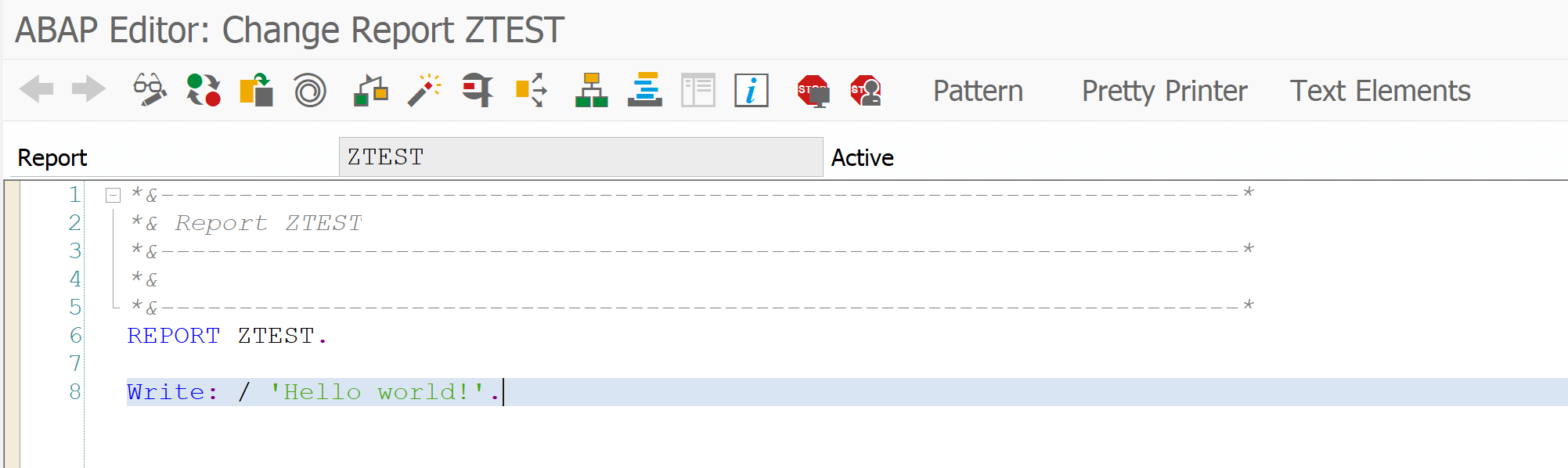
We have written a simple test program without AUTHORITHY-CHECK.

Test program ZTEST

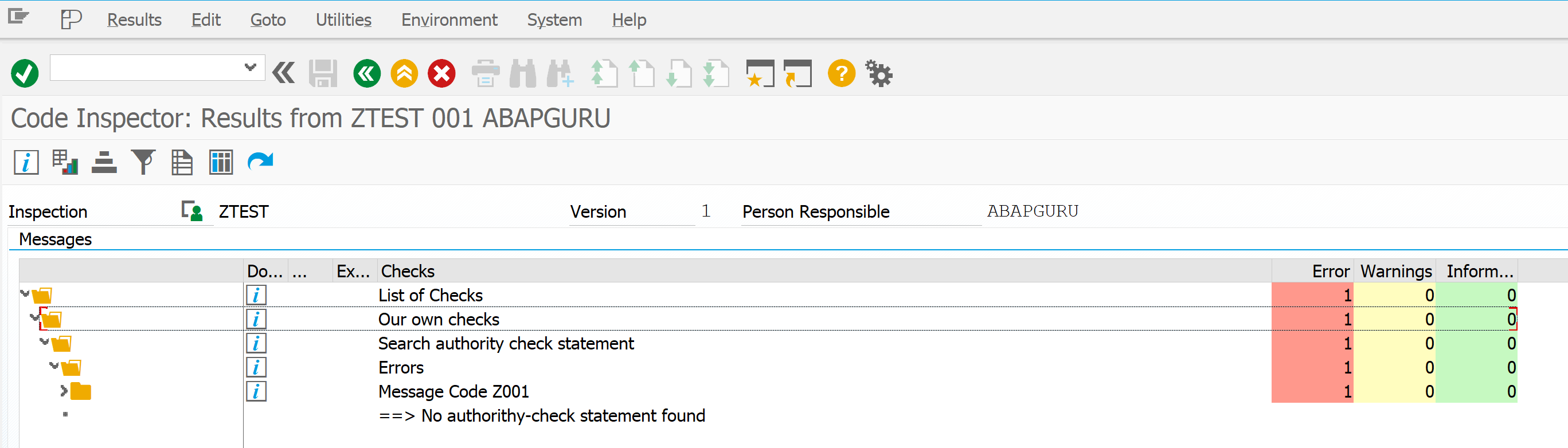
When running the SCI with our test variant, this is the result:

SCI check on AUTHORITHY-CHECK statement


EWA alert solutions

The SAP Early Watch Alert (EWA) report can contain valuable information on specific topics in your system that you must fix.

More information on the EWA workspace can be found in this blog.

General EWA tips and tricks can be found in this blog.

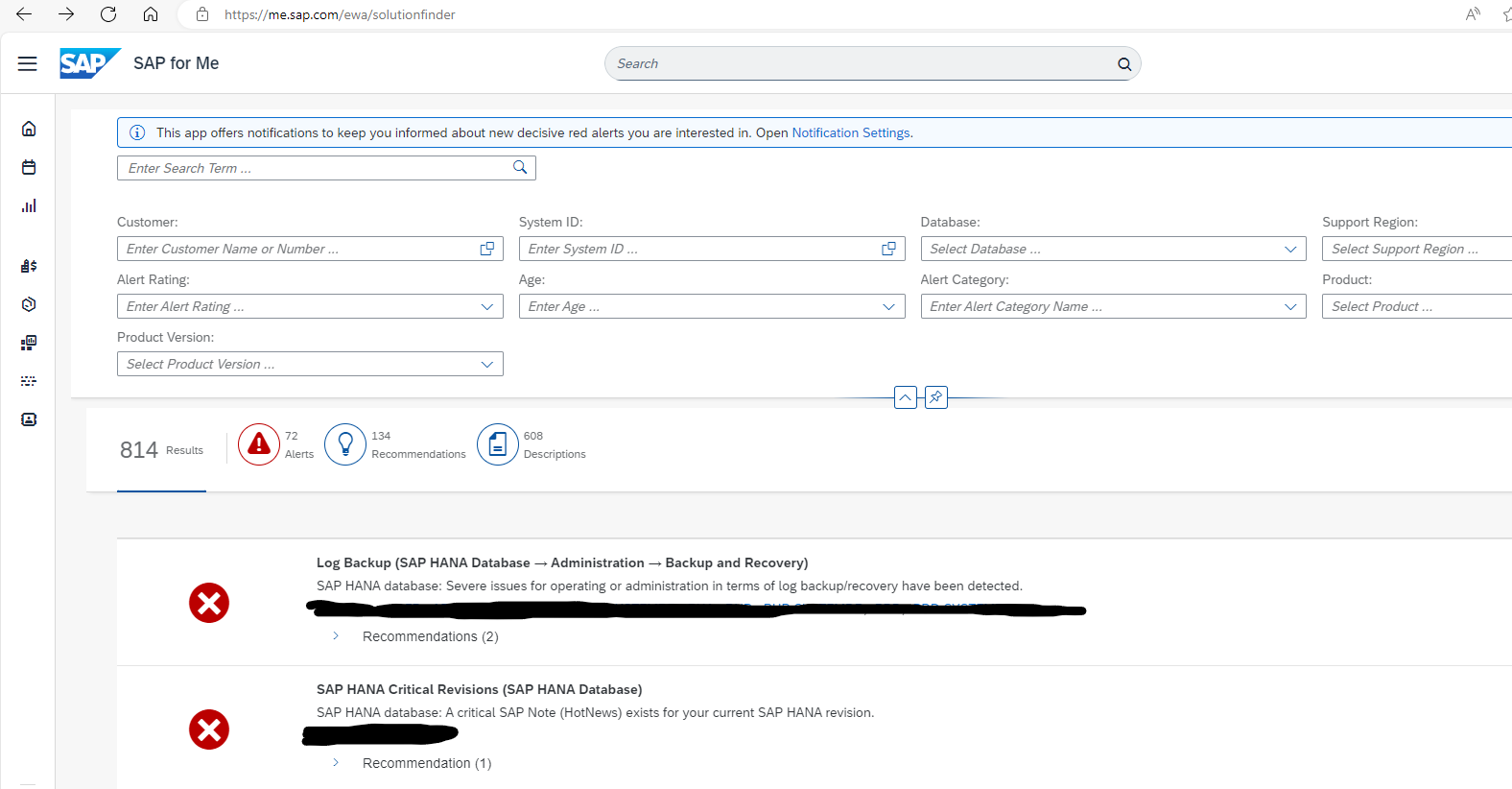
EWA alert solution finder

On the me.sap.com go to the specific page for EWA solution finder:

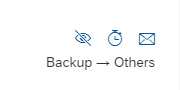
Action follow up is on the right hand side per alert:

You can choose:

  • Hide the alert (be very careful!)
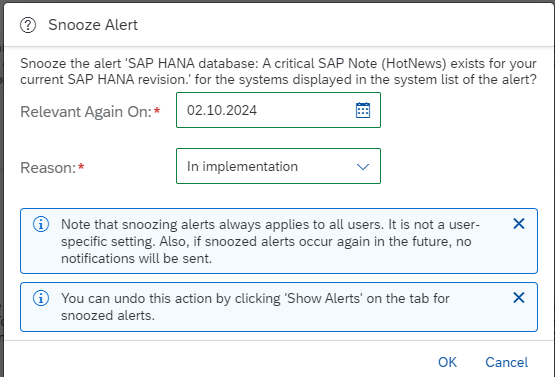
  • Snooze the alert (see SAP blog)
  • Mail the alert

The snoozing is a very useful function. For example, you detect a red alert on HANA revision, but it will take you a month to implement (due to regression testing, process, etc), you can now snooze the alert for the implementation period:
After the implementation is done, the alert should be gone. If the implementation is delayed, you will be reminded again.

ABAPDOCU: online ABAP documentation

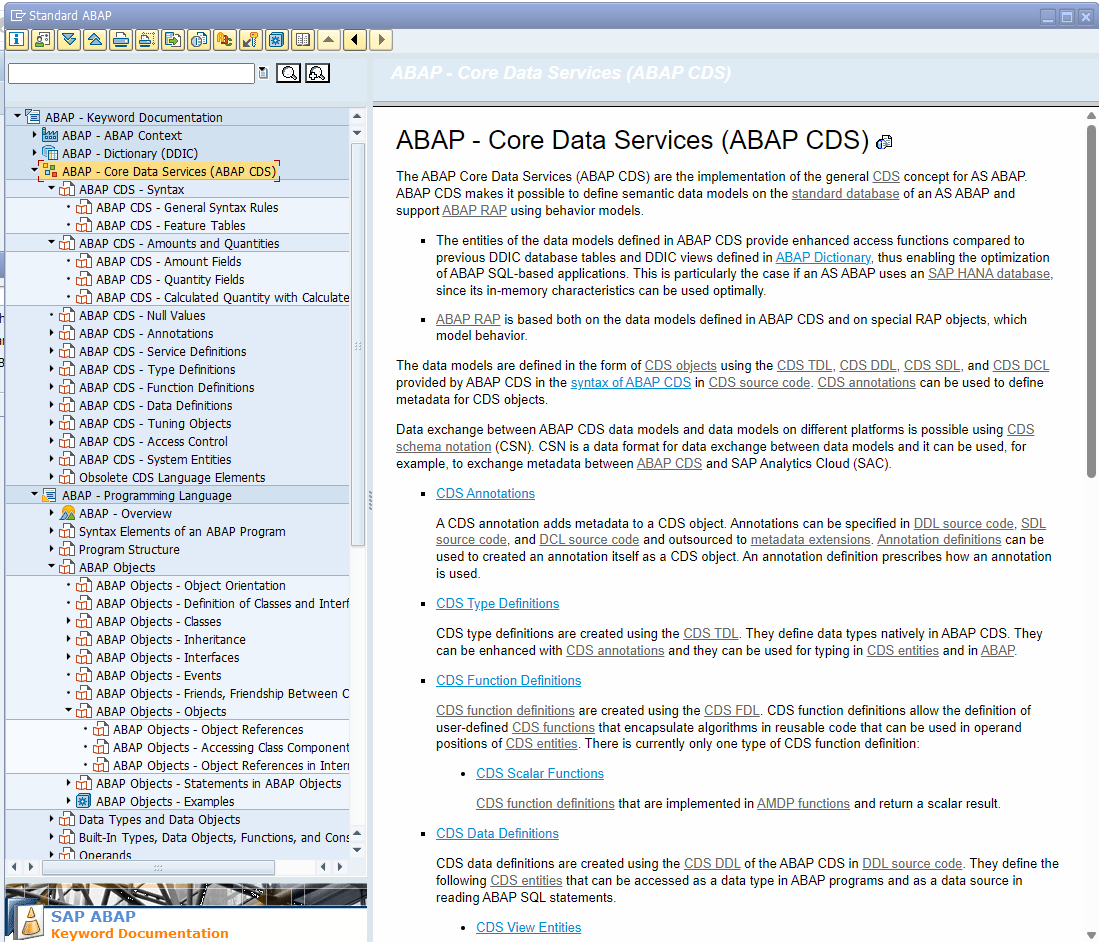
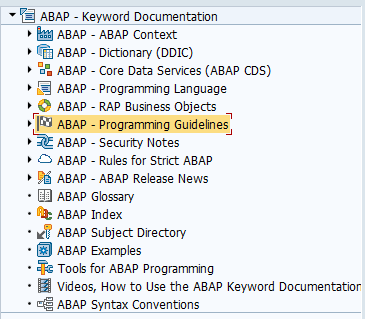
All ABAP documentation is online available in your ABAP system. Start transaction ABAPDOCU:

The most used function is the traditional ABAP keyword documentation.
But the ABAPDOCU is constantly updated and also contains great background information on:

  • CDS views
  • Restful Application Programming model (RAP)
  • Security in ABAP
  • Cloud rules for ABAP
  • Release notes for ABAP releases
  • ABAP examples
  • Tools for ABAP programming

OSS notes

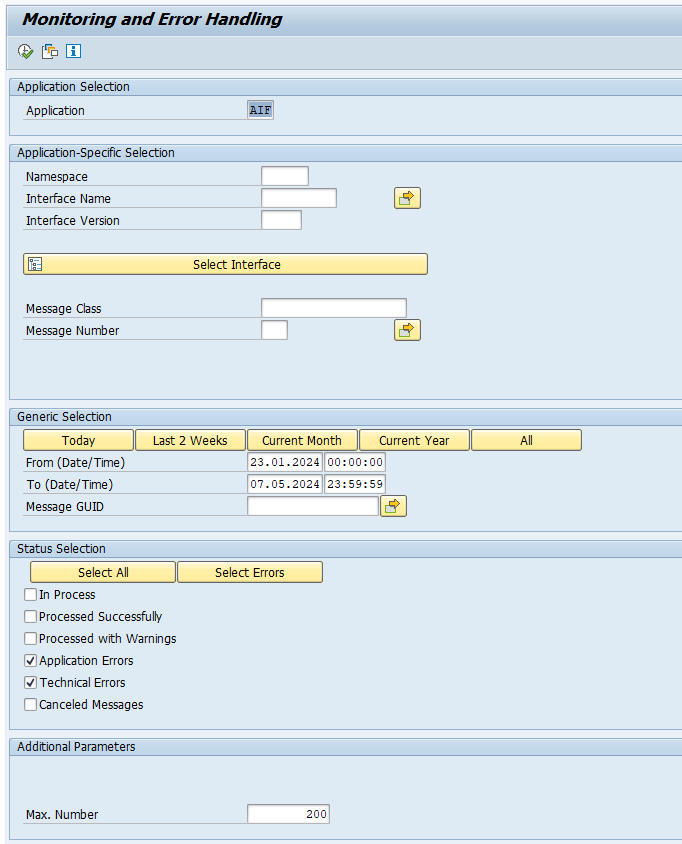
Set up AIF interface error handling

SAP has a nice framework to handle interface errors: AIF (application integration framework).

The framework is quite old already but was not very popular. Not to the fact that it is not good (it is in fact quite good), but it is because it is a licensed product and too expensive for the value it brings.

The framework is now split into 2 parts:

  • Use in combination with standard SAP scenarios (in this case the use of AIF is free)
  • Use in combination with your own custom flows (in this case you need to pay for the AIF license)

Activating AIF error handling content

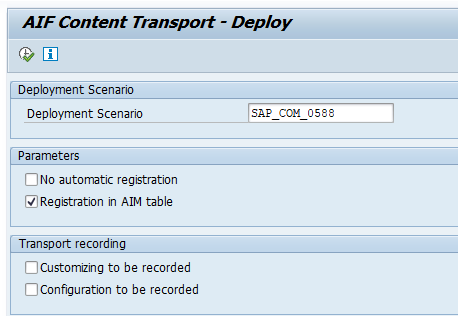
For reference you can read the formal help file from SAP on activating AIF content.

Extract the content using SE38 report /AIF/CONTENT_EXTRACT.

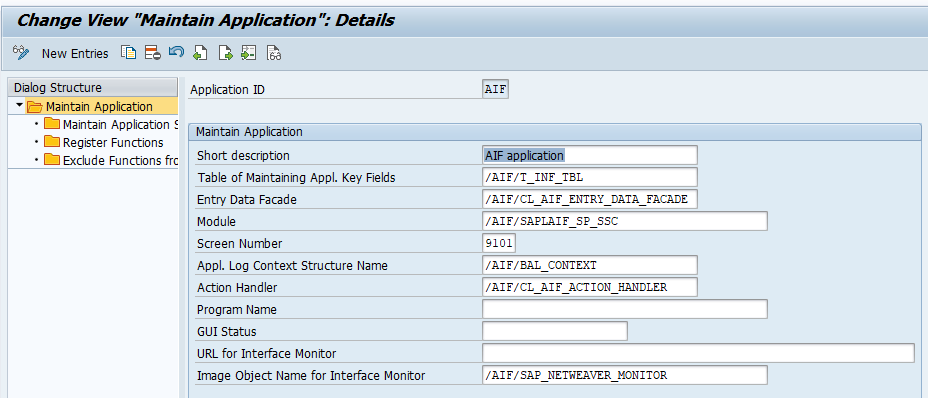
Then start transaction /AIF/CUST to maintain the customizing for errors. The input is given on this SAP help page.


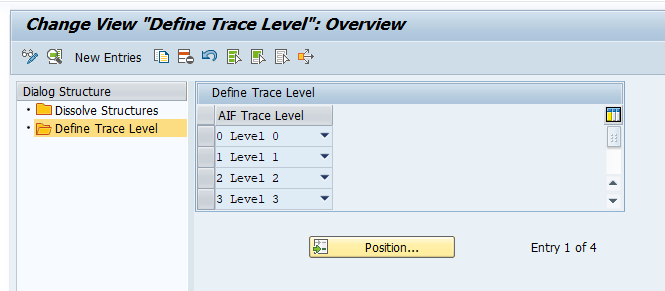
And define the error handling levels:

Use of AIF

Transaction /AIF/ERR can be used for the error handling monitoring:

ABAP debugger stop at modification

As ABAP developer you can be asked to help out with issues in standard SAP to help debug the issue.

First of all, you normally use the ANST tool to check if there are any standard SAP notes available.

The second step is to search for user-exits and BADI’s for a transaction.

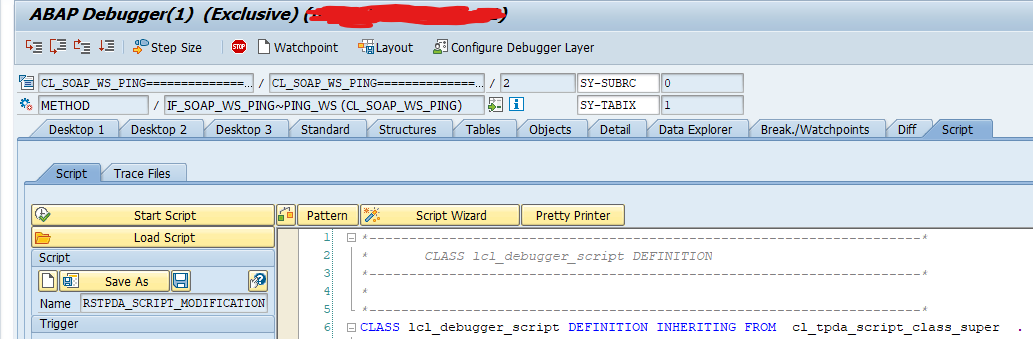
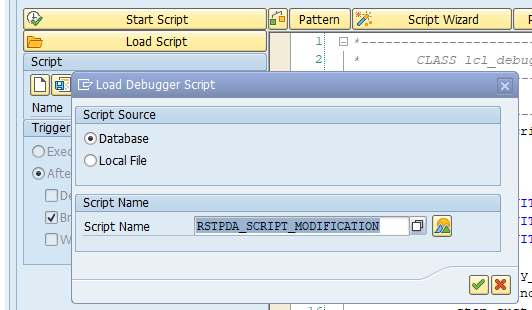
The third step you can do is use the new ABAP debugger script to search for customer enhancements during debugging. To do this, load the new script by applying OSS note 3415810 – New ABAP Debugger Script RSTPDA_SCRIPT_MODIFICATION.

Now start debugging like usual and go to the Script tab:

Then load the script RSTPDA_SCRIPT_MODIFICATION:

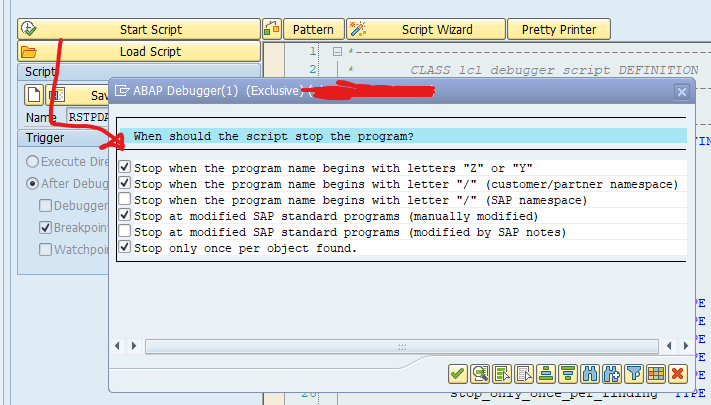
Then start the script and choose your break-point stop conditions:

Now you can check if there is any modification or custom coding interfering with standard SAP.

When no custom coding involved and issues is still persisting, you can debug, but will still be forced to file a case at me.sap.com for an SAP solution.