SAP has a new program /SDF/ST10 to execute advanced table buffer analysis.
This is a great new program that finally gives a good overview of the buffer status on high level, without swarming immediately into all the details.
Installation and documentation of /SDF/ST10 advanced table buffer analysis program
Apply OSS note 3478095 – Advanced Table Buffer Analysis to get the new /SDF/ST10 program installed.
This note also contains the documentation of the program itself.
Running advanced table buffer analysis
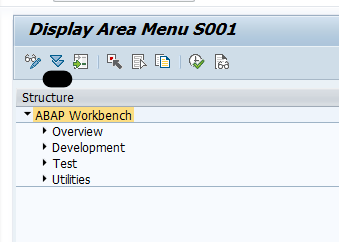
In SE38 on your productive system start program /SDF/ST10. If you have multiple application servers, run it per server, since the buffering can be locally different per application server.
Start screen:
After pressing execute you are reminded this is an expert transaction and you must read the note 3478095 – Advanced Table Buffer Analysis.
Result screen:
By default the screen is unsorted. Sort on the item you think is interesting to analyze in more detail.
Note: on the bottom you can see the double click links to more detailed tools.
Actions that can be done to improve
All the actions below are Expert actions. Don’t execute or propose them if you do not have in-depth understanding of SAP table buffering.
De-buffering
De-buffering of custom or even standard SAP tables can be a solution. For SAP tables, notes can be found for certain use cases.
Example notes:
Change table buffer parameter
OSS note Posted on Categories BufferLeave a comment on Advanced table buffer analysis Oracle has started to charge companies for using Oracle JRE and JDK. Questions might come to you on the relationship and use of Oracle JRE/JDK in SAP products. More background information can be found on for example these sites: 146505 – SAP GUI for the Java environment (Platform Independent GUI) SAP has an online simplification item check available. This can be used for both a conversion to S4HANA as well as an upgrade of S4HANA to a higher version. The readiness check inside the system focuses on data used and on mandatory items. The online check also gives information on changes and potential new features you can use. The online simplification item check can be found here. On the screen select your target version: Here we simply take the highest version: S4HANA 2023. A new screen comes where you can select the source version and details of the feature pack of the target: Click on Go to get the result list: This check does not replace the mandatory readiness check inside the system. It can help you to prepare in planning phase of an upgrade. To prepare for an S4HANA migration, you can use the SAP Readiness Check for SAP ERP Usage and Data Profiling. This analysis will provide data insights in your current ERP system usage. The tool can be installed by applying OSS note 3112362 – SAP Readiness Check for SAP ERP Usage and Data Profiling. Transport this note to your productive system. The tool needs to have the actual production data. Start program RC_UDP_COLLECT_ANALYSIS_DATA: Start with the Schedule Analysis. A batch job will collect the data. Once done, you can use the Display Analysis Data button to see the results. The Download Analysis Data allows you to download the data. The data needs to be uploaded to the SAP Readiness site. After uploading to the SAP readiness site, give SAP about one hour to process the data. Then the analysis result is available: From left to right: Zoom in on the module based data profiles: For each part, you can now drill down to table level: This way you can see if a certain S4HANA change will have much impact or not (due to amount of records). SAP IGS is a built in graphics server for ABAP. To determine the version of IGS running start transaction SIGS (or run program GRAPHICS_IGS_ADMIN): Press execute: The RFC itself can be tested in SM59 with connection IGS_RFC_DEST. Background OSS note: 995471 – IGS administration via ABAP. To test the graphics start program BW_IGS_CHART_TEST. Output should be: SQVI is a tool to quickly build ad-hoc queries. Start transaction SQVI: Enter a QuikView name and press create. Now choose the type (in this case we will make a table join): First add the table: And add the second table: The join between the tables is in this simple cases created automatically. In more complex cases you have to define the join conditions yourself. Press the back button to go back. Now enter the output fields: And the selection fields: Save the SQVI query. Now you can start to Execute the query: Enter the input criteria and press execute to get the wanted results: Bug fix OSS notes for SQVI: SAP generates a lot of change documents for a lot of objects. Unfortunately for classification (for example for materials), this is not enabled by default. The procedure to activate change documents for classification is described in OSS note 1705101 – How to Activate Classification Change Documents. First you need to run program RCCLUKA2 as described in OSS note 942691 – Information about using RCCLUKA2. Depending on the amount of records this program runs minutes to several hours. Once the program is done, you can use transaction O1CL to activate the change documents: In the material master classification screen the menu option Environment/Change Documents is now enabled and will show the changes to classification done: This blog will explain how to archive production order data via object PP_ORDER. Generic technical setup must have been executed already, and is explained in this blog. Go to transaction SARA and select object PP_ORDER. Dependency schedule is empty, so there are no dependencies: Main tables that are archived: Preprocessing program: PPARCHP1 Write program: PPARCHA1 Delete program: PPARCHD1 Read from archive: PPARCHR1 Relevant OSS notes: Guided procedure on production order archiving issues can be found here. For archiving object PP_ORDER there is application specific customizing to perform. Select the order type: And set the residence times: Residence time 1 determines the time interval (in calendar months) that must elapse between setting the delete flag (step 1) and setting the deletion indicator (step 2). Residence time 2 determines the time (in calendar months) that must elapse between setting the deletion indicator (step 2) and reorganizing the object (step 3). In transaction SARA, PP_ORDER select the preprocessing run: Select your data, save the variant and start the archiving preprocessing run. The run will show several functional issues: orders that are not completed and could not be marked for deletion with the functional reason. In transaction SARA, PP_ORDER select the write run: Select your data, save the variant and start the archiving write run. After the write run is done, check the logs. PP_ORDER archiving has low speed, and medium percentage of archiving (60 to 80%). Deletion run is standard by selecting the archive file and starting the deletion run. Data retrieval is via program PPARCHR1: Important here to select the correct archive files. Output is a list on the left side with details on the right hand side of the screen in table format: Batch job event triggers can be used in a smart way to trigger a batch job when needed. In transaction SM62 you can see the current events and also create a new custom event: The event can be triggered from SM64 by selecting the event and pressing the Execute button: Or you can trigger from an ABAP program with the function module BP_RAISE_EVENT. Or you can trigger from OS level with the sapevt program. Now we will schedule the job in SM36 using a test program ZHELLOEVENT. In the job definition we will run the program ZHELLOEVENT. In the scheduling we will use the start condition After Event: When you trigger the event now in SM36 you see the job will execute nicely. Go to transaction SM37 and key in the Or after event search option: You will now find the jobs after the event triggering. To find batch jobs that are still waiting for a trigger, use SE11 to see the content of table BTCEVTJOB. Settings are done in SM64: Run background program RSEVTHISTREORG for the clean up. Relevant OSS notes: You can use type-ahead and fuzzy search in F4 help in custom ABAP code. Type-ahead will work with any database. Fuzzy search only with a HANA database. First we create a simple test table and fill it with some dummy entries: In SE11 now create elementary search help: Fill the search help reference to the table and mark the Autosuggest (type-ahead) and mark the full text search: The fuzzy value of 0,8 allows a similar keyword with a typo to popup. 0,9 be more strict, 0,7 will be less strict. You have to play around. 0,8 is a decent value. Now you can test with this test program: The parameter defined is referring to the search help (matchcode is the old term) we just defined. Result: if the user starts to key, it will already suggest values: If it is not working, check with transaction SDSH_CONFIG if the system wide setup is activated or not: See OSS note 1971775 – Functional or Performance Issues Related to the Type-Ahead Search Functionality.SAP and Oracle JRE/JDK

All statements and notes below are only generic and not legally checked in any form! It is your job to check your companies situation and contracts. The listing below is only made to help speed up your research.
This blog is also not complete. See it as hints and starting point. Use Google and Support.sap.com more full search on your specific questions in your specific situation.Potentially relevant OSS notes and blog
General notes and blogs
FAQ
SAP GUI
Compatibility issues
SIC: Online Simplification Item Check
Online simplification item check
SAP Readiness Check for SAP ERP Usage and Data Profiling
Tool installation and run
Tool result
SAP IGS (internet graphics server)
Graphics test program
SQVI: quick viewer
Bug fix OSS notes
Activate change documents for classification
Program RCCLUKA2 convert the key of the classification. Any custom code reading KSSK and AUSP directly might need to be updated!

Data archiving: production order
Object PP_ORDER
Technical programs and OSS notes
Application specific customizing
Executing the preprocessing run
Executing the write run and delete run
Proved a good name for the archive file for later use!
Data retrieval
Batch job event triggering
Defining the event in SM62
Triggering the event
FORM RAISE_EVENT.
CALL FUNCTION 'BP_EVENT_RAISE'
EXPORTING
EVENTID = 'ZMYEVENT'
EVENTPARM = 'EVENTPARM 'Test'
TARGET_INSTANCE = ' '
EXCEPTIONS BAD_EVENTID = 1.
ENDFORM. " RAISE_EVENTSchedule job with event trigger
Jobs waiting for a trigger
Reorganization of batch jobs events
OSS notes
Using type-ahead and fuzzy search in F4 help
Test table
Set up Search Help
Test program
REPORT ZTEST_FUZZY.
PARAMETERS P_TEST type ZTEST-TEXT MATCHCODE OBJECT Z_TEST_FUZZY.System wide setup